


Approximately 40% of construction companies still use paper-based time and attendance systems, according to a 2018 ConstrucTech study. That’s not tradition – that’s leaving money on the table.
Contractors who have ditched paper timecards are getting cleaner data, saving hours every week, and building real trust between the field and the office. Those still using manual methods know exactly how time-consuming it is to keep things on track.
The problem isn’t the paper itself. It’s the guesswork that comes with it.
When time gets filled out from memory, passed around on clipboards, or corrected at the last minute, you lose clarity. Hours get padded. Punches get missed. Notes disappear. And those gaps do more than slow down payroll – they create risk across your entire project.
For specialty contractors managing their own crews, temp labor, and hourly subcontractors, that risk adds up fast. You need to know who was on site, when they got there, and how long they worked. No chasing down timecards. No second-guessing the numbers.
If you’re moving off paper, check the Top 5 portable time clocks that are built for crews and eliminate paper timesheets.
In this article: The real costs of manual time tracking (financial, strategic, and operational), what actually happens on jobsites, how contractors are making the switch, and what makes time tracking work in construction conditions.
Want the complete guide?
Download the full PDF version of “What Paper Timesheets Are Really Costing Contractors in 2025” to share with your team, reference offline, or include in project planning docs.
You Already Know What Paper Timecards Cost You
Clipboards. Handwritten hours. Workers filling them out at the end of the day – or the end of the week – from memory.
Foremen collecting cards, deciphering handwriting, chasing down missing ones. Someone in the office manually enters it all into payroll. Then the questions start. “Where’s the card for Tuesday?” “Why does this say 11 hours?” “Who approved this?”
It’s all guesswork. Hours get padded. Punches get missed. And you’re paying for time that may not have been worked.
The Real Cost of Paper Time Tracking
Manual timekeeping does more than slow things down. It hides waste, creates extra work, and leaves you open to risks you can’t see coming. All these add up to costs that fall into three categories.
1. Wasted Money: Direct Financial Losses
When timesheets are filled out from memory, hours get padded. Sometimes it’s intentional. Sometimes it’s not. Either way, you’re paying for time that may not have been worked.
Example scenario: A crew member forgets to clock out for lunch and records a full 10-hour day, even though they only worked nine. It’s not malicious. It’s just how easy it is to make mistakes when you’re using paper to track time.
Situations like that add up fast, especially across multiple crews, projects, and pay periods. It throws off your job costing and creates blind spots that affect future bids.
According to the 2022 HR Processing Risk and Cost Survey, payroll errors cost employers an average of $291 per error. When you’re running dozens of workers across multiple jobs, those errors compound quickly.
Total annual cost per worker: Industry analysis shows contractors lose an average of $4,285+ per worker annually through time theft, padded hours, and payroll inaccuracies with paper-based systems.
2. Strategic Risk: Inability to Defend Your Numbers
When crews are moving, priorities are shifting, and different trades are working side by side, it gets hard to keep track of who worked when. Especially with paper.
That’s when the real risk shows up:
- Time gets entered late or from memory
- Records are incomplete
- When payroll or clients ask for backup, there’s no way to verify what really happened
Contractors who rely on paper often find themselves defending numbers they can’t prove during T&M billing disputes or client audits. The ones using verified time don’t have to.
Impact on T&M billing: When you bill Time & Materials, you need detailed backup for every hour. Paper timesheets with incomplete data make it hard to defend your invoices. Clients will question hours. And since you often pay workers weekly but bill monthly, disputed hours create cash flow problems. You already paid the worker, but can’t collect from the client.
3. Operational Headaches: Admin Burden and Delays
Foremen shouldn’t be spending their time chasing down hours or filling in the blanks. Neither should your payroll team.
Manual systems slow everything down:
- They introduce human error
- They cause payroll delays
- They force your team to fix problems that shouldn’t exist in the first place
How Paper Time Tracking Breaks Down: The Typical Workflow
Here’s what happens on most jobsites using manual time tracking:
1. Paper Timecard: Worker receives a physical timecard or a clipboard
2. Memory Entry/Incomplete Data: Hours filled out from memory, often days later
3. Foreman Follows Up: Foreman chases missing or incomplete timecards
4. Payroll/PM Rework: Office staff manually enters data, finds errors, and requests corrections
5. Delays, Disputes & Missed Costs: Payroll runs late, job costing is inaccurate, T&M billing gets disputed
Verified time tracking eliminates this inefficient workflow.
Comparison: Paper vs. Verified Time Tracking
| Problem with Paper | Business Impact | Solution with Verified Time |
| Hours filled out from memory | Inaccurate labor costs, padded hours | Verified punches with biometric facial verification at time of work |
| Missing timecards | Delays in payroll and job costing | Real-time sync to dashboard, no cards to lose |
| Manual data entry | Admin burden for payroll staff ($246/employee/year) | Clear, consistent, ready-to-view timesheets with no manual entry |
| Incomplete audit trail | Hard to defend hours during client audits or wage disputes | Biometric facial verification and timestamped records provide verifiable proof of work |
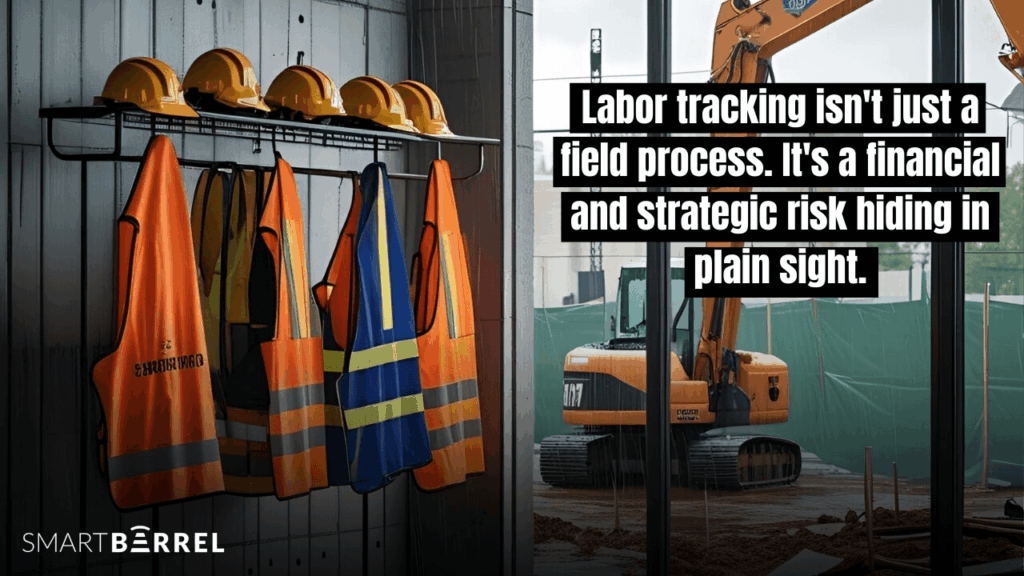
Key insight: Labor tracking isn’t just a field process. It’s a financial and strategic risk hiding in plain sight.
What Actually Happens on the Jobsite
The jobsite isn’t a controlled environment. Conditions change by the hour.
Typical jobsite realities:
- Crews get reassigned mid-shift
- Plans and priorities shift throughout the day
- Subs from different trades work side by side, each with their own tasks, deadlines, and competing priorities
- Foremen and supervisors are juggling progress updates, safety checks, and labor coordination while trying to keep their jobs on track
In this environment, time tracking isn’t at the top of anyone’s mind. Paper timesheets feel quick in the moment. They seem to work.
But what feels fast in the field causes problems down the line.
All those handwritten notes, verbal updates, and hours based on memory leave gaps that no one has time to chase down. This burden falls on payroll administrators, supervisors, and foremen who are forced to figure it out and fill in the blanks.
What contractors actually need: A time tracking solution that can keep up with shifting crews, changing plans, and real-world jobsite conditions – heat, cold, mud, lost connectivity, and those dark early morning hours.
Case Study: How Axcon Mechanical Saved 5% on Labor Costs
Company: Axcon Corporation, Inc. – nationwide mechanical contractor
Challenge: Supervisors were entering a flat 60 hours per week for each employee, regardless of actual hours worked
Impact: Inflated labor costs and unreliable labor data made accurate project estimation difficult
The Problem (In Their Own Words)
“Supervisors entered a flat 60 hours per week for each employee, regardless of how many hours they actually worked.”
Don Schesny, SVP of Implementation at Axcon
The Results After Switching to Verified Time Tracking
According to Axcon’s documented results:
- $246 in admin hours saved per employee, per year
- 5% saved in wages per month (from eliminating padded and inaccurate hours)
- 5% increase in bids won (driven by more accurate labor cost estimates)
Key insight from Don Schesny: “The real win was the clarity SmartBarrel brought to the field. They finally had data they could trust, and that trust helped drive smarter decisions across every job.”

Why accurate time data improved their bid win rate: When your labor costs are accurate, your project estimates are accurate. This lets you bid more competitively without risking your margins. The result? You win more bids.
What Makes Time Tracking Actually Work in Construction
Most time tracking systems aren’t built for construction. The ones that claim to be often miss the mark by adding complexity instead of solving real problems. Why? They were built by people who’d never worked in construction.
The difference between a system that gets adopted and one that gets ignored is simple: Field-first time tracking doesn’t add friction to your timekeeping process. It removes it.
What Actually Works on a Jobsite
Time tracking needs to be quick enough that workers actually use it. Accurate enough that you can trust the data. Simple enough that nobody needs training.
Different contractors work differently. Some want dedicated check-in areas with mounted time clocks. Others want foremen to punch in crews on a tablet or phone. The best systems let you choose what works for your sites and your crews.
What you actually need:
- Works across multiple project locations at once
- Captures exactly who showed up and when
- Gives you verified labor hours (not estimates or memory-based guesses)
- Functions in offline mode when connectivity drops
- Ease of use, cost codes, productivity tracking, break rules, per diem, and expenses
Per diem gets messy fast without documentation, this breakdown of what per diem covers (and how it’s treated) is a useful reference for office teams cleaning up payroll.
If your tool can’t keep up with real jobsite conditions, it’ll get scrapped. And all those problems you tried to solve will come right back.
The Non-Negotiables of Jobsite Time Tracking
Based on contractor feedback and real-world construction conditions, here’s what actually works:
☑ Works with or without cell service (built-in LTE, offline mode)
☑ Built to withstand heat, cold, dust, and weather (rugged hardware)
☑ Lives on the jobsite – no moving until the job is done (no charging, no daily transport)
☑ Offers multiple punch options (dedicated device or foreman mobile app)
☑ Biometric facial verified punches (eliminates buddy punching, no fingerprints needed)
☑ Runs without daily IT support (self-sufficient system)
☑ Syncs data to the office in real-time (no manual data transfer)
☑ Gets the field up and running with little to no training (intuitive interface)
☑ Tracks subcontractor and temp labor hours alongside your own crews (multi-company structure)
How Verified Time Builds Trust Across the Project
Time tracking isn’t only about payroll. It’s about trust.
Every decision contractors make depends on labor data:
- Job costing calculations
- Productivity tracking and analysis
- Client billing (especially T&M work)
- Future project forecasting and estimating
The trust problem: When data is built on estimates, memory, or manual entry prone to errors, trust breaks down. The office questions the field. Clients question billed hours. Foremen and supervisors get stuck in the middle.
What Verified Time Actually Means
Biometric facial verification confirms worker identity at the point of punch-in. Here’s what that gets you:
- Workers have to be physically on site to clock in. No buddy punching.
- Every entry is automatically time-stamped. No filling it out from memory three days later.
- Punches are tagged to the right project and cost code in real-time.
- Data is consistent across all your projects and crews.
The result: Your office gets what it needs without adding more work for the field. Trust is built in at the point of entry. The data is accurate from the start.
Case Study: LPL Solar’s $7,500 Savings Per Foreman
Company: LPL Solar – specialty solar contractor
Previous system: Flat-hour estimates entered by foremen
Result: According to their documented case study, LPL Solar saved $7,500 per foreman annually by replacing flat-hour estimates with verified time tracking

Why this matters: When foremen don’t have to estimate, chase, or correct hours, they spend more time managing actual work. The time savings compound across every project.
Make the Switch Without Slowing Down
Switching from manual or outdated time tracking to digital doesn’t need to be overwhelming. The most successful contractors keep it simple and stay focused on what matters most – getting accurate time data without disrupting the jobsite.
Key principle: Contractors who get it right treat the rollout like a project. Clear goals, the right tools, and a plan that fits how they work.
Get Up and Running in 3 Steps
Step 1: Start with One Jobsite
Pick a jobsite and run it for two weeks under normal conditions.
Workers punch in with a phone number – no app required, works with gloves on, takes about 5 seconds. Foremen see real-time data. Hours flow to your office automatically.
Use those two weeks to see how it fits your workflow and get feedback from the field and office.
Step 2: Roll Out Based on What Makes Sense
Once you’ve seen how it performs, expand it however fits your operation.
Some contractors go by region. Others by crew size or project type. Some start with their own employees, then bring in subs later. There’s no single way to do this – match it to how you actually run your business.
Step 3: Let the System Handle What It’s Built For
The system tracks arrivals, departures, and locations automatically. That workload comes off your foremen.
Accurate hours go straight to payroll. Time disputes drop because the data is verifiable. Foremen spend less time chasing down information.
The administrative burden gets smaller. That’s the point.
Real Contractor Implementation Experience
“Phoenix introduced SmartBarrel first. Once they saw the cost-effectiveness and the savings, I figured we’d give it a try. I rolled it out on one project, then another, and another. Now, New Mexico uses it as a standard. If it’s not in SmartBarrel, you’re not getting paid. It really pushed the foremen to adopt it, and now they’re on board.”
Bill Everett, New Mexico Regional Manager & General Superintendent at Western Partitions, Inc.
What made this rollout successful: Clear enforcement policy (“if it’s not in SmartBarrel, you’re not getting paid”) combined with gradual expansion (one project, then another) gave foremen time to adapt while maintaining accountability.
Key Takeaways
The costs are real:
- Paper time tracking costs you $4,285+ per worker annually
- Payroll errors average $291 each
- Admin overhead adds another $246 per employee per year
- These costs compound across multiple projects, crews, and pay periods
The risk is significant:
- Incomplete records make T&M billing disputes harder to defend
- Inaccurate labor data throws off job costing and future estimates
- No audit trail means you’re vulnerable during client audits or wage disputes
Verified time tracking delivers documented results:
- Contractors report 5% savings in wages per month (Axcon)
- 5% increase in bid win rates from more accurate estimates (Axcon)
- $7,500 saved per foreman annually by eliminating estimate-based hours (LPL Solar)
- First-month payback on system investment across multiple case studies
Implementation is straightforward:
- Start with one jobsite for a month
- Make it crew-proof (minimal training, multiple punch options)
- Get foremen bought in early
- Roll it out based on how your operation actually works
- Review and adjust based on what you see in the first few weeks
The shift is already happening:
- 60% of construction companies have moved beyond paper
- The contractors winning bids are the ones with accurate labor data
- Verified time is becoming standard for specialty contractors managing their own crews, temp labor, and hourly subs
Bottom line: Paper may have worked when crews were small and projects were simpler. Today’s jobsite demands more, and manual time tracking can’t keep up. Verified time is how contractors protect their budgets, defend their labor costs, and eliminate the friction between the field and the office.
See How It Works in the Field
Want to see what verified time looks like on a real jobsite?
SmartBarrel captures the most accurate time from the field with biometric facial verification. No training required. No excuses accepted.

Two ways to punch in: TimeClock 4.0 devices for jobsites with 10+ workers, or the mobile Kiosk App for smaller crews. Both use the same facial verification tech, sync in real-time, and work with or without cell service.
People Also Want to Know
Buddy punching is when one worker clocks in for another who isn’t even there yet. Or signs their card. Or enters their PIN.
It happens all the time with paper timesheets and shared PIN systems. The American Payroll Association puts the cost at 2.2% of gross payroll annually. That adds up fast.
Biometric facial verification stops it completely. Workers have to be physically on site, looking at the camera. Can’t fake that.
Time & Materials billing means you invoice clients based on actual hours worked plus materials used. No fixed price. You bill for what you actually did.
Which means you need detailed time tracking and documentation to back up every hour on that invoice.
Here’s the problem: Paper timesheets with incomplete data make it hard to defend those hours when clients start questioning them. And they will question them.
Contractors often pay workers weekly but bill clients monthly. So if hours get disputed and you can’t prove them, you’re stuck. You already paid the worker but can’t collect from the client.
Industry studies show time theft – buddy punching, padded hours, rounding up, early clock-ins – costs contractors an average of $4,285+ per worker annually.
For a crew of 50 workers, that’s over $214,000 walking out the door every year.And that’s before the payroll errors. The 2022 HR Processing Risk and Cost Survey found those cost an additional $291 per error. Manual time tracking systems generate a lot of errors.
Verified time tracking mean biometric facial verification at the moment of punch-in. The worker has to be physically on the jobsite, looking at the camera. The system confirms it’s actually them.
What this means:
- Can’t buddy punch (worker has to be there in person)
- Punch times are automatically timestamped (no filling it out later from memory)
- Each worker is personally accountable
- Data syncs to office systems in real-time
You get an auditable trail of who worked when. Proof for payroll, job costing, and client billing.
Here’s the trust problem: You trust your own employees. But temp labor companies and hourly subs? That’s different.
Incentives aren’t aligned. They want to bill for maximum hours. You want to limit costs. Paper-based systems make this worse because there’s no way to verify who actually worked or for how long.
Verified time tracking fixes this:
- Create separate company accounts for each sub or temp agency
- Require biometric facial verification for all workers (doesn’t matter who employs them)
- Get real-time visibility into hours as they happen
- Generate clear reports for billing reconciliation
Contractors using verified time for subs report immediate reductions in disputed hours. No more “all our guys worked exactly 40 hours this week” invoices.
Facial recognition = Can identify who you are from a database of faces. Like what police or airports use.
Facial verification = Confirms you are who you claim to be by comparing your current photo to previous photos on file.
SmartBarrel uses facial verification, NOT recognition. Here’s what that means:
- You can’t just take a random photo and identify someone
- Workers enter their phone number first
- System checks if the current photo matches previous photos for that specific worker
- No photoshoot required – system learns workers automatically as they use it
- Green/red circle tells you if it’s a match
This is critical for worker privacy and legal compliance. We can’t take a picture and identify who you are or where you live. The system just confirms you’re the person you said you were.


