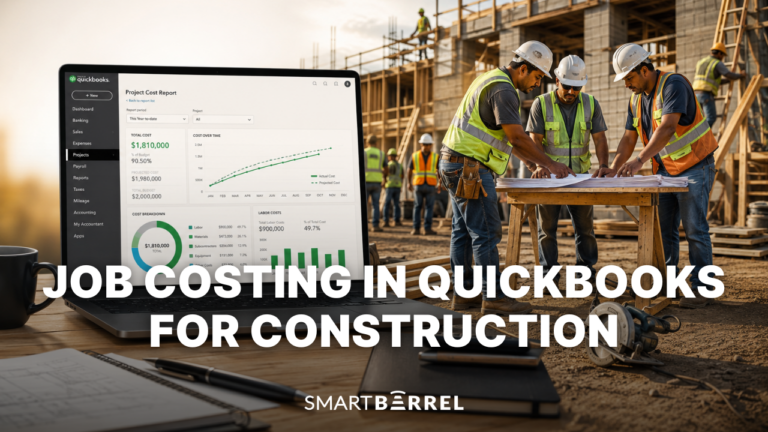


Construction time tracking software helps contractors accurately track employee hours, prevent time theft, and manage labor costs across multiple job sites.
For crews spread across sites, that often starts with geofence time tracking apps, which tie each clock-in to a virtual boundary around the jobsite.
We thoroughly evaluated 10 leading construction time clock apps using a 7-factor scoring system designed specifically for construction’s unique needs.
The challenge: Construction time tracking is fundamentally different from office time tracking. Your construction teams work in harsh conditions, across multiple sites, often without reliable WiFi. Construction crews wear gloves. Mobile devices need to survive weather exposure. And adoption fails if the time clock system is too complicated or requires workers to use personal phones.
What’s at stake: Time theft and payroll errors cost contractors an average of $4,285 per worker annually. Beyond the direct labor costs, inaccurate time tracking creates billing disputes with GCs, compliance issues with labor laws, and hours of manual data entry chasing down timesheets.
What changes in 2026: The technology finally caught up to the construction industry’s needs. Biometric facial verification became reliable in field conditions. GPS accuracy improved dramatically. True offline tracking became standard rather than a premium feature. Going into 2026, real-time project tracking is integrated directly into time tracking apps.
That shift puts real daylight between modern platforms and the paper-based timekeeping most contractors grew up with, where clean data depended on handwriting, memory, and a patient payroll clerk.
How we evaluated these solutions:
- Analysis of 200+ verified user reviews from G2, Capterra, and industry forums
- Comparison using our 7-factor scoring system weighted for construction priorities
- Evaluation of integration capabilities with payroll and accounting systems
Assessment of field-specific features (offline capability, weather resistance, glove compatibility, GPS tracking, buddy punching prevention)
Learn more details about our scoring system and how we evaluate and choose the best software for our guides.
This guide helps you:
- Understand the 7 must-have features for construction time tracking
- Compare construction time tracking solutions using expert objective scoring criteria
- Avoid common mistakes contractors make when choosing construction time tracking systems
- Calculate your actual ROI and payback period
- Match the right time tracking solution to your specific needs (crew size, trade, budget)
Our Top 10 Picks For Best Construction Time Tracking Software
Methodology Disclaimer: This analysis is based on publicly available information, vendor documentation, and verified user reviews as of December 2025. Scores reflect our assessment using SmartBarrel’s published evaluation criteria. Software capabilities and features evolve over time. We encourage readers to verify current features, pricing, and capabilities directly with vendors before making purchasing decisions.
Overall Rankings
Rank | Software | Total Score | Rating |
1 | 95/100 | Outstanding | |
2 | 80/100 | Very Good | |
3 | 77/100 | Very Good | |
4 | 72/100 | Very Good | |
5 | 68/100 | Good | |
6 | 68/100 | Good | |
7 | 65/100 | Good | |
8 | 64/100 | Good | |
9 | 52/100 | Fair | |
10 | 52/100 | Fair |
Note: Scores reflect alignment with construction industry- specific criteria in our methodology. Lower scores do not indicate poor quality – they may indicate different target markets or use cases. Solutions scoring 75+ are very strong performers for construction applications.

SmartBarrel
Best Suited For: Mid to large contractors with over 100 employees that manage labor across multiple jobsites and want to improve accuracy, compliance, and control.

Workyard
Best Suited For: Contractors who want high-accuracy location tracking and detailed labor cost control.

Exaktime
Best Suited For: Contractors who need basic scheduling, are comfortable with GPS breadcrumbing privacy concerns, and don’t require identity verification or compliance automation.

WorkMax
Best Suited For: Construction companies that use Foundation Software as their ERP Solution, which require detailed time tracking and job costing features.

Jibble
Best Suited For: Small to mid-sized businesses seeking a simple, cost-effective time tracking solution across various industries.

Timeero
Best Suited For: Construction companies and contractors who need a solution for tracking time, verifying employee identity, and managing payroll across multiple locations.

ClockShark
Best Suited For: Smaller contractors who want simple, GPS-based time tracking and don’t need verified identities.

BusyBusy
Best Suited For: Smaller construction firms or subcontractors who want affordable mobile time tracking with GPS.

Buddy Punch
Best Suited For: Small businesses operating in controlled environments with reliable connectivity.

Connecteam
Best Suited For: Seskless workers across various industries seeking an all-in-one communication and scheduling platform.
Best Construction Time Tracking Solutions Reviewed
Overview
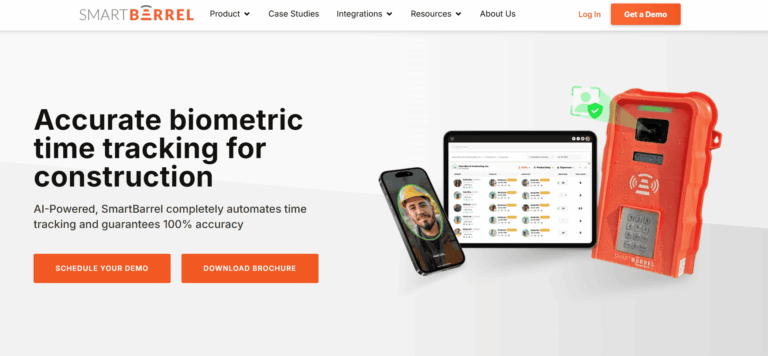
SmartBarrel is a construction time tracking app built to prevent time theft, verify every clock in, and take the guesswork out of payroll processing. It's the only platform on this list that uses AI-powered facial verification combined with GPS location tracking to confirm identity at every punch on mobile devices, tablets, or their rugged jobsite time clock.
Key Features Summary
Best Suited For: SmartBarrel is ideal for mid to large contractors with 100+ employees, including Mechanical, Electrical, Concrete, Drywall, Solar, SoftCraft, and Glass & Glazing contractors that manage labor across multiple jobsites. Strong fit for:
- Contractors needing biometric verification vs. GPS alone
- Teams with mix of self-perform, temp, or contingent hourly labor
- Workers without smartphones (fob system available)
- Large jobsites: data centers, semiconductor plants, industrial projects, solar plants
- T&M projects requiring verified data for GCs/Owners
- Companies wanting to reduce admin work and streamline time tracking
- Teams needing real-time visibility into labor hours, job costing, and compliance
Overall Score
Criteria
Score
The system is specifically tailored for construction crews, addressing the unique challenges of tracking work hours and attendance tracking on dynamic job sites. It eliminates paper timesheets and manual entry, replacing them with automated timesheets that flow directly to payroll software and accounting software.
Every punch is verified on the spot and flows directly into job costing, compliance, and payroll workflows with no cleanup required. Robust attendance tracking capabilities help manage workforce punctuality and presence, ensuring accurate records for all construction employees.
SmartBarrel also offers a rugged jobsite time clock built for tough environments. It’s LTE-connected, solar or AC-powered, and designed to keep working even if service drops. Punches are stored locally and synced automatically once connectivity resumes. Facial verification works with beards and PPE- hats, safety glasses, gloves.
If your crew structure changes frequently, or you’re dealing with temp labor, union oversight, or certified payroll, SmartBarrel gives you the accuracy and control that generic time clock apps can’t match.
Now let’s break down how SmartBarrel captures verified time, and what makes it different from the rest.
Key Features
SmartBarrel delivers the features specialty contractors need from the best construction time tracking software – no fluff, just tools that solve real problems on jobsites.
Fob scans, foreman entered hours, and manual data entry might look like time tracking until the employee hours don’t add up, and there’s nothing solid to fall back on. SmartBarrel ensures accurate time tracking by making every punch tied to the right person.
Workers enter their phone number when they clock in to start their shift, and SmartBarrel confirms their identity using biometric facial verification powered by AI. It’s fast, consistent, and accurate across flexible punch options.
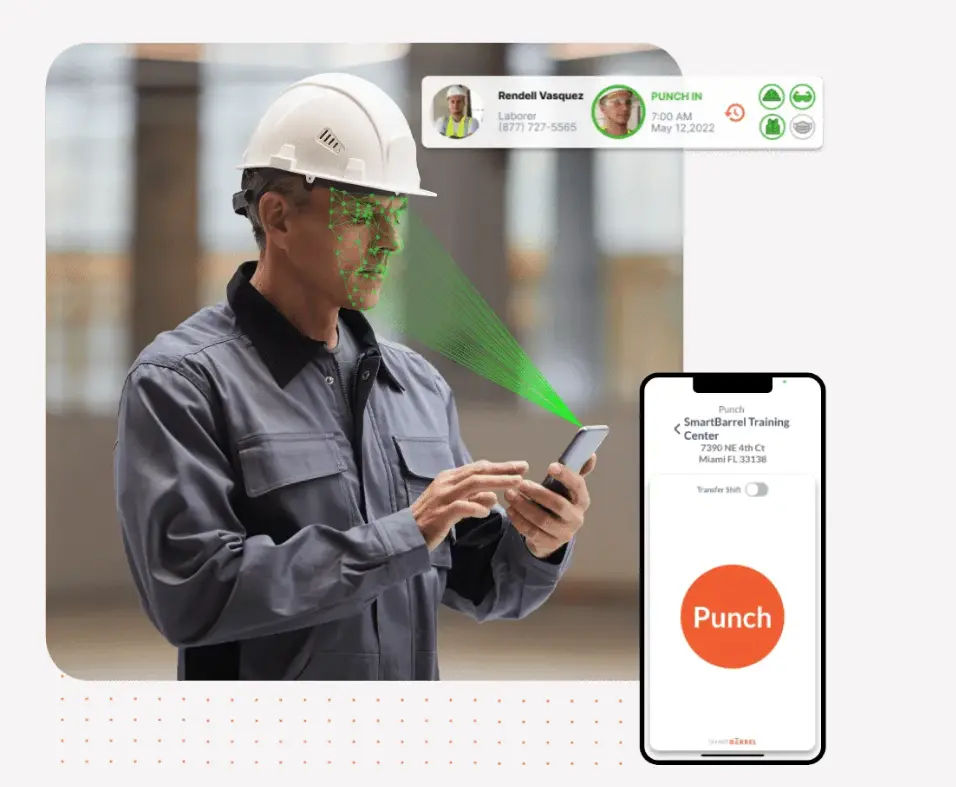
Unlike systems that just attach a photo or rely on memory, SmartBarrel uses facial matching to verify the worker on-site. Even with safety gear, dirt, or jobsite conditions, it matches each punch to a saved facial profile. There’s no guessing who showed up, and no easy way to manipulate hours.
That level of verification matters when you’re dealing with certified payroll, union oversight, or time and materials billing. When every hour needs to hold up in an audit or client review, you need to know the data is legit.
Foreman-entered time puts your super in an impossible spot – be the strict timekeeper and piss everyone off, or be generous with hours and watch your labor costs bleed. SmartBarrel gives you that peace of mind without changing how your crews work.
All punches feed into the dashboard in real time. Your foreman reviews pre-populated timesheets and assigns cost codes. Meanwhile, you’re seeing live headcount across every jobsite.
You can filter by jobsite, crew, or classification and trust what you’re seeing. If your job depends on accurate hours and verified labor, SmartBarrel makes sure the record matches reality.
Some time clock apps only work on a phone, and that’s a problem when you’re managing 50+ workers on a job site. SmartBarrel gives you all the tools to track time without slowing construction crews down or forcing them to use their own mobile devices.
- Kiosk App Mode on Shared Devices
SmartBarrel makes it easy for your team to clock in, no matter how you work. Use the mounted time clock at the jobsite or crews can punch in using a shared tablet or smartphone in kiosk mode, leveraging the time clock feature for accurate employee time tracking and attendance management.
All punch types start the same way: the worker enters their phone number when employees clock in, and SmartBarrel confirms their identity using biometric facial verification with photo ID capture. SmartBarrel also allows you to create precise, project-specific geofences, ensuring that workers can only clock in when they’re physically on site, eliminating clock-ins from off-site locations or outside the jobsite.
It’s consistent, fast, and secure across every mode, with no training, no shared logins, and no second-guessing who clocked in. Supports mobile punches without requiring workers to download an app.
- Rugged Jobsite Time Clock

SmartBarrel’s hardware time clocks are solar or AC-powered, LTE-connected, and built to handle dirt, heat, rain, and everything else the jobsite throws at them. With the integrated time clock feature, crews can punch in without Wi-Fi, and the device stores punches locally when offline, syncing them automatically once service returns.
Facial verification works even with PPE, and the interface is consistent across devices. There is no learning curve, and no training required. Whether your workers are punching in on a rugged jobsite clock, a shared tablet in kiosk mode, or their own phone, the process is the same: enter a phone number, take a photo, get verified.
Each option supports SmartBarrel’s facial matching to confirm identity, keeping your time records secure and audit-ready.
- Mobile Punch on Personal Devices (Optional)
Available if enabled, workers can punch in on their own smartphones, but only for themselves. You can geofence by jobsite to ensure workers are only clocking in at work. The workforce mobile app enables easy time tracking, giving field teams and managers a user-friendly platform to streamline attendance and payroll.

This flexibility matters most when your crew structure isn’t cookie-cutter. Whether you’re using temp labor, rotating teams, or subcontractors, SmartBarrel makes it easy to capture time accurately, without relying on paper, memory, or tech-savvy workers.
Per Diem Tracking
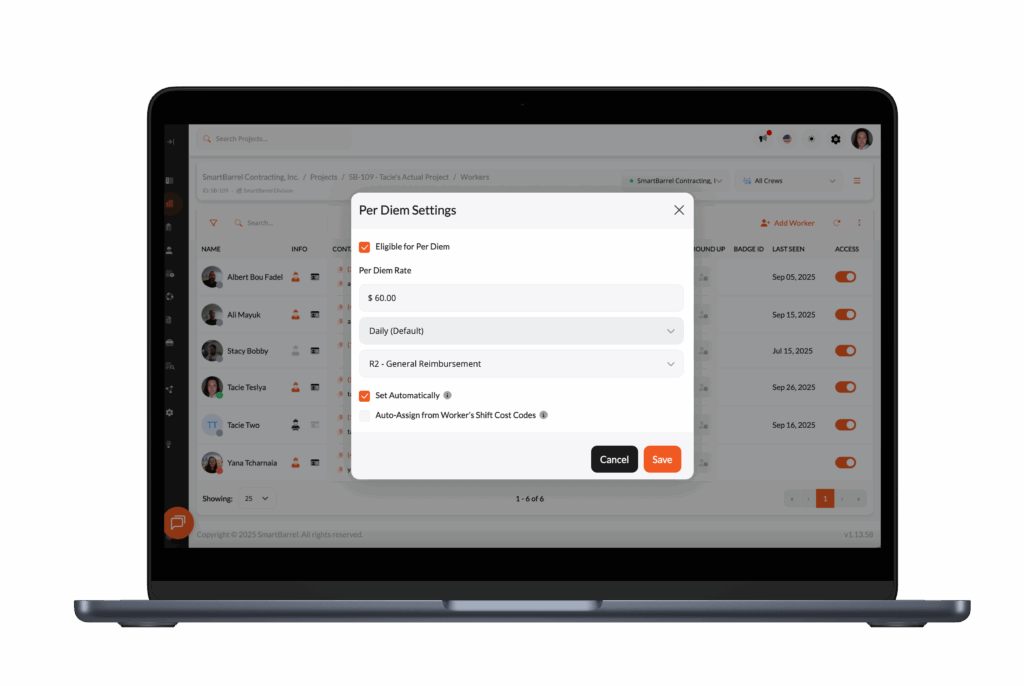
Per diem, travel allowances, and other worker expenses are easy to miss – especially on large or fast-moving jobs. SmartBarrel has per diem, allowance, and travel time workflows. If you’re setting rules for travel allowances, it helps to align payroll with the basics of per diem in construction (rates, rules, and tax treatment).
Capture per diem confirmations tied to each shift. See who claimed what, when, and on which job. Export for payroll. Pull reports for certified payroll or client audits.
No chasing down foremen. No worker disputes. Just clean documentation tied to verified clock-ins.

Need answers from the field? Send a text.
After workers punch out, SmartBarrel can automatically text them whatever you need to know:
- Break compliance?
- Safety incidents?
- Equipment issues?
- Site conditions?
Workers reply. Responses are timestamped, logged in your dashboard, and ready to export.
Common uses:
- Incident documentation
- Safety check confirmations
- Equipment or material issues
- Break compliance
- Per diem and travel time
No forms. No app downloads. Just text messages that become compliance documentation.
Job Costing and Cost Code Control
Job costing and cost control only work if the work hours are tied to the right codes, preventing inaccurate project costs. When assigning cost codes is tedious, it opens the door to guesswork and inconsistent reporting. SmartBarrel makes it simple. Workers clock in like normal. Foreman or superintendents verify hours and assign cost codes daily.
Cost codes can be automatically imported from your ERP. Once set, those codes can carry over automatically to the next day and foremen see only the cost codes relevant to their project and stage.

This means no guessing in the field and no missed cost tracking. Project managers, payroll teams, and accounting staff can assign codes in bulk or by shift, depending on how your reporting is set up.
Whether you’re tracking standard hours, prevailing wage, piecework, or temp labor for construction projects, SmartBarrel keeps your data organized from the start with digital timesheets.
Because every punch is facially verified and stored with shift context, you can confidently link labor hours to the correct phase of work. No backfilling, no rounded guesses, and no scrambling at the end of the week. Exports and ERP syncs include cost code data, and the system generates detailed reports for project costs, labor hours, and job performance, so what you see in your payroll or job cost report matches what actually happened on site.
Accurate and validated labor hours protect your reporting, improves billing accuracy, and helps you manage costs across complex jobs.

Certified payroll, union rules, labor laws, OSHA compliance. Most construction time tracking apps aren’t built to manage that kind of oversight. SmartBarrel is.
Every punch is initiated by the worker, facially verified, timestamped, and logged with the right job, cost code, and classification. That data flows into your payroll and reporting systems cleanly, with no guesswork or manual cleanup. Whether you’re exporting hours or syncing with platforms like Viewpoint Vista, CMiC, or Procore, the records hold up under scrutiny.
SmartBarrel supports job-specific pay rules, union-based requirements, and break tracking to help you meet local labor laws and federal standards. Need to track travel separately from shift hours? Validate rest periods for DOT or OSHA compliance? Or run certified payroll reports with confidence? It’s all built in.
Admins can configure how shifts are reviewed and approved, so verification fits the way you operate. Even on complex projects with large crews and variable rates, you stay compliant, and your documentation is already in place when the audit hits.
For payroll teams, SmartBarrel removes the cleanup work that slows every pay cycle. Because punches are verified, coded, and approved before they reach the back office, payroll no longer has to chase missing entries, correct cost codes, or resolve inconsistencies from handwritten or foreman-entered timesheets. The data arrives clean the first time, so payroll runs stay on schedule, payroll errors don’t cascade, and you aren’t forced to rerun batches after someone discovers errors. It turns payroll from a reconstruction exercise into a simple review-and-approve process.
With SmartBarrel, what’s on the report matches what happened on the jobsite. No spreadsheets. No backtracking. Just verified time, ready to go.
Field Logs and Jobsite Documentation
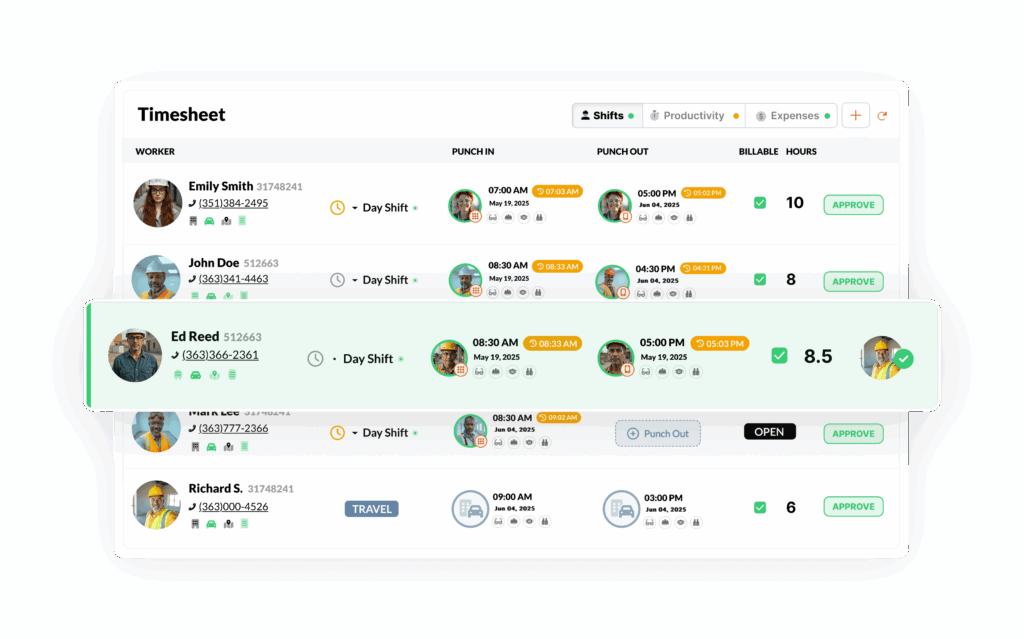
Paper timesheets and manual logs slow you down and create gaps in documentation. SmartBarrel replaces clipboard chaos with automated field reporting that provides detailed reports tied to the punch, enabling better project tracking.
When a worker clocks in, SmartBarrel captures who was on site, when they arrived, what job they were on, and even what the weather looked like, with no extra steps required. Daily headcounts, shift summaries, and cost-coded hours are logged automatically and displayed in the dashboard.
Need to document an incident or toolbox talk? Just turn on the SMS messaging option. SmartBarrel sends a short text that allows field crews to report safety events with a quick reply. Each submission is timestamped and linked to the shift, so there’s no chasing forms after the fact.
SmartBarrel creates a structured log from the data you’re already collecting. No duplicate entry, no formatting, and no delay. It’s jobsite documentation, built in.
Getting accurate labor data is one thing. Getting it to where it needs to go is another. SmartBarrel connects directly to key systems like Viewpoint Vista, CMiC, and Procore, so verified timecards flow into your payroll, reporting, and project tools effortlessly.

SmartBarrel provides multiple options for transferring labor and operational data into other systems. The method used depends on the software in your environment and your internal workflows.
Direct Integrations
SmartBarrel offers direct integrations with the following platforms:
When a direct integration is enabled, verified labor data is transferred from SmartBarrel into the connected system with associated job and cost structure information. This allows data captured in SmartBarrel to be used for payroll processing, job costing, reporting, and analytics without manual re-entry.
For Procore, SmartBarrel syncs hours and manpower data into Daily Logs to support project-level reporting.
API Access
SmartBarrel provides a public API for customers who need to access data programmatically or integrate with systems beyond the supported direct integrations. The API can be used to:
- Retrieve structured labor and operational data from SmartBarrel
- Support custom integrations or internal applications
- Automate data transfers based on internal schedules or workflows
- API availability and usage are subject to configuration and access permissions.
Exports
SmartBarrel supports exporting data for use in systems that are not connected through direct integrations or the API. Exports can be generated in standard formats and used for:
- Payroll and accounting uploads
- Data validation and reconciliation
- Supplemental reporting
Built for Complex Crews and Projects

Most time tracking apps work fine when your team is small, stable, and tech-savvy. SmartBarrel is built for the construction industry, where crews change, temp labor rotates, and not everyone wants to download an app on their mobile devices.
Whether you’re managing a couple of dozen construction crews or two hundred across multiple job sites or 10,000, SmartBarrel keeps things simple. There’s no need to create logins for every worker or teach them how to use an app. They punch in using a shared tablet, mobile kiosk, or rugged jobsite time clock, and the system handles the rest.
Each punch is facially verified, so you know who actually showed up, not just whose number was entered. This matters when you’re dealing with large self-perform crews, temp labor, or a mix of W2 and subcontracted workers. SmartBarrel tracks work hours accurately for all employees across multiple sites by person, job, and cost code, so even if your crew structure changes daily, your labor records stay accurate.
Digital solutions like SmartBarrel also help prevent missed clock outs, a common issue with paper timesheets, ensuring your records are complete and payroll is accurate.
You don’t need to compromise between scale and control. SmartBarrel is built to handle both, with no training curve.
Pros and Cons
Cons
- Built for Larger Crews and Longer Projects
- Targeted at Specialty Contractors, Not All Construction Types
- Aren’t able to handle service work order time management well yet
- No public pricing - must contact sales for quote
- Currently does not include in-app scheduling
Pros
- Verifies every clock-in with biometric facial verification to prevent buddy punching
- Built-In house hardware (built in the USA) - the SmartBarrel Timeclock helps eliminate any excuses of why workers can't check in
- Flexible punch options: rugged device, tablet kiosk, or mobile phone
- Tracks time by job and cost code for accurate labor and productivity reporting
- Integrates with ERP & Project Management platforms
- Supports complex payroll needs including overtime calculations, union requirements, and certified payroll requirements
- Supports geofencing for mobile and kiosk punches
- Works offline, capturing punches even without internet or Wi-Fi
- Absentee Tracking to ensure no one's time gets missed and no payroll re-runs need to happen
Pricing
SmartBarrel charges per worker and per physical time clock. No additional charge for admins.
Reviews

4.9/5

4.1/5

4.2/5

#2 - Workyard
Overview
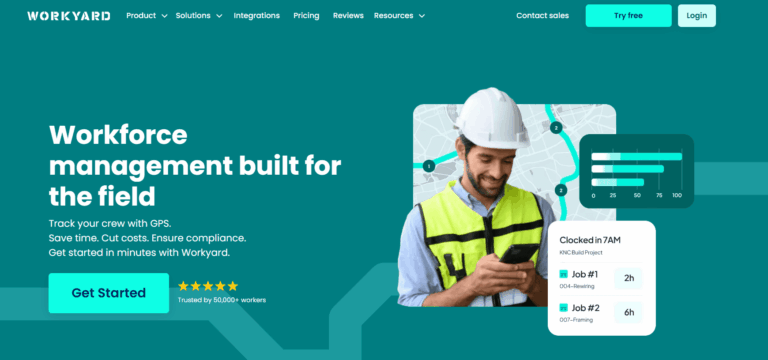
Workyard is a mobile-first GPS time tracking and workforce management platform built specifically for construction, contractors, and trades professionals.
Key Features Summary
- GPS Time Tracking
- Photo ID Verification
- Mobile Time Clock
- Job Costing
- Break & Overtime Tracking
- Scheduling
- Crew Management
Best Suited For: Workyard is a good fit for contractors who want high-accuracy location tracking and detailed labor cost control. Works well for:
- Contractors who don’t need biometric verification
- Contractors who prioritize cost code tracking over fraud prevention
- Supervisors comfortable reviewing and approving time after the fact
- Teams who prefer mobile-first time tracking with GPS validation
- Jobsites where workers have reliable phone access and strong signal coverage
Overall Score
Criteria
Score
Key Features
- GPS Time Tracking: GPS-verified clock-in/out, geofencing, automatic site detection, offline mode with sync, mileage tracking
- Photo ID Verification: Optional photo verification at clock-in to prevent buddy punching
- Mobile Time Clock: Easy one-tap clock-in/out via mobile app, kiosk mode for crew clock-in
- Job Costing: Track time by project and cost code, real-time labor cost tracking, compare actual vs. budget
- Break & Overtime Tracking: Automated break reminders, state/federal overtime rules, differentiate between OT types (1.5x, 2x)
- Scheduling: Drag-and-drop calendar, assign jobs to individuals/crews, recurring tasks, job site details and instructions
- Crew Management: Clock in entire crew with one tap, supervisor-led time tracking, group settings (rounding, break deductions)
- Auto-trim: Adjusts clock-out times based on geofence exits
- Smart Forms: Digital data collection, eliminate paperwork, custom form builder
- Reporting: Timecard summaries, labor hours by project/employee, export to PDF/CSV
Integrations
QuickBooks (Desktop and Online), ADP, Gusto, Paychex, Sage 300 CRE, Foundation, Procore, NetSuite, Computer Ease, and more. Developer API available for custom integrations. Native two-way integrations with major payroll software & accounting platforms.
Pricing
Starter
$6/user/month + $50/month base fee
Pro
$13/user/month + $50/month base fee
Enterprise
Custom pricing
14-day free trial available (no credit card required). Annual billing offers discounts.
Pros and Cons
Cons
- $50/month base fee regardless of team size
- No facial recognition or biometric verification to confirm who clocked in
- No individual accountability, more susceptible to buddy punching than biometric-based solutions
- Mobile-only setup; no physical clocks for non-smartphone jobsites
- Not ideal for prevailing wage/government projects
- User interface less polished than some competitors
Pros
- GPS tracking is more precise than most competitors
- Real-time labor cost data helps manage project budgets
- Timecards are automatically created from verified GPS data
- Integrates with common payroll systems
- Great for smaller companies doing service work
- Supports dispatch scheduling and time for work order management
Reviews
4.7/5
3.8/5
4.2/5
#3 - ExakTime
Overview
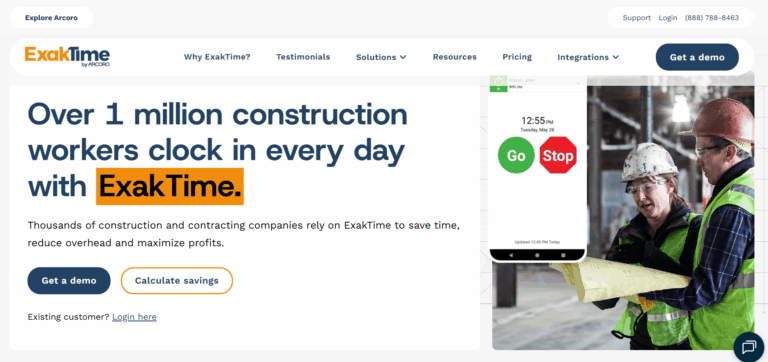
ExakTime is a time tracking app for construction and field service companies, offering both hardware (JobClock) and mobile app options for workforce management.
Key Features Summary
- Hardware Option
- Mobile App
- GPS Tracking
- Job Costing
- Cost Coding
- Scheduling
- Overtime Tracking
- Break Management
Best Suited For: ExakTime is best for contractors who are comfortable with GPS breadcrumbing and basic scheduling but don’t require identity verification or compliance automation. Good fit for:
- Companies using Sage or QuickBooks for payroll
- Teams relying on supervisor oversight for fraud prevention
- Firms that prioritize GPS tracking over fraud prevention
Overall Score
Criteria
Score
Key Features
- Hardware Option: JobClock Hornet – rugged, weatherproof time clock with fob/badge scanning (no biometric verification on device)
- Mobile App: iOS and Android apps with photo verification at clock-in
- GPS Tracking: Location verification and geofencing via mobile app
- Cost Coding: Track time by phase, cost code, and activity
- Job Costing: Real-time labor cost tracking by project
- Scheduling: Create employee schedules, assign workers to jobs
- Overtime Tracking: Configurable overtime rules, daily/weekly/double time
- Break Management: Automatic break deductions, meal period tracking
- PTO Management: Time off requests and approvals
- Reporting: Labor hour reports, job costing, payroll export
- Time Card Editing: Supervisors can review and approve time with edit history
Integrations
QuickBooks (Online and Desktop), ADP, Paychex, Sage 100 Contractor, Sage 300 CRE, Foundation, Vista/Viewpoint, Spectrum, CMiC, Procore, ComputerEase, Jonas, and 50+ other construction accounting/ERP platforms. Strong two-way integration capabilities.
Pricing
Essential
$9/user/month + Monthly Base Fee
Professional/Elite
Contact For Pricing
JobClock Hardware
$50 - $60 per used device (on Ebay)
Hardware purchase or lease options available. Free trial typically offered.
Pros and Cons
Cons
- JobClock hardware does not include facial verification
- Lacks advanced OT rules
- Lacks per diem & expense tracking
- Users report difficulties modifying time entries, adjusting schedules, and viewing workforce data, impacting real-time labor tracking
- App uses breadcrumb tracking which raises privacy concerns for field teams
- Data may sync on timed intervals, depending on configuration, rather than instantly
- Setup and configuration can be complex for larger organizations
Pros
- GPS tracking for monitoring worker location
- Integrates with popular payroll systems
- Offers workforce scheduling
- Photo verification available on mobile app
- Includes basic equipment tracking
Reviews
2.5/5
3.7/5
2.9/5
#4 - WorkMax

Overview
Workmax is a mobile-first construction workforce management platform with 20+ years of industry experience (founded 2003 as AboutTime Technologies). Now part of the Foundation Software family, it specializes in time tracking, certified payroll, and productivity analytics for contractors with complex workforce structures.
Key Features Summary
- GPS Time Tracking
- Facial Recognition
- Mobile Time Clock
- Advanced Job Costing
- Certified Payroll & Prevailing Wage
- Complex Pay Rules
- Productivity Analytics
Best Suited For: WorkMax is suitable for construction companies that use Foundation Software as their ERP Solution, which require detailed time tracking and job costing features. Best for:
- Contractors requiring job costing and ERP alignment
- Can manage kiosk setups for biometric verification
- Have admin capacity to handle setup and support
- Organizations managing multiple jobsites with varying connectivity
- Contractors who prioritize detailed job costing over ease of use
Overall Score
Criteria
Score
Key Features
- GPS Time Tracking: GPS-enabled clock-in/out with location stamping, geofencing, offline sync, breadcrumb tracking, clock-jumping across devices/time zones
- Facial Recognition: “True facial recognition” with match percentage verification, alerts below threshold (requires pre-upload of worker photos)
- Mobile Time Clock: iOS and Android apps, real-time jobsite data, workers punch individually or supervisors clock entire crew
- Advanced Job Costing: Track by WBS, phase, activity, and cost code, unlimited cost structure, mirrors accounting system organization
- Certified Payroll & Prevailing Wage: Built-in compliance for local/state/federal regulations, multi-union support, wage orders, break certification, mobile signatures
- Complex Pay Rules: California overtime, multiple pay groups/periods, shift differentials, holiday pay, rest/meal break compliance
- Productivity Analytics (INSIGHTS): Real-time reporting, earned value, historical performance for bidding, forecast accuracy, enterprise KPIs
- Asset Tracking (ASSETS): Equipment monitoring, maintenance scheduling, cost tracking, inventory management
- Digital Forms (FORMS): Customizable mobile forms, daily logs, safety forms, change orders
- Reporting: Real-time dashboards, customizable reports (PDF/XLS/CSV), scheduled reports
Integrations
Foundation Software (native integration – same parent company), QuickBooks, Sage, Acumatica Construction Edition, Payroll4Construction. Robust integration mirrors organizational and project cost structure. API available for custom integrations. Integration ecosystem emphasizes Foundation Software products and major construction accounting platforms.
Pricing
Basic
$11/user/month
Complete Suite
Custom pricing
No public pricing available. Workmax offers flexible, customized pricing based on:
- Number of modules selected (TIME, FORMS, ASSETS, INSIGHTS)
- Team size and active users
- Integration requirements
- Company-specific needs
Contact sales for accurate quote. No free trial information publicly available. Pricing structure allows module-by-module purchase or complete platform.
Pros and Cons
Cons
- Steep learning curve for setup and daily use
- UI is outdated and less intuitive for field teams
- App uses breadcrumb tracking which raises privacy concerns for field teams
- Since being acquired by Foundation, users have reported that support and integrations have dwindled
- Occasional bugs and device issues may require workarounds
- No mobile device biometric support, only available through kiosk setups
- The platform is often bundled with Foundation Software, as the company was purchased by the same ownership group.
- Complex setup and workflow configuration
Pros
- Offers facial recognition, GPS tracking
- Compatible with large ERP systems and accounting tools
- Supports detailed job costing and productivity tracking
- Offline mode for remote or poor-connectivity sites
Reviews
4.2/5
2.8/5
2.1/5
#5 - Jibble
Overview
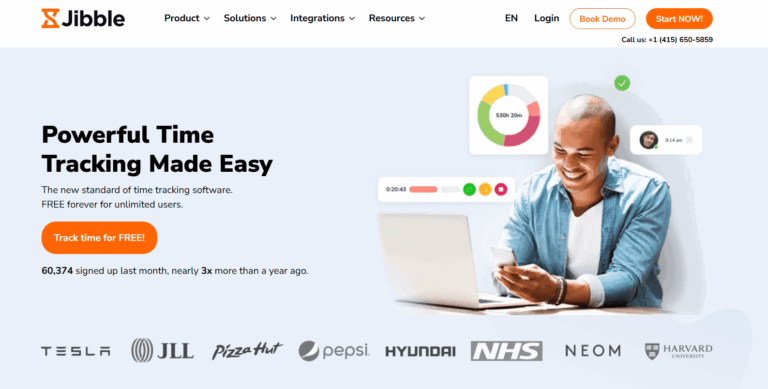
Jibble is a cloud-based time tracking and attendance management solution designed for remote and mobile teams.
Key Features Summary
- Time Tracking (Multiple Methods)
- Biometric Verification
- GPS & Geofencing
- Time Management
- Activity Monitoring
- Reporting & Analytics
Best Suited For: Jibble is best for small to mid-sized businesses seeking a simple, cost-effective time tracking solution across various industries. Good fit for:
- Companies wanting a robust free option without complex construction features
- Teams with basic time tracking needs (clock in/out, basic reporting)
- Small businesses across industries that don’t require trade-specific functionality
- Organizations prioritizing ease of use over construction-specific workflows
- Companies not managing large-scale construction operations or multiple jobsites
Overall Score
Criteria
Score
Key Features
- Time Tracking (Multiple Methods): Mobile app, web app, or kiosk mode for flexible clock-in/out options, QR code scanning, NFC tag support, GPS location stamping at every clock event
- Biometric Verification: Photo capture at clock-in/out, facial recognition matching to prevent buddy punching, verification photos stored with each time entry
- GPS & Geofencing: Real-time location tracking, custom geofence radius per project, prevent clock-in outside designated areas, automatic alerts when workers leave while clocked in
- Time Management: Automated timesheet generation, time-off requests from any device, unlimited custom PTO policies, accrual or allotment systems, approval workflows
- Activity Monitoring: Desktop app screenshots (one every 10 minutes), real-time activity tracking, productivity insights, detailed audit trails
- Reporting & Analytics: Comprehensive time reports, location history, attendance summaries, PTO balances, project-level breakdowns, exportable data formats
Integrations
Jibble integrates with payroll and accounting platforms (QuickBooks, Xero, Deel, Gusto), project management tools (Asana, Trello, Jira, ClickUp, Monday.com, Todoist), communication platforms (Slack, Microsoft Teams), and automation tools (Zapier). The platform also connects with various HR, CRM, and productivity applications. Integration capabilities increase with paid plans.
Pricing
Free Forever
0$ (good for single sites)
Premium
$4.99/user/month
Ultimate
$9.99/user/month
Enterprise
Custom pricing
Free plan available with no user limits. Annual billing required for paid plans.
Pros and Cons
Cons
- Activity monitoring features are basic
- Some users report occasional mobile app performance
- Limited customization options in reporting
- Free plan lacks advanced features like project-based tracking
- Integration with project management tools is less seamless than dedicated solutions
- Live support availability varies
Pros
- Generous free plan
- True biometric facial recognition
- Intuitive interface across all devices
- Comprehensive reporting with real-time updates
- Affordable pricing compared to competitors
Reviews
4.9/5
4.7/5
4.8/5
#6 - Timeero
Overview
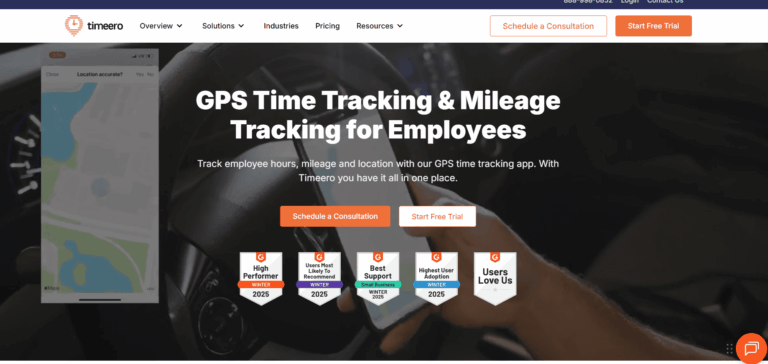
Timeero is a GPS-based time tracking and mileage tracking platform designed for mobile workforces, including construction contractors, field service teams, and remote employees.
Key Features Summary
- GPS Tracking
- Geofencing
- Facial Recognition
- Mileage Tracking
- Mobile Time Clock
- Scheduling
- Time Off Management
- Job Costing
- Overtime Tracking
Best Suited For: Timeero is an industry-agnostic solution that stops short of full biometric verification. Ideal for:
- Companies that need construction employee time tracking and mileage logs
- Contractors looking to reduce buddy punching with simple identity verification
- Firms that prefer mobile-first tools with flexible setup options
- Teams that don’t need biometric verification but want added GPS controls
Overall Score
Criteria
Score
Key Features
- GPS Tracking: Real-time GPS location tracking showing employee routes throughout the day
- Geofencing: Automatic clock-in/out when entering/leaving job sites, customizable geofence radius
- Facial Recognition: Optional facial recognition at clock-in to verify worker identity
- Mileage Tracking: Automatic mileage calculation for reimbursement and tax purposes, IRS-compliant reports
- Mobile Time Clock: iOS and Android time tracking apps with one-tap clock-in/out, offline mode with automatic sync
- Scheduling: Create and assign shifts, view who’s scheduled vs. who’s clocked in
- Time Off Management: PTO requests and approvals, vacation/sick time tracking
- Job Costing: Track time by job, project, or cost code
- Overtime Tracking: Configurable overtime rules by employee, state, or custom policies
- Segmented Tracking: Track multiple activities within a single shift (e.g., different job sites)
- Timesheet Editing: Supervisors can review and edit timesheets with audit trails
Integrations
QuickBooks (Online and Desktop), ADP, Gusto, Paychex, Xero, Sage, and other payroll/accounting platforms. API available for custom integrations. Zapier integration for connecting to additional tools.
Pricing
Basic
$4/user/month
Premium
$8/user/month
Pro
$11/user/month
14-day free trial available. Annual billing offers discounts.
Pros and Cons
Cons
- Not a construction-specific solution
- Basic facial recognition is only available on the iPad kiosk app
- Scheduling and time-off tools require higher-tier plans
- Facial recognition less sophisticated than biometric systems
- Lacks biometric verification on personal devices
- App uses breadcrumb tracking which raises privacy concerns for field teams
Pros
- Combining GPS, mileage, and basic facial recognition in one platform
- Offers both mobile and kiosk modes
- Simplifies payroll with direct integrations
- Provides offline functionality for remote jobsites
Reviews
4.4/5
3.1/5
4.2/5
#7 - Clockshark
Overview
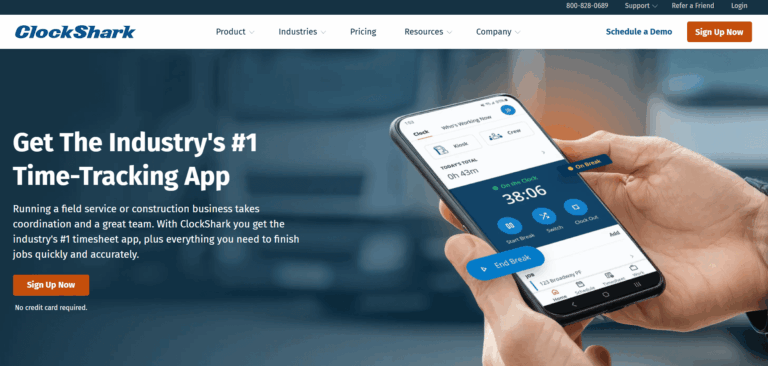
ClockShark is a mobile time tracking and scheduling platform designed for field service businesses and construction contractors with small to mid-sized teams.
Key Features Summary
- Mobile Time Clock
- GPS Tracking
- Geofencing
- Mobile Time Clock
- Photo Verification
- Kiosk Mode
- Scheduling
- Job Costing
- Time Off Tracking
Best Suited For: It’s best for smaller contractors who want simple, GPS-based time tracking and don’t need verified identities. It works well for:
Contractors who trust their crews and prioritize ease of use
Construction teams with personal smartphones and stable mobile coverage
Admins who review time manually before payroll
Companies that want drag-and-drop scheduling and job tracking, without biometric controls
Overall Score
Criteria
Score
Key Features
- Mobile Time Clock: One-tap clock-in/out via iOS and Android apps
- GPS Tracking: Location verification at clock-in
- Geofencing: Automatic clock-in reminders when arriving at job sites
- Photo Verification: Optional photo capture at clock-in (not facial recognition)
- Kiosk Mode: Shared device mode for crew clock-in without individual phones
- Scheduling: Drag-and-drop scheduling, assign jobs to workers or crews
- Job Costing: Track time by job and task, labor cost reporting
- Time Off Tracking: PTO requests and approvals, vacation/sick time management
- Break Management: Configurable break rules and automatic deductions
- Overtime Tracking: Automatic overtime calculations based on state/federal rules
- Who’s Working: Real-time dashboard showing who’s clocked in and where
- Time Card Editing: Supervisor review and approval with edit audit trails
- Offline Mode: Limited offline functionality with sync when connection restored
Integrations
QuickBooks (Online and Desktop), Xero, Sage, ADP, Gusto, Paychex, Foundation, Procore, and other accounting/payroll platforms. Zapier integration available for connecting additional tools. API available for custom integrations.
Pricing
Standard
$9/user/month + $40/month base fee
Pro
$11/user/month + $60/month base fee
Enterprise
Custom pricing
Pros and Cons
Cons
- Not a construction specific solution
- No biometric or facial verification, increasing fraud risk
- Workers can select job codes, which may reduce cost tracking accuracy
- No physical time clock or kiosk option for jobsites without smartphones
- Not purpose-built for union, prevailing wage, or compliance-heavy environments
- App uses breadcrumb tracking which raises privacy concerns for field teams
Pros
- Clean mobile UI and easy setup for field teams
- Affordable for small to mid-sized contractors
- Strong scheduling tools and job-based tracking
- Reliable GPS location tagging
Reviews
4.7/5
3.9/5
2.9/5
#8 - BusyBusy
Overview
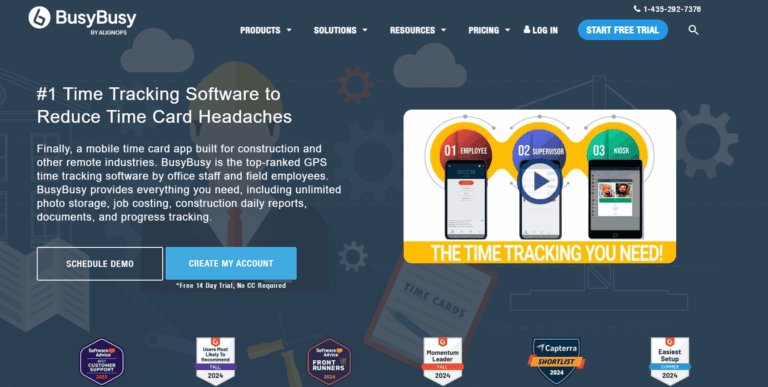
BusyBusy is a mobile time tracking and GPS tracking app designed for small to mid-sized construction contractors and trades professionals.
Key Features Summary
- Facial Recognition
- GPS Tracking
- Geofencing
- Mobile Time Clock
- Equipment Tracking
- Job Costing
- Break Tracking
- Overtime Calculations
- Mileage Tracking
Best Suited For: busybusy works well for smaller construction firms or subcontractors who want affordable mobile time tracking with GPS. It’s a good fit for:
Smaller contractors that have 100 employees or fewer
Contractors that require heavy equipment tracking
Crews that move between jobsites and need location verification
Small construction firms looking for an affordable GPS-tracking solution
Construction teams that want to attach photos and track equipment alongside labor hours
Overall Score
Criteria
Score
Key Features
- Facial Recognition: Photo-based facial recognition at clock-in (requires pre-uploaded photos of workers)
- GPS Tracking: Real-time location tracking
- Geofencing: Automatic alerts when workers enter/leave job sites
- Mobile Time Clock: One-tap clock-in/out via iOS and Android apps
- Equipment Tracking: Track equipment location and usage hours
- Job Costing: Time tracking by job and cost code
- Break Tracking: Configurable break rules and deductions
- Overtime Calculations: Automatic overtime based on state/federal rules
- Scheduling: Basic scheduling and job assignments
- Mileage Tracking: Log mileage for reimbursement
- Reporting: Timesheet summaries, labor reports, job cost reports
Integrations
QuickBooks (Online and Desktop), Sage 100 Contractor, Sage 300 CRE, Foundation, Procore, ComputerEase, Jonas, and other construction accounting platforms. Limited integration ecosystem compared to larger competitors.
Pricing
Free
0$ - good for single sites
Pro
$11.99/user/month + $40/month base fee
Premium
$17.99/user/month + $40/month base fee
14-day free trial available. Pricing designed for smaller teams (20-100 employees).
Pros and Cons
Cons
- Not built for large contractors with large crews
- Facial recognition is only available in kiosk mode
- Personal mobile punches are not verified
- Complex due to the number of options available for workers to select
- Limited customization for larger or more complex operations
- May not support all compliance needs for union or prevailing wage projects
- App uses breadcrumb tracking which raises privacy concerns for field teams
- Relies heavily on internet connectivity
Pros
- Pricing & functionality is very geared for contractors under 100 employees
- Easy to learn and quick to set up for field crews
- GPS verification helps prevent location-based fraud
- Includes a free version with basic time tracking features
- Offers lower-cost plans than most competitors
- Kiosk mode photo capture at clock-in
Reviews
4.5/5
4.1/5
4.1/5
#9 - Buddy Punch
Overview
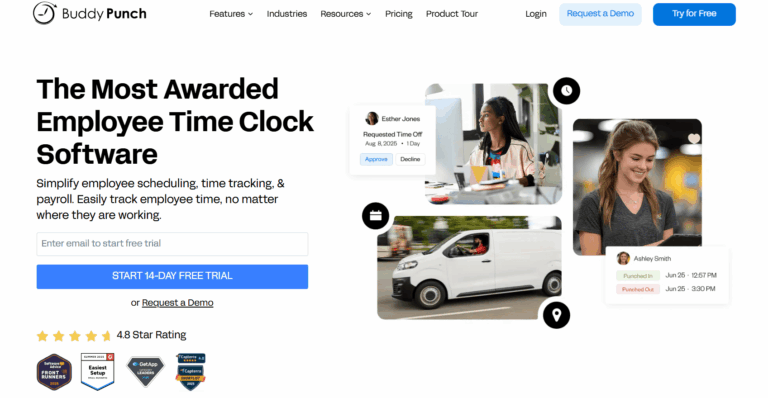
Buddy Punch is a cloud-based time tracking app and scheduling platform designed for businesses across multiple industries, including construction, retail, healthcare, and professional services.
Key Features Summary
- Web-Based Time Clock
- Mobile Apps
- Facial Recognition
- GPS Tracking
- QR Code Clock-In
- Kiosk Mode
- PTO Management
- Scheduling
- Job Costing
- Overtime Tracking
Best Suited For: Small businesses across industries, retail and office environments, companies wanting multiple clock-in options, operations with stable internet. Less suitable for large construction sites or harsh field conditions.
Overall Score
Criteria
Score
Key Features
- Web-Based Time Clock: Browser-based clock-in/out from any device
- Mobile Apps: iOS and Android apps for field workers
- Facial Recognition: Photo-based facial recognition at clock-in (requires pre-uploaded photos)
- GPS Tracking: Location verification and geofencing
- QR Code Clock-In: Workers scan QR codes to clock in at specific locations
- Kiosk Mode: Shared tablet/computer mode for team clock-in
- PTO Management: Time off requests, approvals, accrual tracking
- Scheduling: Create employee schedules, assign shifts, send notifications
- Job Costing: Track time by job, department, or project
- Overtime Tracking: Configurable overtime rules and alerts
- Break Management: Automatic break deductions based on shift length
- Time Card Editing: Manager review and approval with change history
- Drag-and-Drop Timesheets: Easy manual time entry and editing
- Notifications: Clock-in reminders, overtime alerts, employee schedule changes
- Reporting: Pre-built reports and custom report builder
Integrations
QuickBooks (Online and Desktop), Xero, ADP, Gusto, Paychex, Sage, Zapier, and other payroll/accounting platforms. Two-way integrations available with major platforms. API access for custom integrations.
Pricing
Starter
$4.49/user/month + $19/month base fee
Pro
$5.99/user/month + $19/month base fee
Enterprise
$10.99/user/month + $19/month base fee
14-day free trial available (no credit card required). Pricing includes unlimited managers/admins at no extra cost.
Pros and Cons
Cons
- Not a construction specific solution
- Facial recognition requires manual upload of worker photos beforehand
- Not purpose-built for construction (generic across industries)
- Limited construction-specific features (no prevailing wage, certified payroll)
- Photo-based facial recognition less accurate than biometric systems
- GPS tracking can drain mobile device batteries
- No hardware option for large outdoor sites without cell service
- Geofencing accuracy varies by location and device
- Better suited for office/retail environments than harsh construction conditions
- Limited scalability for large construction operations (200+ workers)
- QR codes can be photographed and shared (security risk)
Pros
- Very targeted towards service based industries and do a good job of handling smaller work orders/projects
- Lower base fee than most competitors ($19/month)
- Facial recognition feature included in Pro tier
- Multiple clock-in options (web, mobile, QR code, kiosk)
- Unlimited managers/admins at no additional cost
- User-friendly interface across devices
- Suitable for businesses in multiple industries (not construction-only)
- PTO accrual and management included
- QR code option useful for fixed locations
Reviews
4.8/5
4.5/5
4.9/5
#10 - Connecteam
Overview
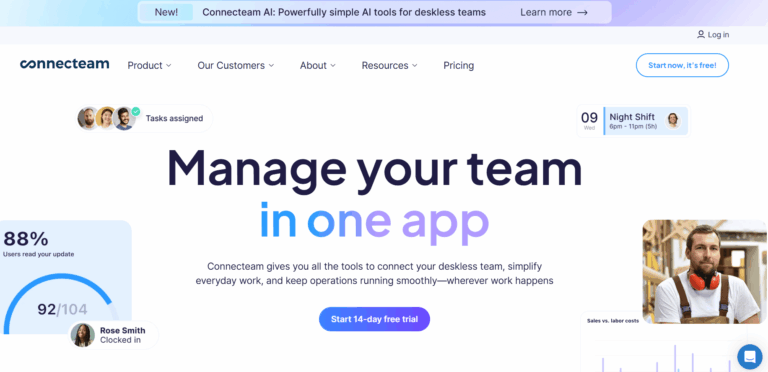
Connecteam is an all-in-one employee management platform designed for deskless and mobile workforces.
Key Features Summary
- Time Tracking (Multiple Methods)
- Time Management
- GPS & Geofencing
- Workforce Management
- Photo Capture
Best Suited For: Deskless workers across industries (not construction-specific), small businesses under 200 employees, teams needing all-in-one communication and scheduling platform. Less suitable for large construction operations or companies requiring biometric verification and construction-specific workflows.
Overall Score
Criteria
Score
Key Features
- Time Tracking (Multiple Methods): One-touch clock in/out via mobile app or kiosk mode, GPS location stamping at every clock event, automated timesheet generation
- GPS & Geofencing: Location verification, custom geofence per job site, ensure workers are at designated locations, prevent off-site clock-ins
- Time Management: Employee scheduling, shift management, break tracking with automatic deductions, overtime calculations, time-off management and approval workflows
- Workforce Management: Task management, team communication tools, document storage, training modules, HR management capabilities
- Photo Capture: Face ID available through kiosk app (captures photos only, no biometric comparison or identity verification)
Integrations
Connecteam integrates with payroll and accounting software including QuickBooks, Xero, Gusto, and ADP. The platform connects with various project management and communication tools, though the full list of integrations expands with higher-tier plans. API access is available for custom integrations.
Pricing
Small Business
Free for up to 10 users
Basic
$29/month for up to 30 users (annual billing)
Advanced
$49/month for up to 30 users
Expert
$99/month for up to 30 users
Additional users beyond 30 incur per-user charges. Geofencing, breadcrumb tracking, and advanced GPS capabilities only available in Advanced and Expert plans.
Pros and Cons
Cons
- Not a construction specific solution
- Face capture does not include biometric verification to prevent buddy punching
- Many essential features require upgrading to higher-tier plans
- Pricing structure becomes expensive as team size grows
- Requires stable internet connection
- App uses breadcrumb tracking which raises privacy concerns for field teams
- Limited functionality in free and basic plans
- Some users report a steep learning curve for advanced features
Pros
- User-friendly interface across desktop and mobile devices
- Comprehensive all-in-one solution
- Effective geofencing prevents off-site clock-ins
- Free plan available for small businesses
- Works well for construction teams with 10-200 employees
Reviews
4.6/5
4.8/5
4.9/5
What to Look for in a Time Tracking Solution
Not all construction time tracking software is built the same. Here’s what actually matters in the field versus what sounds good in a sales deck.
Core Features (Non-Negotiable)
These aren’t “nice-to-haves.” Without these, you’re buying a system that won’t work in real construction conditions.
1. Biometric Verification (Not Just Facial Recognition)
What it is: Confirms worker identity using unique physical characteristics—facial matching or fingerprints.
CRITICAL DISTINCTION: Facial VERIFICATION vs. Facial RECOGNITION
- Facial Recognition: Identifies WHO you are from a database (security/privacy concern)
- Facial Verification: Confirms you MATCH your previous photos (privacy-safe, no stored identifying data)
Why it’s core: Buddy punching costs the average company 2.2% of gross payroll (APA). For a contractor with $5M in annual payroll, that’s $110,000 lost every year. You need this stopped. Completely.
Must-haves:
- Works without photoshoot requirement (self-learning system)
- Functions in poor lighting, with hard hats and safety glasses
- Instant feedback (green/red verification)
- Works alongside gloves (for facial systems)
- Privacy-safe (verification only, not identification)
Watch out for:
- Fingerprint-only (fails with gloves, calluses, dirty hands)
- Requires perfect photo setup (won’t work in field)
- Facial recognition that identifies people (legal/privacy issues)
2. GPS Location Tracking and Geofencing That Actually Works
What it is: GPS tracks worker location continuously. Geofencing creates virtual boundaries around jobsites, restricting where workers can clock in/out. Breadcrumbs track worker locations, raising privacy concerns especially when the worker is using their personal phone.,
Why it’s core: You need proof workers are actually on-site when clocking in. Without this, you’re back to trusting self-reported locations.
Must-haves:
- Precise GPS accuracy (within 30 feet minimum)
- Customizable geofence shapes (jobsites aren’t perfect circles)
- Works offline
- Ability to put in coordinates (Lat/Long) when creating a job
Watch out for:
- Circular-only geofences (doesn’t fit actual boundaries)
- Requires constant signal (fails in steel buildings)
- Breadcrumb tracking – there are benefits to breadcrumb tracking, but also real privacy concerns for workers. Not recommended unless you are providing the worker with a company-issued phone.
3. Excuse-Free Design For Construction Crews
What it is: System eliminates every common excuse workers give for not tracking time accurately.
Why it’s core: The most feature-rich system in the world is worthless if workers resist using it. Adoption is everything.
Common excuses this eliminates:
- “I forgot to charge my phone” → Device stays on jobsite, solar powered
- “WiFi wasn’t working” → Built-in LTE cellular connectivity
- “My gloves were on” → Facial verification or fob option
- “I don’t want work apps on personal phone” → Shared kiosk device
- “It’s too complicated” → One-tap clock-in interface
Must-haves:
- Device lives on jobsite permanently (not carried daily)
- Solar or plug-in power options (eliminates charging hassle)
- Built-in cellular connectivity (no WiFi dependency)
- Works with gloves and dirty hands
- Setup completes in under 5 minutes
- Zero training required for workers
4. Seamless Payroll Integration
What it is: Time data flows directly into your payroll system without manual entry, calculation, or formatting.
Why it’s core: This is literally the end goal of time tracking. Hours need to become paychecks. If you’re manually entering data, you’ve just created an expensive headache.
Must-haves:
- Native integration with YOUR specific payroll provider
- Two-way sync capabilities (not just one-way export)
- Automatic overtime calculations per your rules
- Break tracking and automatic deductions
- Construction ERP compatibility (Procore, Vista, CMiC, Foundation)
Critical integrations:
- QuickBooks (Online & Desktop)
- Procore (if you use it)
- Foundation, ViewPoint, or your ERP
- ADP, Gusto, or Paychex (your payroll provider)
Watch out for:
- Manual export/import process
- Limited to generic CSV files
- No overtime calculations
- Can’t handle your specific pay rules
Nice-to-Have Features (Valuable Additions)
These aren’t required for basic time tracking, but they transform your operation from “tracking time” to “managing labor profitably.”
1. True Offline Capability
What it is: System continues tracking time and location even without internet connection, automatically syncing when connection restored.
Why it’s valuable: Not every jobsite needs this – but if you work in steel buildings, underground, basements, or remote areas, this is actually core for YOU.
What to look for:
- Tracks time continuously offline (not just caches last sync)
- Stores GPS data locally on device
- Automatic sync when signal returns (zero manual intervention)
- Zero data loss during offline periods
- Workers can clock in/out with no connectivity
When you need this:
- Steel buildings or metal structures
- Underground work (tunnels, basements, parking structures)
- Remote rural areas with no cell service
- Sites where WiFi isn’t reliable
2. Real-Time Job Costing
What it is: Time clock system automatically allocates labor hours to specific projects and cost codes, calculating actual labor costs as work happens – not days later.
Why it’s valuable: Know if you’re profitable BEFORE the job ends. Catch budget overruns when you can still fix them. Bid future jobs with actual data instead of guesses.
What to look for:
- Unlimited cost codes (or very high limits)
- Workers select project/code at clock-in
- Real-time labor cost dashboard (not daily updates)
- Budget vs. actual comparisons
- Reports by project, worker, cost code, date range
- Historical data exports for estimating
The ROI: Contractors using real-time job costing catch overruns 2-3 weeks earlier on average. That’s 2-3 weeks to adjust crew size, change approach, or document reasons for change orders.
Watch out for:
- Limited to 10-20 cost codes (you’ll run out immediately)
- Manual allocation required (admin assigns hours later)
- No real-time updates (defeats the purpose)
3. Advanced Construction Employee Accountability Features
What it is: Beyond basic biometric verification – photo capture at every punch, detailed activity logs, automatic alerts for suspicious patterns.
Why it’s valuable: Shifts time tracking responsibility from foreman to individual workers. Foremen shouldn’t spend 10+ hours weekly chasing timesheet corrections.
What to look for:
- Workers check themselves in/out (not foreman entering for crew)
- Photo capture at each clock-in (dispute resolution)
- Automatic alerts for suspicious activity (odd times, wrong locations)
- Workers can view their own time immediately (transparency)
- Detailed audit trails (who changed what, when)
The shift this creates:
- Old way: Foreman fills out crew timesheet from memory at week’s end
New way: Each worker self-reports daily, system verifies, foreman approves exceptions only
What Is a Time Tracking App For Construction?
A construction time clock app is tracking software that records when construction crews start and stop work hours, track hours spent on tasks, and manage employee schedules. The data then flows to payroll systems, job costing reports, and client billing.
In the construction industry specifically, construction time tracking apps solve a challenge that’s existed for decades: getting accurate time tracking of employee hours from construction crews spread across multiple job sites.
The basic purpose:
- Replace paper timesheets and manual data entry
- Eliminate buddy punching & approve timesheets faster
- Provide real-time visibility into who’s working where
- Create records for payroll processing
- Generate documentation for client billing and compliance
- Feed accurate labor data into job costing systems
Why construction is different: Office employees clock in at a desk with WiFi and a computer. Construction crews show up to jobsites that might not have power yet, work in weather that destroys electronics, and wear PPE that makes certain technologies impractical.
That’s why construction time tracking apps look different than what works in other industries – and why many construction companies still use paper despite knowing its limitations.
How does the time tracking app work?
Time tracking apps follow a basic workflow: capture time → verify accuracy → route for approval → send to payroll. But the devil’s in the details – specifically, how that time gets captured in the first place.
Common time capture methods:
Time tracking apps: Workers download an app to their mobile devices, open it, and clock in/out. Some include GPS tracking to verify location. The challenge: requires workers to have smartphones, remember to charge them, and actually use the app consistently.
Biometric time clock devices: Fixed hardware installed at jobsites using fingerprints, facial scans, or hand geometry to verify identity. Workers physically interact with the device to clock in. The upside: harder to cheat. The downside: can fail with gloves, dirty hands, or harsh conditions.
Badge/fob systems: Workers tap or scan a physical card or keychain fob against a reader. Simple and fast, but buddy punching remains an issue – one worker can easily clock in their absent coworker.
Kiosk mode: A tablet or device shared by the crew, where workers enter their ID or PIN to clock in. Common for smaller operations, though it creates a bottleneck when 15 people try to clock in at once.
The typical data flow:
- Worker clocks in at the jobsite
- Time data transmits to a central system (immediately or when connectivity allows)
- Foreman or project manager reviews and assigns cost codes
- Supervisor approves the timesheet
- Data exports to payroll and ERP systems
What varies by solution:
- Whether data syncs in real-time or batches later
- How much manual input is required (cost codes, breaks, equipment)
- Whether the system handles compliance calculations automatically (prevailing wage, union rates, overtime)
- How easily it integrates with existing payroll processing and accounting systems
The best systems minimize what workers and foremen have to do manually, because every extra step is another chance for the system to fail when it matters most.
Benefits of construction time tracking software
1. Accurately Track Work Hours On Site
Buddy punching, rounded employee hours, and time theft cost contractors thousands per worker annually. When workers manually report their own hours or foremen enter construction time from memory, the numbers tend to creep upward. Best time tracking app solutions with verification create accountability.
2. Streamlined payroll processing
Paper timesheets mean someone in the office is spending hours on manual entry into payroll software every week. That’s 10-15 hours of manual data entry, plus the inevitable payroll errors that require corrections. Automated time tracking software with payroll integration feeds systems directly, cutting processing time from days to hours.
3. Accurate project costs (finally)
You can’t manage what you can’t measure. When labor hours are wrong or cost codes are generic, your job costing reports are fiction. Real-time time tracking apps show you which phases are over budget while you can still do something about it, not three weeks after the damage is done.
4. Win T&M disputes
In construction industry, Time and Material billing requires proof. When clients question your invoice, “trust me” doesn’t hold up. Time tracking apps with timestamps, location verification, and photo documentation gives you audit-ready records that clients can’t easily dispute.
5. Real-time visibility across sites
When you’re running multiple jobsites, you need to know right now how many workers are where. Not tomorrow when timesheets come in. Real-time tracking lets you redistribute labor, catch attendance issues, and make decisions based on what’s actually happening.
6. Better crew management and task management
Foremen shouldn’t spend hours each week reconstructing who worked on what. Effective time tracking removes that burden with automated timesheets, letting them spend minutes a day verifying punches and assigning cost codes using the workforce mobile app. They can focus on leading the crew instead of chasing paper timesheets. Construction teams can manage employee schedules more effectively and catch missed clock outs before they impact payroll processing.
7. Reduce admin overhead
Between chasing down missing timesheets, correcting payroll errors, handling disputes, and reconciling employee hours with job budgets, your office staff spends significant time on time-related admin work. Automation doesn’t eliminate their role – it removes the tedious parts so they can focus on analysis and exceptions.
8. Compliance documentation
Prevailing wage jobs, union agreements, certified payroll – construction industry has compliance requirements that others don’t. Time tracking apps that automatically calculate and document required labor costs reduce audit risk and make compliance reporting straightforward instead of painful.
Certified payroll overtime documentation is where a lot of these systems fall short, since proving the premium was calculated on the right base rate takes more than a generic overtime flag.
9. Historical data for better estimating
When you track hours by phase and task using construction time tracking software, you build a database of real production rates across construction projects. That data makes your estimates more accurate over time, helping you bid more competitively while protecting margins and improving cost control.
10. Catch problems early
When you see a crew running 20% over budget in week two of a twelve-week project, you can investigate and adjust. When you find out three months later during billing, you’re just documenting the loss. Real-time data turns job costing from a rearview mirror into a dashboard.

How Much Does a Construction Time Clock App Cost?
Pricing for a construction time clock app varies widely based on what you’re actually getting. Here’s what to expect:
Mobile-only time tracking apps: $5-15 per user/month
Basic time clock apps that workers download to their mobile devices. Usually includes GPS tracking, photo ID capture, and simple time entry.
Cloud-based time tracking software: $8-25 per user/month
More robust tracking software with specific key features for the construction industry like job costing integration, compliance calculations with labor laws, and detailed reports.
Hardware-based systems: $50-500 per device + $5-15 per user/month
Physical time clocks or biometric devices installed at job sites. Higher upfront investment, but better for larger crews where mobile-only solutions create adoption challenges. Hardware costs vary based on ruggedness and features (biometric verification, weatherproofing, connectivity options).
Enterprise solutions: Custom pricing
Systems designed for contractors with 500+ employees, multiple states, complex union agreements, or heavy integration requirements. Often includes dedicated support, custom reporting, and implementation services. Expect $80,000+ annually depending on scale.
What affects the price:
- Number of users: Most vendors charge per active user
- Hardware requirements: Devices, tablets, or biometric readers add to initial cost
- Integration complexity: Connecting to your ERP, payroll, or project management systems may require professional services or an integration fee
- Support level: Basic email support vs. dedicated account management
- Compliance features: Prevailing wage calculations, certified payroll reporting, union rate tables
- Add-on modules: Equipment tracking, material management, safety documentation
Hidden costs to watch for:
- Setup and implementation fees (often $1,000-10,000)
- Training costs if workers need extensive onboarding
- Data migration from legacy systems
- Hardware replacement or repair
- Integration maintenance as your other systems update
- Per-transaction fees for certain features (some vendors charge per export or API call)
The real question isn’t “What’s the cheapest option?”
It’s “What’s the total cost of continuing with paper?”
If time fraud costs you $4,000+ per worker annually, and manual payroll errors burn 800 hours of admin time, a $15/user/month solution that actually works pays for itself in the first month. A $5/user/month solution that your crew won’t use costs you everything you’re losing now, plus the subscription fee.
Focus on ROI, not sticker price. Calculate what inaccurate time tracking currently costs you – in time theft, admin overhead, billing disputes, poor project tracking and bad job costing data. Then compare that to the total cost (software + hardware + implementation) of fixing it.
How to Choose the Best Time Tracking Software?
Choosing time tracking software isn’t about finding the “best” solution – it’s about finding the right fit for your operation. Here’s what actually matters:
1. Start with your workforce structure
How you staff construction projects determines what will work:
All W-2 construction workers? You have more control over adoption. Mobile devices or hardware time clocks are both viable.
Heavy temp labor or hourly subs? You need something workers can use without downloading apps. Hardware or kiosk solutions work better for accurate time tracking.
- Union crews? Look for time clock solutions that handle union rate tables, certified payroll, and 5/8s or 4/10s schedules automatically.
- Multiple small sites vs. fewer large sites? Small distributed crews need mobile flexibility. Large centralized crews benefit from fixed hardware.
2. Face your adoption reality
Be honest: Will your workers actually use this consistently?
The #1 reason time tracking fails isn’t bad software – it’s that workers won’t use it. Ask yourself:
- Do your workers have smartphones they’re willing to use for work?
- Will they remember to charge devices and open apps?
- Are they tech-comfortable or tech-resistant?
- What percentage of your crew speaks English as a second language?
If you’re not confident about adoption, prioritize construction time clock apps that require minimal worker training and work without phones.
Check out our guide on top 5 Portable Construction Time Clocks For 2026 for more hardware time clock options to consider.
3. Match your jobsite conditions
Where are your construction teams actually working on site?
Indoor with WiFi? Most time tracking solutions will work.
Low connectivity – Parking structures, basements, rural sites? Your time clock needs to have built-in connectivity (LTE) or reliable offline sync for tracking work hours.
Extreme weather? Consumer-grade tablets won’t survive. Look for IP65+ rated hardware that construction crews can rely on.
- Workers wearing gloves? Fingerprint scanners are a non-starter. Facial verification or badge systems only.
Choose technology that matches reality, not ideal conditions that don’t exist on your sites.
4. Determine your verification requirements
How much fraud prevention do you need?
- Low concern? Simple PIN or badge systems work.
- Moderate concern? Photo capture or GPS verification.
- High concern (temp labor, T&M billing, trust issues)? Biometric verification (facial or fingerprint) with location tracking.
More verification equals more friction. Only implement what you actually need.
5. Evaluate integration requirements with payroll and accounting software
What systems need to talk to each other?
List your current tech stack:
- Payroll software (ADP, Paychex, QuickBooks Online Payroll Premium, etc.)
- ERP/accounting software (Viewpoint, Foundation, Procore, etc.)
- Project management tools
- HR systems for employee schedules and attendance tracking
Then ask vendors:
- Do you have native integrations or just CSV exports?
- How often does data sync (real-time vs. batch)?
- Who maintains the integration when systems update?
- Are there additional fees for API access?
Bad integrations = manual data entry = the problem you’re trying to solve.
6. Calculate true total cost
Don’t just look at monthly fees for the construction time clock apps. Check out the following:
- Initial hardware costs
- Implementation and setup fees
- Training time (worker hours × hourly rate)
- Integration development or customization
- Ongoing support costs
- User licenses (do inactive workers count?)
Then calculate cost of inaction:
- Current time fraud/buddy punching losses
- Admin hours spent on manual entry
- T&M billing disputes you’ve lost
- Bad job costing leading to unprofitable bids
ROI should be measurable in months, not years.
7. Test with your actual crew
Don’t buy based on demos in comfortable offices.
Run a pilot:
- Install on an active job site
- Use with real workers (not just foremen)
- Test in actual weather conditions
- Let workers give feedback without management present
- Track adoption rates daily for 2-4 weeks
If workers won’t use the construction time clock app during a pilot when they know management is watching, they definitely won’t use it long-term.
8. Plan for scale and change
Where are you headed?
- Will you grow from 3 sites to 15?
- Planning to expand into new states?
- Adding new trades or service lines?
- Increasing project complexity?
Choose time clock apps that can grow with you. Outgrowing software in 18 months means another expensive replacement cycle.
9. Assess vendor stability
Construction tech companies fail regularly.
Check:
- How long have they been in business?
- Do they specialize in construction or is it one of many industries they serve?
- How many construction customers do they have? (Ask for references)
- What’s their product roadmap?
You’re not just buying time clock solution for accurate time tracking – you’re betting on a vendor relationship that needs to last years.
10. Read the actual contract
What happens when things go wrong?
- What’s included in “support”? (Email only? Phone? Response SLA?)
- Can you export your data if you leave?
- What happens if they’re acquired or shut down?
- Are price increases capped?
- What’s the cancellation process?

Construction Time Tracking FAQs
What's the best way to track hours for construction companies?
It depends on your crew size and construction projects. For larger construction crews – think 10+ workers – hardware-based time clocks work way better than mobile devices or time tracking apps. Here’s why: try getting 30 construction workers to all clock in on their phones at 6 AM while managing employee schedules.
For smaller or mobile crews, a mobile app with geo-fencing can work fine if it’s set up right.
The real issue though? Worker accountability and preventing buddy punching. When a foreman is entering construction time for the whole crew instead of using accurate time tracking, you’re getting their best guess, not verified employee hours that accurately reflect time spent on site.
How should construction time clock app handle overtime and break calculations?
Automatically. Period. Manual calculations just don’t scale and you’re opening yourself up to compliance risks.
You need to automate state-specific overtime rules because California’s daily OT is completely different from Texas’s weekly OT. Same with prevailing wage calculations – they vary by location and trade. Then you’ve got union versus non-union classifications, meal break requirements by state, and you should be getting real-time alerts when workers are approaching overtime thresholds.
If you’re a union contractor, it’s a bit different. You’re typically locked into 5/8s or 4/10s pay structures, so the focus shifts from tracking every single minute to just documenting presence and managing tardiness or early departures for accountability – not payroll deductions.
And if you’re running multi-state operations? Your complexity just compounds because Arizona’s rules are different from Texas’s rules. Pick a system that handles this stuff automatically instead of making you set up manual rules for every location.
What time tracking systems work with QuickBooks?
Most construction time tracking software handles QuickBooks Workforce Mobile App and QuickBooks Online Payroll Premium through CSV exports rather than direct integrations. This is standard across the industry because QuickBooks wasn’t built specifically for construction’s complex job costing and cost code structures.
Here’s what that means: Your time tracking software generates formatted CSV files that can be imported into your payroll software or accounting software. While this requires one extra step compared to native integration, it’s reliable and maintains data accuracy for payroll processing.
Here’s something to think about though: QuickBooks becomes a bottleneck for payroll processing once you scale past 100-200 workers. So if you’re growing, choose time tracking that also integrates with construction ERPs like Vista, Foundation, CMiC, Spectrum, or Acumatica. That way you don’t have to switch systems when you eventually upgrade your accounting platform.
How do construction time tracking apps reduce labor costs?
Three main ways: eliminating time theft, cutting admin time, and improving resource allocation.
On time theft, even honest workers round up. Someone arrives at 6:17, it becomes 6:00 on paper. Multiply that by 200 workers over a year and you’re looking at 10-15% reduction in payroll costs just from accurate capture.
For admin efficiency, manual timesheet entry, reconciliation, and payroll processing typically eats up 800+ hours annually for a 200-person operation. Real-time capture reduces this to hours instead of days.
Better resource allocation comes from real-time visibility across job sites. You can move crews where they’re actually needed, identify productivity issues immediately instead of after they’re baked into your costs, and track performance by cost code to make informed staffing decisions.
For T&M contractors specifically, preventing just one disputed $50K invoice pays for years of time tracking systems. You’re protecting revenue, not just reducing costs.
The ROI comes fast in construction – typically 30-60 days – because the problems are expensive and the fixes are immediate.
How do you manage time across multiple jobsites?
Most contractors in the construction industry struggle with this because you can’t track time across multiple job sites when you can’t see employee hours in real-time using accurate time tracking. You end up with different processes per site creating inconsistent data, next-day visibility that’s too late to make corrections, and payroll becoming this 2-3 day reconciliation nightmare.
What works? A real-time dashboard showing current headcount across multiple sites, automated time clock capture instead of paper timesheets, GPS location tracking with geo-fencing to confirm construction workers are at the correct locations on site, and the ability to track project progress and approve timesheets efficiently.
If you’re running multi-state operations, it gets even more complex. Prevailing wage rates, overtime rules, compliance requirements – they all vary by state. Your system should handle these automatically, not through spreadsheet formulas or manual calculations.
What are the most common time tracking mistakes?
Buddy punching and time theft are huge. Workers clocking in for absent colleagues. Prevention? Biometric verification.
Foremen entering time from memory is another big one. You’re getting estimates, not facts – especially bad for T&M billing. The fix is having workers clock themselves and foremen just review and approve daily.
Time theft – early departures, extended breaks – compounds across large crews. You need geo-verified check-in and check-out with timestamps.
Inaccurate cost codes ruin your job costing and make future estimates unreliable. Foremen should be assigning cost codes daily in about 5 minutes, not days later from memory.
Manual lunch break calculations lead to inconsistent application and compliance risks. Just automate the deductions based on state rules and shift length.
Slow payroll processing – when you’re spending 2-3 days reconciling per pay period. Real-time data flow from field to payroll system fixes this.
Poor T&M documentation causes client disputes and lost revenue because you have no backup for billed hours. You need timestamped, geo-verified data with photo documentation.
And treating all trades the same – union rules aren’t the same as non-union rules, and prevailing wage varies by trade. Your system should automatically apply the correct rules by worker classification.
Detailed Scoring Breakdown
SmartBarrel - 92/100 (Outstanding)
Disclosure: As the publisher of this methodology, we’ve evaluated our own product using the same criteria applied to competitors. We’ve documented our assessment transparently and encourage readers to verify these capabilities through demos and customer references.
Time Accuracy & Fraud Prevention: 19/20
Positive:
- Biometric AI-powered facial verification system
- Self-learning facial recognition (no pre-upload of photos required)
- GPS tracking with geo-fencing capabilities
- Easy visual verification indicators (green/red circles)
- Built-in LTE connectivity reduces offline data manipulation risks
- Self-registered fob system
- Complete audit trail functionality
Negative:
- 1 point deducted as no system can claim 100% fraud-proof status in all theoretical scenarios
Field Readiness & Deployment: 20/20
Positive:
- Under 1-minute setup time
- TimeClock 4.0 hardware: weatherproof, magnetic mounting, solar/electric powered
- Built-in LTE connectivity (no WiFi dependency)
- Works with PPE, gloves, welded fingerprints
- No worker phone requirement
- Works with or without fobs
- Device designed for permanent jobsite installation
- Three deployment options: hardware, kiosk mode, personal app
- Zero training requirement for workers
Construction-Specific Features: 19/20
Positive:
- Cost code tracking and hour-splitting capabilities
- Multi-site management with real-time visibility
- T&M billing documentation with GPS verification
- Union requirements support (4/10s, 5/8s schedules)
- Temp labor and hourly subcontractor tracking
- Weather reporting integration
- PPE detection capability
- Configurable lunch breaks and rounding rules
Negative:
- 1 point deducted as some specialized certified payroll features may require additional configuration
Integration Ecosystem: 14/15
Positive:
- Native integrations: Procore (Timesheets, Timecards, Daily Logs), CMiC (eTime & timesheets), Viewpoint Vista (Timesheets), PowerBI, Plexxis
- Compatible systems: Viewpoint Vista & Spectrum, Acumatica, CMiC, ECCS, QuickBooks Online & Desktop, Foundation, ComputerEASE, Jonas, COINS
- Integrations in development: Foundation, Acumatica, Viewpoint Spectrum, Sage Intacct
- Direct payroll system connections
Negative:
- 1 point deducted as some major integrations are still in development
Scalability: 15/15
Positive:
- Used by contractors with 100-5,000+ employees
- Multi-site operations supported (10+ jobsites simultaneously)
- Multi-state capabilities with varying labor law support
- Enterprise-grade real-time visibility architecture
- Customer references available for verification
User Experience & Support: 5/5
Positive:
- Verified review scores: Capterra 4.9/5, Google Play 4.1/5, Apple App Store 4.4/5
- Positive reviews from foremen and payroll on software and workflows
- Review analysis shows consistent praise for support quality
- Customer testimonials highlight support responsiveness
- 2-3 day average implementation timeline
- Dedicated training and onboarding services documented
Note: Review scores current as of December 2025
Value & Transparency: 3/5
Positive:
- ROI claims: $4,285+ savings per worker annually, 800+ hours saved on manual entry, first-month payback
- Transparent disclosure of third-party integration fees (CMiC, Plexxis charge annual API fees)
Negative:
- 2 points deducted because pricing is not publicly listed and requires a sales conversation. SmartBarrel prices are customized to each contractor’s workforce size, hardware needs, and integration complexity, which helps align cost to value but makes quick apples-to-apples price comparison harder for buyers.
Workyard- 80/100 (Very Good)
Time Accuracy & Fraud Prevention: 14/20
Positive:
- GPS tracking with geofencing capabilities
- Photo ID verification at clock-in (photo capture, not biometric comparison)
- Offline tracking with synchronization when connectivity restored
- Auto-trim feature based on geofence exits
- Integrated mileage tracking
Negative:
- 6 points deducted – photo verification relies on visual comparison rather than biometric analysis; supervisor-led crew clock-in reduces individual accountability
Field Readiness & Deployment: 16/20
Positive:
- Mobile-first design with offline functionality
- One-tap clock-in interface
- Automatic jobsite detection
- Vendor emphasizes construction-tested GPS accuracy
Negative:
- 4 points deducted – no hardware option for large crews; some user reviews mention GPS accuracy issues in buildings with limited reception; requires all workers to have smartphone access
Construction-Specific Features: 17/20
Positive:
- Founder background: managed 700-worker contracting business
- Job costing by project and cost code
- Real-time labor cost tracking
- Overtime rules and break automation
Negative:
- 3 points deducted – vendor documentation shows limited features for prevailing wage and government project compliance requirements
Integration Ecosystem: 14/15
Positive:
- Payroll integrations: QuickBooks (Desktop/Online), ADP, Gusto, Paychex
- ERPs and construction platforms: Sage 300 CRE, Foundation, Procore, NetSuite, ComputerEase
- Developer API available
Negative:
- 1 point deducted – fewer native construction ERP integrations compared to category leaders
Scalability: 11/15
Positive:
- Company founded by contractor who managed large operations
- Suitable for mid-sized contractor operations
Negative:
- 4 points deducted – $50/month base fee creates cost barrier at small scale; some user reviews mention GPS tracking inconsistencies; limited documentation of enterprise-scale (1,000+ workers) implementations
User Experience & Support: 4/5
Positive:
- User reviews generally positive for construction use cases
- Interface designed specifically for construction workflows
Negative:
- 1 point deducted – some user reviews report GPS inaccuracies; battery drain concerns mentioned; reports of auto-clock-in issues when driving near jobsites
Value & Transparency: 4/5
Positive:
- Transparent pricing: $6/user/month (Starter), $13/user/month (Pro), plus $50/month base fee
- 14-day free trial offered (no credit card required per website)
- Clear explanation of tiers and features
Negative:
- 1 point deducted – base fee can be expensive for small teams; requires Pro tier for advanced features
Best Suited For:
Workyard is a good fit for contractors who want high-accuracy location tracking and detailed labor cost control. Works well for:
- Contractors who don’t need biometric verification
- Contractors who prioritize cost code tracking over fraud prevention
- Supervisors comfortable reviewing and approving time after the fact
- Teams who prefer mobile-first time tracking with GPS validation
- Jobsites where workers have reliable phone access and strong signal coverage
Exaktime - 77/100 (Very Good)
Time Accuracy & Fraud Prevention: 13/20
Positive:
- Hardware option: JobClock Hornet with badge/fob scanning capability
- Mobile app: Photo verification available
- GPS tracking via mobile application
Negative:
- 7 points deducted – vendor documentation shows hardware device uses fobs/badges without biometric comparison; physical fobs can be shared between workers or lost; photo verification only available via mobile app, not hardware device; fob-based system susceptible to buddy punching scenarios
Field Readiness & Deployment: 14/20
Positive:
- Weatherproof hardware available for field deployment
- Mobile app option for flexibility
- 25+ years serving construction industry
Negative:
- 6 points deducted – hardware requires external power source and internet connectivity; user reviews mention implementation complexity for larger organizations; fob management creates additional administrative overhead
Construction-Specific Features: 18/20
Positive:
- Extensive construction industry experience and knowledge
- Comprehensive cost coding and job costing capabilities
- Prevailing wage and certified payroll support documented
- Union contractor features
- Configurable break management and overtime rules
Negative:
- 2 points deducted – some interface elements and workflows reflect legacy system design compared to newer platforms
Integration Ecosystem: 15/15
Positive:
- Extensive integration library: 50+ platforms including QuickBooks, ADP, Paychex, Sage 100 Contractor, Sage 300 CRE, Foundation, Vista/Viewpoint, Spectrum, CMiC, Procore, ComputerEASE, Jonas
- Documented two-way integration capabilities
- Long-established partnership ecosystem
Scalability: 12/15
Positive:
- Proven implementations with large contractors
- Enterprise tier available for complex organizations
Negative:
- 3 points deducted – higher cost structure; some user feedback indicates implementation complexity for mid-sized operations
User Experience & Support: 4/5
Positive:
- Comprehensive support resources developed over 25+ years
- Extensive training materials and documentation
Negative:
- 1 point deducted – user reviews mention less modern interface compared to newer solutions; setup process described as complex by some customers
Value & Transparency: 1/5
Positive:
- Pricing structure: $8-10/user/month depending on tier
- Hardware costs: $500-1,500 per device (one-time purchase)
- Free trial typically available
Negative:
- 4 points deducted – pricing details require sales contact; significant upfront hardware investment required; no comprehensive public pricing disclosure
WorkMax - 72/100 (Very Good)
Time Accuracy & Fraud Prevention: 13/20
Positive:
- “True facial recognition” with match percentage verification
- GPS tracking with geofencing capabilities
- Mobile app-based time tracking
- Offline functionality with sync when connected
- Cost code and task tracking
Negative:
- 7 points deducted – system requires manual photo upload before facial recognition functions; some user reviews report geofencing accuracy inconsistencies; mobile-first solution without dedicated hardware option may reduce accountability on large sites with 20+ workers
Field Readiness & Deployment: 12/20
Positive:
- Mobile app for iOS and Android
- Offline mode with synchronization
- Cloud-based platform
Negative:
- 8 points deducted – no dedicated hardware option for large stationary crews; requires all workers to have smartphone or tablet access; some user reviews mention connectivity challenges; photo upload setup process required before system is fully functional
Construction-Specific Features: 17/20
Positive:
- Comprehensive job costing by project, task, and WBS level
- Strong prevailing wage and certified payroll capabilities
- Union contractor features (California OT, multiple pay groups, complex pay rules)
- Cost code tracking at granular level
- Equipment and asset tracking module available
- Digital forms module (FORMS)
- Integration with FOUNDATION accounting software (same parent company)
- Productivity analytics and reporting
Negative:
- 3 points deducted – some advanced features require purchasing complete suite rather than TIME module alone; integration ecosystem heavily favors Foundation Software products; unclear which features are included in base TIME module vs. requiring additional purchases
Integration Ecosystem: 13/15
Positive:
- Native integrations: FOUNDATION, QuickBooks, Sage, Acumatica
- Part of Foundation Software ecosystem
- API available for custom integrations
- Works with top accounting, payroll, and HR systems
Negative:
- 2 points deducted – integration options somewhat limited outside Foundation ecosystem; fewer third-party integrations compared to category leaders; may require additional fees for certain integrations
Scalability: 12/15
Positive:
- Designed for contractors of various sizes
- Can handle complex multi-union, multi-state operations
- Proven in construction for 20+ years (as AboutTime)
- Handles unlimited pay groups, periods, and payrolls
Negative:
- 3 points deducted – pricing structure unclear and requires sales contact; some user feedback indicates implementation complexity for mid-sized operations; limited public documentation of very large-scale (1,000+ worker) implementations
User Experience & Support: 4/5
Positive:
- Vendor claims 96% customer satisfaction over 10 years
- User reviews describe “easy to set up” and “very simple” for end users
- Support team documented as responsive
- Part of Foundation Software ecosystem with established support infrastructure
Negative:
- 1 point deducted – some users report geofence accuracy issues in reviews; photo upload setup creates administrative burden before system is fully functional; learning curve mentioned for office staff using web portal
Value & Transparency: 1/5
Positive:
- Pricing estimates: $7/user/month starting point (per third-party sources)
- Customized pricing based on company size, modules selected, and needs
- Flexible pricing allows module-by-module purchase
Negative:
- 4 points deducted – pricing not publicly disclosed on website; requires sales contact for accurate quote; unclear what’s included in base TIME module vs. complete suite; total cost of ownership difficult to determine without lengthy sales process
Jibble - 68/100 (Good)
Time Accuracy & Fraud Prevention: 16/20
Positive:
- Vendor describes “biometric facial recognition” capability
- GPS tracking and geofencing
- Live location tracking
- QR code and NFC tag options
Negative:
- 4 points deducted – vendor documentation indicates activity monitoring capabilities are basic level; some user reviews mention occasional synchronization delays
Field Readiness & Deployment: 12/20
Positive:
- Multiple platform support: mobile, web, kiosk mode, desktop applications
- Offline capability with synchronization when online
Negative:
- 8 points deducted – no dedicated hardware option for large outdoor crews; requires smartphones or tablets; not designed specifically for harsh construction environments
Construction-Specific Features: 10/20
Positive:
- Basic job/project time tracking
- Time-off management system
Negative:
- 10 points deducted – platform designed for general business use across industries; minimal trade-specific features; limited cost code structure capabilities compared to construction-focused solutions
Integration Ecosystem: 12/15
Positive:
- Accounting/Payroll: QuickBooks, Xero, Deel, Gusto
- Project Management: Asana, Trello, Jira, Monday.com, ClickUp, Todoist
- Communication: Slack, Microsoft Teams
- Zapier connectivity for additional integrations
Negative:
- 3 points deducted – fewer construction ERP integrations; project management tool integration less seamless than construction-specific platforms
Scalability: 10/15
Positive:
- Free plan supports unlimited users
- Enterprise tier available for 500+ employees
Negative:
- 5 points deducted – limited documentation of construction-specific large-scale implementations; designed primarily for general business use
User Experience & Support: 4/5
Positive:
- User reviews describe intuitive interface
- Generally positive user feedback
Negative:
- 1 point deducted – live support availability varies by plan/region; some mobile app performance issues mentioned in user reviews
Value & Transparency: 4/5
Positive:
- Free Forever plan: Unlimited users, unlimited time tracking, GPS tracking, biometric verification, automated timesheets
- Transparent pricing: Premium $2.49/user/month, Ultimate $7.99/user/month, Enterprise (custom pricing)
- No hidden fees, clear tier explanations
Negative:
- 1 point deducted – free plan lacks some advanced features; minimum user requirements for certain plans
Timeero - 68/100 (Good)
Time Accuracy & Fraud Prevention: 14/20
Positive:
- Detailed route documentation
- Facial recognition with pre-uploaded photo comparison
- Geofencing with automatic clock-in/out triggers
- IRS-compliant mileage tracking
Negative:
- 6 points deducted – requires manual upload of worker photos before system can verify identity; facial recognition relies on photo matching rather than advanced biometric analysis; some user reviews express privacy concerns regarding continuous GPS tracking
Field Readiness & Deployment: 13/20
Positive:
- Mobile applications with offline mode capability
- Automatic synchronization when connectivity restored
Negative:
- 7 points deducted – no hardware option for large stationary crews; user reviews mention GPS battery drain issues; geofencing accuracy concerns reported by some users; continuous location tracking may not suit all workforce preferences, breadcrumb GPS tracking raises worker privacy concerns
Construction-Specific Features: 12/20
Positive:
- Job costing by project and cost code
- Segmented tracking (multiple activities within single shift)
- Configurable overtime rule settings
Negative:
- 8 points deducted – limited construction-specific feature set; not purpose-built for large-scale construction operations; fewer prevailing wage and certified payroll capabilities
Integration Ecosystem: 13/15
Positive:
- Supported platforms: QuickBooks (Online/Desktop), ADP, Gusto, Paychex, Xero, Sage
- API and Zapier integration available
Negative:
- 2 points deducted – fewer native construction ERP integrations compared to construction-focused solutions
Scalability: 9/15
Positive:
- Suitable for small to mid-sized team operations
Negative:
- 6 points deducted – vendor documentation and user reviews suggest less focus on large construction operations; base fee structure; limited evidence of enterprise-scale (500+) implementations
User Experience & Support: 3/5
Positive:
- User reviews generally positive
- Detailed reporting capabilities documented
Negative:
- 2 points deducted – battery drain concerns mentioned in user reviews; geofencing accuracy issues reported; privacy concerns regarding continuous location tracking mentioned by some users
Value & Transparency: 4/5
Positive:
- Transparent pricing: Basic $4/user/month, Premium $8/user/month, Pro $11/user/month, plus $20/month base fee
- 14-day free trial available
- Clear tier structure and feature breakdowns
Negative:
- 1 point deducted – base fee adds to total cost; features distributed across multiple pricing tiers
BusyBusy - 64/100 (Good)
Time Accuracy & Fraud Prevention: 12/20
Positive:
- Photo-based facial recognition (requires pre-uploading worker photos)
- Can see worker locations with GPS tracking
- Geofencing with boundary alerts
Negative:
- 8 points deducted – system requires manual photo upload process before recognition functions; mobile app-only (no hardware option); vendor describes photo-matching rather than advanced biometric analysis; requires stable internet connection for full functionality
Field Readiness & Deployment: 11/20
Positive:
- Mobile applications for iOS and Android
- User reviews describe straightforward interface
Negative:
- 9 points deducted – no hardware option for large stationary crews; no offline mode documented; GPS tracking impacts battery life; requires “photoshoot” process to capture all worker images before system activation, GPS bread crumb tracking raises worker privacy concerns
Construction-Specific Features: 13/20
Positive:
- Equipment location and usage tracking
- Job costing by job and cost code
- Mileage tracking functionality
Negative:
- 7 points deducted – vendor materials indicate target market is smaller contractors; fewer prevailing wage and certified payroll capabilities compared to enterprise solutions
Integration Ecosystem: 12/15
Positive:
- Supported platforms: QuickBooks (Online/Desktop), Sage 100 Contractor, Sage 300 CRE, Foundation, Procore, ComputerEASE, Jonas
Negative:
- 3 points deducted – fewer total integrations compared to category leaders like ExakTime
Scalability: 8/15
Positive:
- Vendor materials indicate design focus: 20-100 employee contractors
Negative:
- 7 points deducted – not architected for large enterprise operations; vendor documentation suggests limitations at 200+ worker scale
User Experience & Support: 4/5
Positive:
- User reviews indicate minimal learning curve
- Customer support described as responsive
Negative:
- 1 point deducted – setup process requires manual photo upload step; app-only solution has inherent limitations for certain jobsite scenarios
Value & Transparency: 4/5
Positive:
- Transparent pricing: Starter $6/user/month, Standard $8/user/month, Advanced $10/user/month, plus $40/month base fee
- 14-day free trial available
- Clear feature breakdown per tier
Negative:
- 1 point deducted – $40 base fee creates cost barrier for very small teams
ClockShark - 62/100 (Good)
Time Accuracy & Fraud Prevention: 11/20
Positive:
- AI photo ID verification at clock-in/out (selfie verification)
- GPS tracking with location verification
- Geofencing with automatic clock-in/out capabilities
- Kiosk mode available on company devices
- Three time entry methods: supervisor timecards, personal time clock, kiosk mode
Negative:
- 9 points deducted – photo verification described as basic photo capture rather than advanced biometric analysis; supervisor-led timecard option (crew time entry) significantly reduces individual worker accountability; time tracking only added to platform in 2023, relatively new compared to competitors; no dedicated hardware option; system designed primarily for daily reporting, not time tracking
Field Readiness & Deployment: 11/20
Positive:
- Mobile apps for iOS and Android
- Web-based platform access
- Offline mode (caches last 5 projects)
- Kiosk mode turns company device into shared time clock
- Spanish language toggle available
Negative:
- 9 points deducted – no dedicated hardware option for large outdoor crews; offline mode limited to only 5 projects (may be insufficient for larger operations); requires smartphones or tablets for personal time tracking; not designed specifically for harsh construction environments; some user reviews mention slow image loading in field conditions; time tracking secondary to daily reporting focus
Construction-Specific Features: 13/20
Positive:
- Known industry-wide as top daily reporting solution (10+ years)
- Cost code tracking and allocation
- Production and materials tracking
- Equipment management capabilities
- Safety and quality management tools
- Toolbox talks library
- Document and photo management
- Super Dailies feature (consolidates sub reports)
Negative:
- 7 points deducted – time tracking only debuted in 2023 after nearly 10 years in business; platform designed primarily for daily reporting, not workforce time management; limited job costing tools compared to time-tracking-focused solutions; prevailing wage features not prominently documented; no certified payroll capabilities emphasized; lacks bulk editing for time entries
Integration Ecosystem: 11/15
Positive:
- Accounting/Payroll: QuickBooks Online, Sage 300 CRE, Paychex
- Project Management: Procore, Autodesk
- Cloud Storage: Google Drive, Dropbox, Microsoft OneDrive
- Spreadsheet tools: Microsoft Excel
Negative:
- 4 points deducted – fewer construction ERP integrations compared to time-tracking-specialized platforms; some user reviews report integration limitations; lacks deeper ERP connections for seamless payroll flow; integration capabilities less robust than daily reporting features
Scalability: 10/15
Positive:
- Used by general contractors and subcontractors
- Suitable for contractors of various sizes
- Unlimited projects capability
Negative:
- 5 points deducted – time tracking capabilities newer and less proven at enterprise scale (500+ workers); platform’s primary strength is daily reporting, not large-scale workforce management; limited public documentation of very large time tracking implementations; no evidence of 1,000+ worker time tracking deployments
User Experience & Support: 4/5
Positive:
- Consistently praised for intuitive interface and ease of use
- Award-winning customer success team documented
- Personalized onboarding and training
- Industry-leading response times claimed
- High user adoption for daily reporting features
- Mobile interface particularly well-reviewed
Negative:
- 1 point deducted – time tracking features require more manual supervisor entry than dedicated solutions; bulk editing capabilities for time entries not available; some users mention limitations in timesheet management; image loading can be slow in field conditions per reviews
Value & Transparency: 1/5
Positive:
- Third-party estimates suggest: Basic $12-15/user/month, Pro $37/user/month, Performance $46/user/month
- Custom pricing based on team size, features used, and company size
Negative:
- 4 points deducted – no transparent public pricing; highly confusing pricing structure between mobile in-app purchases and web-based subscriptions; custom quotes required for all team subscriptions; unclear what’s included in base pricing vs. add-ons; potential buyers report confusion about actual costs
BuddyPunch - 54/100 (Fair)
Time Accuracy & Fraud Prevention: 10/20
Positive:
- Photo-based facial recognition (requires pre-uploaded worker photos)
- GPS tracking and geofencing
- QR code clock-in option
Negative:
- 10 points deducted – requires manual photo upload process; vendor describes photo matching rather than advanced biometric technology; QR codes can potentially be photographed and shared; web-based solution susceptible to login sharing
Field Readiness & Deployment: 9/20
Positive:
- Web-based time clock accessible from any browser
- Mobile applications available
- Kiosk mode for shared device deployment
- Multiple clock-in methods
Negative:
- 11 points deducted – no dedicated hardware option; not designed for harsh construction environments; GPS tracking impacts battery life; requires photo upload setup before facial recognition functions
Construction-Specific Features: 7/20
Positive:
- Job costing by job, department, or project
- Basic scheduling capabilities
Negative:
- 13 points deducted – designed for generic business use across industries (construction, retail, healthcare, professional services); no prevailing wage or certified payroll capabilities; minimal construction-specific features or workflows
Integration Ecosystem: 12/15
Positive:
- Supported platforms: QuickBooks (Online/Desktop), Xero, ADP, Gusto, Paychex, Sage
- Zapier connectivity available
- API access for custom integrations
Negative:
- 3 points deducted – limited construction ERP integrations compared to construction-focused solutions
Scalability: 8/15
Positive:
- Suitable for businesses across multiple industries
- Unlimited managers/admins at no additional cost
Negative:
- 7 points deducted – not architected for large construction operations (200+ workers); vendor materials and user reviews suggest better fit for office/retail environments; limited construction-scale documentation
User Experience & Support: 4/5
Positive:
- User reviews describe user-friendly interface
- Multiple clock-in method flexibility
Negative:
- 1 point deducted – facial recognition setup requires photo upload burden; geofencing accuracy varies by location and device per user feedback
Value & Transparency: 4/5
Positive:
- Lower base fee: $19/month (vs. $40-50/month competitors)
- Transparent pricing: Standard $3.99/user/month, Pro $4.99/user/month, Premium $5.99/user/month, plus $19/month base fee
- 14-day free trial (no credit card required)
- Unlimited managers/admins included at no extra cost
- Clear breakdown of features per plan
Negative:
- 1 point deducted – requires photo upload setup process; QR code system has potential security vulnerabilities
Connecteam - 54/100 (Fair)
Time Accuracy & Fraud Prevention: 9/20
Positive:
- Photo capture via kiosk app (vendor describes as Face ID feature)
- GPS location stamping
- Geofencing (available on Advanced and Expert plans only)
Negative:
- 11 points deducted – Face ID feature only captures photos without biometric comparison verification; easy to circumvent buddy punching without biometric analysis; advanced GPS and geofencing features require higher-tier plan upgrades
Field Readiness & Deployment: 11/20
Positive:
- Mobile app and kiosk mode deployment
- Vendor materials indicate suitability for 10-200 employee range
Negative:
- 9 points deducted – no dedicated hardware option; requires stable internet connection; some user reviews mention inconsistent mobile app experience; not designed specifically for construction environments
Construction-Specific Features: 8/20
Positive:
- Basic time tracking and scheduling
- Team communication tools included
Negative:
- 12 points deducted – designed for general deskless workforce across industries; minimal construction-specific features; limited job costing capabilities compared to construction-focused platforms
Integration Ecosystem: 10/15
Positive:
- Supported platforms: QuickBooks, Xero, Gusto, ADP
- Various project management and communication tools
Negative:
- 5 points deducted – integration availability expands with higher-tier plan purchases; fewer construction ERP integrations compared to construction-specific competitors
Scalability: 8/15
Positive:
- Free plan available for up to 10 users
- Vendor materials indicate effective range: 10-200 employees
Negative:
- 7 points deducted – limited capabilities beyond mid-market; not architected for large construction operations (500+ workers)
User Experience & Support: 4/5
Positive:
- User reviews describe user-friendly interface
- Customer support documented as responsive
- All-in-one platform approach (time tracking, scheduling, communication, HR)
Negative:
- 1 point deducted – learning curve for advanced features noted in reviews; many essential features require plan upgrades
Value & Transparency: 4/5
Positive:
- Free plan available (limited functionality, up to 10 users)
- Transparent pricing: Small Business Plan (Free for up to 10 users), Basic $29/month for up to 30 users, Advanced $47/month for up to 30 users, Expert $72/month for up to 30 users (annual billing required)
- Additional users beyond 30 incur per-user charges
- Clear explanation of what’s included in each tier
Negative:
- 1 point deducted – many essential features (geofencing, breadcrumb tracking, advanced GPS) only available on Advanced and Expert plans; pricing becomes expensive as team grows
Verification Recommendations
Before making a purchasing decision, we recommend:
- Request Demos: See software in action for your specific use cases
- Check Current Features: Verify capabilities with vendors (features evolve rapidly)
- Speak with References: Ask vendors for customer contacts in similar trades/sizes
- Pilot Test: When possible, pilot with a small crew before full deployment
- Verify Integrations: Confirm current integration status with your existing systems
- Review Contracts: Understand cancellation terms, data ownership, and commitment requirements
- Calculate Total Cost: Include implementation, training, hardware, integration fees, and ongoing support
Last Updated: December 2025
Methodology Version: How We Review Construction Software.
Questions or Corrections: If you believe any information in this analysis is inaccurate, please contact us with documentation and we’ll investigate and update accordingly.