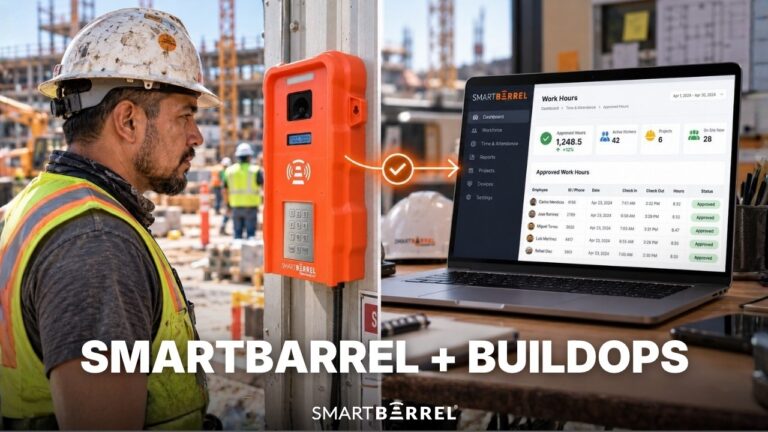
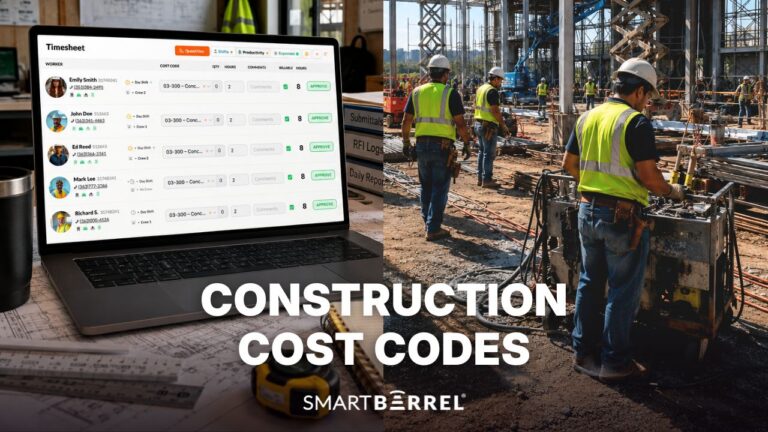
The easiest way to track temporary and contingent labor is to put every hourly worker on the jobsite, your W-2 crews, staffing agency workers, and the hourly subs you hire, on one verified time clock and split their hours by company. Each punch is confirmed with facial verification and geofencing, agencies see only their own workers, and your back office gets invoice-ready reports instead of reconciling paper timesheets against agency bills.
Temporary and contingent labor is common on many construction projects, especially when schedules tighten or a phase needs more hands than the core crew can supply.
However, tracking time for these workers is a hassle. Most time tracking systems are designed for full-time, hourly W-2 employees, rather than being built to accommodate 1099s or staffing agency labor.
Separating those hours cleanly matters at tax time too, since every sub or staffing crew paid above the annual threshold rolls up into 1099 reporting in construction.
Generally, the information of temporary labor workers is not added to ERP systems or payroll solutions, making it difficult to separate temporary workers’ hours from those of W-2 workers. Without a better way to track them, many contractors fall back on paper timesheets, rough estimates, and manual workarounds, which waste time and lead to billing disputes.

SmartBarrel is designed to track your own W-2 employees and every other hourly worker on your jobsite, including temporary or contingent labor and any hourly subcontractors you hire.
SmartBarrel makes it easy to separate workers by company, allowing you to report time separately for your own employees and for temporary labor or hourly subcontractors.
In addition, if you are working with several staffing agencies or subcontractors, breaking it down by company allows you to properly report on hours by company, even giving access to the dashboard for companies to see the time for their own employees, and creating an invoice report, and sharing it with staffing agencies or subcontractors themselves. It’s that easy.
Why Is Temporary And Contingent Labor So Hard To Track?
It is hard to track because the company that employs the worker and the company that verifies the hours are different. The staffing agency keeps its own records, your foreman keeps another, and neither one feeds your payroll or ERP. Until both sides work from the same verified punch, every invoice becomes a reconciliation exercise.
Challenge | What it looks like on the jobsite | What it costs the back office |
|---|---|---|
Fluctuating, decentralized workforce | Crews rotate by phase and move between sites | No reliable list of who worked where |
Manual processes | Paper timesheets or spreadsheets kept separately from the agency | Invoices that do not match your own records |
No real-time visibility | Hours submitted at week’s end, or not at all | No-shows and inflated hours found after payment |
Low accountability and trust | Unknown workers and unverified punches | Invoices you cannot approve with confidence |
A Fluctuating, Decentralized Workforce
Temporary labor is always in motion. Crews rotate frequently. New workers are pulled in for a specific phase, then gone the next. And with jobs spread across multiple locations, tracking who’s on site and when becomes almost impossible without the right structure in place.
Data center projects push this to the extreme, since labor shortages force contractors to fill crews with temp and traveling workers, and that churn is a big part of why time tracking on data center construction projects breaks down at scale.
A midday jobsite switch adds another wrinkle for temp crews specifically, since the agency rarely tracks whether that drive time should have landed on the timesheet at all.
Better collaboration starts with reliable crew check-ins – here’s a quick comparison of portable time clocks for job sites.
Manual Processes That Don’t Scale
Contractors often rely on paper timesheets or spreadsheets to track contingent labor or hourly subcontractors. Staffing agencies usually have their own processes, often causing disputes as the invoice provided doesn’t match the hours you have tracked on a paper timesheet.
No Real-Time Visibility
When temp labor hours are submitted late, sometimes at the end of the week, sometimes not at all, without live tracking, it’s hard to catch issues like no-shows, inflated hours, or schedule delays. And by the time the back office spots the problem, it’s already too late to fix it.
Lack of Accountability and Trust
You didn’t hire these workers yourself. You don’t know their history or skill level. Without verified punches, you can’t be sure who actually showed up or when they left. Buddy punching, misreported hours, and vague logs are all too common. And when there’s no verified audit trail, there’s no way to approve invoices or verify billed time confidently.
How Do You Track Staffing Agency Labor Separately From W-2 Employees?

Set up each staffing agency or hourly sub as its own company inside one time tracking system, and have every worker punch the same verified clock. Hours are then sorted by company automatically, so W-2 payroll and agency invoices come from the same punch records without a separate spreadsheet.
SmartBarrel was built for the realities of construction jobsites, including mixed crews made up of W-2 employees, hourly subcontractors you hire, and contingent labor from staffing agencies.
Track Staffing Agency Labor by Company
SmartBarrel has a multi-company structure, allowing you to track time for your own company and your subcontracted companies. That means you can track and report hours by company, keeping W-2s and contingent labor separate, with no spreadsheet gymnastics required. You can even create invoice reports to share directly with staffing agencies.
Whether they’re your own employees or labor provided by a staffing agency, every punch is verified by biometric facial verification and geofencing. Workers punch in and out on a SmartBarrel TimeClock 4.0 or the Kiosk App on a shared device. You won’t have to ask workers to download an app, and facial verification makes buddy punching very hard to get away with.

Role-Based Access for Staffing Agencies
You can give staffing agencies access to the SmartBarrel dashboard to view their workers only, so they can monitor hours and pull reports without viewing your own sensitive payroll data. This keeps your records secure, accessible where needed, and makes it easier to approve invoices. SmartBarrel helps you stop wasting time manually validating temp labor.
Ready-to-Go Reports
SmartBarrel’s dashboard automatically groups time entries by worker, project, company, or classification. From there, admins can:
- Assign custom rates per company or classification
- Apply per diem rules
- Track additional expenses
- Assign cost codes before export
When you’re paying contingent labor, you’ll also want a clear per diem policy so allowances don’t turn into disputes or compliance risk.
Confidence in Every Line Item
You don’t always know who staffing agencies are sending to your jobsite. SmartBarrel offers that extra layer of trust because it backs every labor hour with facial verification and location data, giving you confidence in what you’re paying for and a digital trail to prove it. Verified punches = data that you can trust.
What Changes For The Back Office When Temp Labor Hours Are Verified?
Invoice approval becomes a comparison instead of an investigation. When the agency and your team look at the same verified punches, the invoice either matches or it does not, and any gap points to a specific worker and day. Payroll, job costing, and 1099 reporting all start from the same record.

Manual temp labor tracking creates a ripple effect of extra work, delays, and errors for your office team. From chasing down hours to cross-referencing paper timesheets, it slows down payroll, creates confusion around who worked where, and leaves you open to billing disputes.
SmartBarrel eliminates that chaos by giving both you and your labor vendors one single source of truth. Hours are verified in real time, stored in one central system, and visible to the right parties.
This alignment removes mismatched records, cuts down on back-and-forth, and speeds up processing.
Back office task | With paper or spreadsheets | With verified punches |
|---|---|---|
Approving agency invoices | Compare agency totals to paper timesheets line by line | Agency and contractor view the same verified hours |
Separating W-2 and temp hours | Re-key hours into separate files | Hours grouped by company automatically |
Job costing temp labor | Assign cost codes after the fact, often at week’s end | Assign cost codes and custom rates in the dashboard |
Proving hours in a dispute | Handwritten records with no verification | Timestamped punch with facial verification and geofencing |
Whether you’re working with a single staffing agency or multiple temp vendors across multiple sites, SmartBarrel groups every hour worked by the vendor. Admins can quickly filter hours, assign the right cost codes and custom rates, and export reports that match your accounting system’s format.
Need to verify the time before paying an invoice? Every punch is backed by facial verification and geofencing, so you check the record instead of re-entering totals by hand.
By giving your back office verified data that’s already broken down by vendor, SmartBarrel turns a fragmented process into a simple one with fewer errors, faster payroll, and clear audit trails.
A Simpler Way to Track Temporary Labor
SmartBarrel gives subcontractors a verified, vendor-aware way to track every hourly worker on the jobsite, whether they’re internal crews or contingent labor from staffing agencies. Hours are grouped by vendor, backed by facial verification, and ready to report. No more paper timesheets, missing hours, or invoice disputes.