


Time tracking for data center construction projects is far more complex than other jobs: crews scale into the hundreds, shifts run around the clock and through weekends, and layered site security controls when and where your workers can check in. Hours captured by hand fall out of sync with what your crews actually worked, and that gap shows up later as payroll corrections, thin T&M backup, and job costing you can’t fully trust.
This article covers why time tracking breaks down for contractors self-performing work on data center projects, how that drives up labor costs and payroll errors, and what it takes to capture accurate hours from your own field teams at the source.
Why Time Tracking Software Struggles on Data Center Construction Projects
Most time tracking methods were built for a jobsite with one shift, one entry point, and a crew size in the dozens. Data centers rarely look like that.
Crew size on these builds tracks the data center construction process itself, running a few dozen workers through site preparation and several hundred once electrical and mechanical rough-in begins.
A single data center campus creates conditions that most time tracking systems were never designed to handle:
- Multiple concurrent shifts since many of these projects are owned by the world’s largest technology companies racing to bring capacity online, which forces multiple shifts in a single day, weekend work, and heavy overtime, meaning workers check in and out at hours a foreman-led paper process was never built to catch
- Layered site security, since access typically requires its own credentialing and screening separate from whatever system a contractor uses to track hours, often including badge-controlled zones, escort requirements for certain restricted areas, and pockets of the site with no WiFi at all
- Mixed workforce composition, with direct employees, temp labor, and out-of-area union travelers on the same crew, each carrying a different classification, pay rate, and set of reporting requirements
- Massive campus footprints & long walk times, where workers pass through a main perimeter gate but spend 25 to 30 minutes walking across sprawling campuses to reach their actual work area. Fixed front-gate check-ins leave trade contractors in the dark about who is actually onsite and when, making it nearly impossible to distinguish true productive field time from campus transit time.
None of these four pressures shows up on its own. They stack, and a foreman trying to track it all by hand is working with tools that were never built for this scale. That difficulty only grows as a project moves past groundbreaking and into peak crew size, which is exactly when labor costs are highest and least forgiving of errors.
Labor Shortages Are Changing Who Shows Up on Data Center Construction Projects
The construction industry is facing a shortage of roughly 439,000 workers as of late 2025, driven in large part by the pace of data center development, according to the Information Technology and Innovation Foundation. Separately, the Associated Builders and Contractors estimates the broader construction industry will need to add up to 349,000 workers in 2026 alone, a gap covered by Data Center Dynamics.
What does this mean in practical terms? more temp labor, traveling crews, and subcontracted trades filling workforce shortfalls that a contractor’s own workforce can’t cover fast enough, often at the risk of project delays if those shortfalls aren’t filled fast.
Each of those categories is harder to verify with self-reported time than a stable crew of direct employees, and each one adds a layer of risk to payroll and billing on a project where the schedule has almost no slack.
That pressure traces back to how a data center timeline gets built, with long equipment lead times squeezing the back end of the job.
The first problem is almost always the same: nobody knows who's actually on-site until payroll goes to process hours and the names don't match anything on file. Temp workers and traveling crews show up mid-build, someone hands them a badge, and their time gets tracked on paper or in a spreadsheet that never talks to the main system. It usually gets caught weeks later, when a foreman can't explain a name on the timesheet.
Yana Tcharnaia, CRO, SmartBarrel
How Does Manual Tracking Lead to Payroll Errors on Data Centers?
Manual tracking leads to payroll errors through three recurring failure points: rekeyed hours, incomplete cost coding, and unverified attendance. Poor time tracking at this scale rarely shows up as one big failure; it surfaces as dozens of small inconsistencies in payroll data that add up fast.
Manual time tracking breaks down in these same places on almost every large build:
- Rekeyed hours. Paper timecards and foreman-entry systems depend on someone manually transferring hours into an ERP or payroll system, and manual entry introduces the kind of transcription errors that surface as payroll errors once hours reach payroll. Handwritten hours transferred at the end of a long shift carry the transcription risk of any manual copy step. This can create inaccuracies and inconsistencies.
- Incomplete cost coding. Cost codes and worker classifications, especially for union crews, are often missing or incomplete when hours are submitted, forcing payroll admins to chase down field teams for details that should have been captured the first time. Wrong cost codes can lead to inaccurate job costing.
- Unverified attendance. Without a verified record of who was actually on-site, time theft through buddy punching and unverified attendance becomes difficult to catch until an audit or a billing dispute forces the question. This can lead to overpaying workers for unearned hours.
For data center construction projects billed on time and materials, that last point carries real weight for job costing accuracy. Disputed hours on a capital-scale project can mean six or seven figures of exposure, and a verified time tracking approach to T&M documentation gives contractors defensible records instead of a shrug when a client pushes back on an invoice.
Those disputed hours land in the largest controllable line of data center construction costs, which is why labor variance shows up in job costing before it shows up anywhere else.
Every one of these breakdowns traces back to the same root cause: construction time is being recorded after the fact instead of capturing time the moment work begins. Payroll errors caught weeks later are far more expensive to fix than the same error caught the same day, both in admin hours spent tracing the mistake and in the trust it costs with workers waiting on an accurate check.
What Accurate Time Capture Looks Like on Data Centers at Scale
The starting point for solving this isn’t a better spreadsheet. It’s capturing accurate time tracking data at the source, before it ever needs correcting:
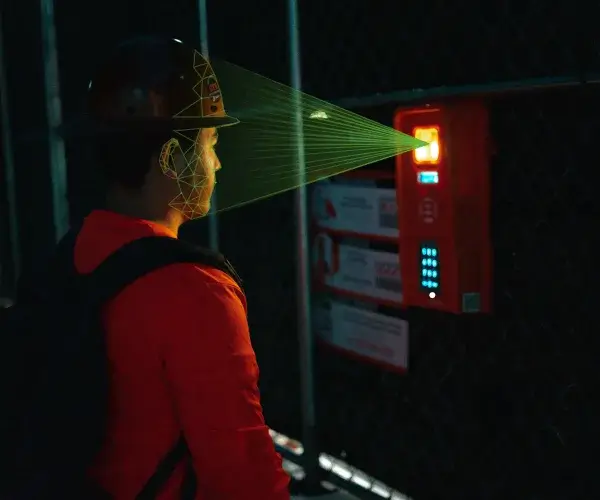
- Biometric facial verification confirms that the person clocking in is the same person who clocked in the day before, without requiring a pre-uploaded photo or a phone in every worker’s pocket
- Built-in LTE connectivity means the device doesn’t depend on a jobsite’s WiFi, which matters on a data center build where connectivity infrastructure is often still under construction
- Structured data capture at check-in, rather than reconstructed afterward, means cost codes, classifications, and hours are already usable by the time they reach payroll
- Mobile time clock options, for crews or supervisors who need to accurately track time from a phone rather than a fixed device
This is what purpose-built time tracking software for construction teams is meant to solve: not just recording hours, but recording them in a form that holds up under audit and doesn’t require rework before it’s useful.
On a campus with hundreds of workers in hard hats and safety glasses, it helps to understand how facial verification holds up in field conditions before choosing a system.
For project managers overseeing several data centers at once, that consistency matters as much as the accuracy itself. A system that produces the same quality of record on jobsite one as it does on jobsite ten means fewer surprises when hours from every site land in the same payroll run.
Here’s how each of those capabilities maps to a specific challenge data center projects create:
Data Center Time Tracking Challenge | How SmartBarrel Solves It |
Aggressive schedule compression – multiple shifts a day, weekends, heavy overtime | Verified punches capture the exact shift, date, and time worked automatically, so overtime and shift-differential hours are flagged as they accrue instead of recalculated by hand. Time syncs directly with your ERP so there is no delay in getting hours and cost codes to payroll teams. |
Layered site security – badge-controlled zones, escort requirements, no-WiFi areas | Built-in LTE connectivity means devices work independently of jobsite WiFi, and biometric facial verification confirms attendance without needing a phone or network signal at the point of check-in. In remote locations without internet, punches made on the mobile app are still captured and uploaded to the cloud when signal returns. |
Mixed workforce – direct employees, temp labor, and union travelers on one crew | Self-registered fobs and zero-training check-in let workers start in under a minute, with no per-worker photo uploads or manual setup, which matters when temp labor and travelers join mid-build |
Prevailing wage and certified payroll requirements | Accurate ours captured at check in tagged with the right classification from the start, reduces manual rework certified payroll reporting usually requires |
A Data Center Rollout, By the Numbers
Newtron, a specialty electrical and instrumentation contractor with over 1,000 employees, works on large data center projects across multiple states. Before adopting SmartBarrel, the company relied on paper timecards that were physically submitted and rekeyed into their ERP by payroll admins, a process prone to error and often missing the cost codes and classifications needed for union reporting.
After deploying SmartBarrel across six projects, the results included:
Metric | Result |
Payroll processing time | Cut by 20% |
Payroll corrections | Reduced by 25% |
Rollout timeline | 3 weeks, across six active jobs |
Results like these matter most on projects where labor is one of the largest costs, and where a single payroll error compounds quickly across hundreds of workers. Integrating time tracking directly with existing ERP systems is what makes that kind of payroll accuracy possible at scale.
As Praneeth Gali, IT Infrastructure Engineer at Newtron, put it: “Using SmartBarrel for our construction projects has been a fantastic experience. The system is super straightforward, even for large crews spread across multiple sites. It’s truly a construction manager’s best friend.”
The same real-time visibility need shows up on other large, high-security infrastructure builds. On the Washington Metro’s Yellow Line tunnel rehabilitation, Kiewit needed to know exactly who was in the tunnel at any point during 24-hour work across multiple entry points, since a paper sign-in process couldn’t keep pace with the project’s safety requirements. After deploying SmartBarrel at each entrance, Kiewit’s safety team estimated the switch saved $5,000 per day at peak headcount, primarily by eliminating the time crews spent waiting to check in or out.
See how SmartBarrel supports data center construction teams – Request a Demo.

Real-Time Visibility Across Direct, Temp, and Union Crews
A specialty contractor staffing a data center build is rarely staffing it with one kind of worker. Direct employees, temp labor brought on to cover a headcount gap, and union travelers from out of area often work the same shift on the same multiple jobsites, each carrying a different pay rate, classification, and set of reporting requirements.
Real time visibility into the following gives superintendents and payroll admins a way to manage that mix, and to make faster crew allocation calls, without waiting for a daily report to catch problems after the fact:
- Who’s on-site right now, by name, crew, and worker classification
- Which hours are tracking toward overtime thresholds before the pay period closes
- How headcount compares to what was planned for that day
Geofencing tied to each check-in confirms that a worker clocked in at the correct jobsite, which matters when travelers and temp crews move between builds and when travel time, lodging, and per diem are being billed against a specific project.
On a campus with several builds, each building can carry its own boundary, so geofencing time tracking software keeps a traveler’s hours split by build instead of pooled under one project.
A live dashboard that updates as workers check in and out gives foremen, superintendents, and payroll admins the same headcount at the same time, so classification and prevailing wage questions surface while the shift is still running rather than during certified payroll prep.
A clean handoff means the incoming crew's data is already sitting there when they clock in, no matter who ran the last shift. The problem on most data center jobs is that handoff happens between people, not systems. One foreman tells another foreman, and somewhere in that conversation the actual numbers get lost. If the record only lives in someone's head, it's not a record.
Albert Bou Fadel, CEO of SmartBarrel

Building Toward Audit-Ready Documentation
Data center construction projects, particularly those tied to capital investment at scale, tend to draw more scrutiny than a typical commercial build. That scrutiny usually shows up as documentation requirements that need to withstand a formal review, not just a best guess based on what a foreman remembers:
- Union reporting and classified-hour backup
- Certified payroll submissions
- Compliance with prevailing wage laws across multiple states or jurisdictions
Timestamped, verified punches create an audit trail that shows not just hours worked but who edited a record and when, which simplifies the approval process for anyone reviewing hours after the fact. That kind of documentation matters most when it’s least expected: a compliance question months into a project, a billing dispute on a T&M ticket, or a union audit that asks for backup on every classified hour.
This is increasingly part of what compliance management and construction management look like on a data center build: not just coordinating trades and schedules, but maintaining labor records that hold up without extra administrative lift when someone asks for them.
Verified attendance also closes one of the more common blind spots in construction compliance: proving who was physically on-site, not just who was scheduled to be. A documented, verifiable record of jobsite presence protects contractors on both sides of that question, whether the ask comes from a union, an owner, or an internal audit.
The one thing that saves the most time is a timestamped, verified punch record that nobody has to defend after the fact. Most contractors lose time in an audit not because the hours were wrong, but because they can't prove the hours were right. If you're pulling records together the week an auditor asks for them, you're already behind.
Albert Bou Fadel—CEO of SmartBarrel
Where Data Centers Are Pushing Construction Technology Forward
Data centers are also where a lot of forward-looking construction technology gets tested first, including digital twin technology used to model and monitor facility systems before and after handoff. That kind of investment reflects how much scrutiny these projects receive across their lifecycle, from design through commissioning.
Time and labor data is part of that same scrutiny, even if it gets less attention than the technology modeling the building. As data center construction projects continue to scale, the construction teams best positioned are the ones whose labor data is already structured and verified, not the ones still cleaning it up after the fact.
That same historical data, once it’s clean, becomes useful for staffing and budgeting decisions on future projects, not just the one currently underway.
Getting construction time right at the source also has a direct line to project costs. Rekeyed errors, disputed T&M hours, and slow payroll cycles all carry a cost that compounds across a project measured in months, not weeks.
Talk to SmartBarrel about time tracking for your next data center project – Schedule a Call.

Frequently Asked Questions
How long does it take to deploy time tracking hardware on an active data center site?
Deployment timelines vary by project size, but rollouts across multiple active data center jobsites have taken as little as three weeks, including setup across several projects at once. Hardware setup takes under five minutes per device, and worker onboarding takes under a minute since no pre-uploaded photos or app downloads are required.
How is overtime calculated when crews work staggered shifts on a data center project?
Overtime is calculated the same way regardless of shift pattern: based on verified hours worked against applicable state, federal, or union thresholds for that worker’s classification. Staggered shifts make this harder to track manually since hours can span standard cutoffs, but timestamped punches flag overtime automatically instead of requiring a manual recalculation at the end of the pay period.
How does time tracking handle workers who move between multiple data center sites in the same week?
Geofenced time tracking apps are designed for exactly this scenario, since a jobsite only becomes available to check into when a worker is physically present there. This prevents cross-site clock-in errors and keeps hours correctly attributed to the right project even when a worker splits their week across multiple builds.