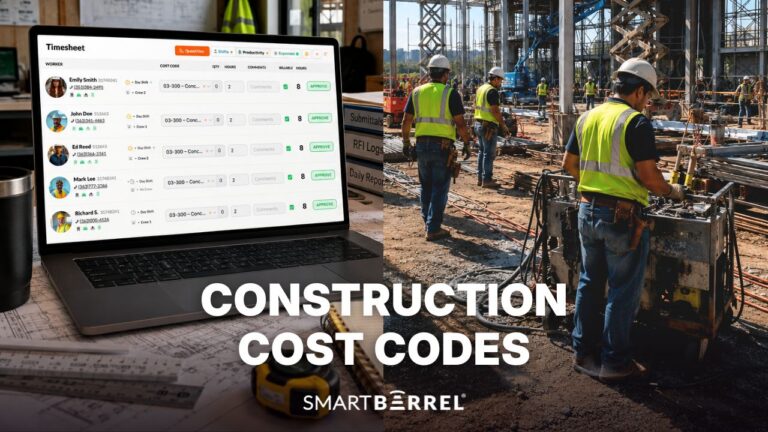

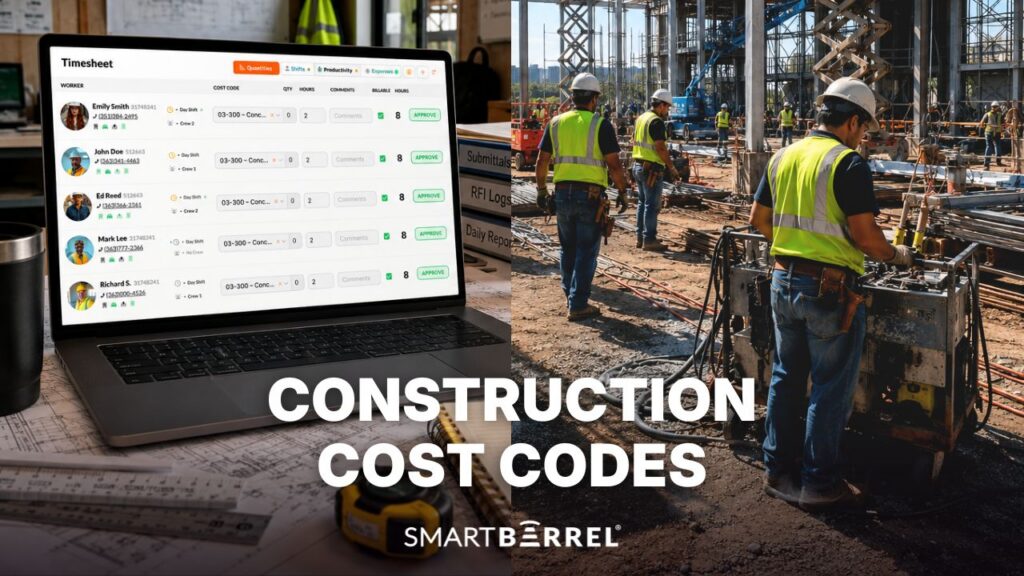
Construction cost codes are standardized numbers that tag each labor hour, material purchase, equipment charge, and subcontract on a construction project to a specific scope of work. With that tag, contractors can compare estimated costs with actual costs line by line.
This guide is for specialty contractors and self-perform general contractors coding their own crews’ time, with a focus on the step the construction industry tends to overlook: coding labor hours on the jobsite.
What Are Cost Codes in Construction?
Cost codes in construction are numeric identifiers that categorize costs by the type of work performed, such as cast in place concrete, drywall, or electrical wiring. Each code corresponds to a line in the estimate, so money spent traces back to the budget.
With codes in place, project managers have the financial oversight to spot an over-budget scope in time for immediate corrective action.
How Cost Code Structure Works
Most contractors build each code from three parts. In the illustrative code 2417-03 30 00-L:
- Job number (2417): the construction project the cost belongs to
- Scope of work (03 30 00): the MasterFormat section, here cast-in-place concrete
- Cost type (L): the kind of cost, here labor
A consistent cost code structure across different projects lets you compare similar projects later.
What Are the Main Types of Construction Cost Codes?
The main types of construction cost codes are labor, materials, equipment, subcontracts, and overhead. Each cost type sits alongside the scope code, so one piece of work can be split by what was spent on it.
Cost type | What it captures | Where the data comes from |
Labor | Wages, burden, and overtime for your own crews | Timesheets from the field |
Materials | Concrete, conduit, board, fixtures, consumables | Purchase orders and supplier invoices |
Equipment | Owned or rented equipment, fuel, maintenance | Rental agreements, equipment logs |
Subcontracts | Subcontractor costs for scope you don’t self-perform | Pay applications |
Overhead | Indirect costs tied to the job | Accounting allocations |
Material costs and most other costs arrive on an invoice that already names the job. Labor costs are assigned hour by hour on the jobsite, and that’s where most coding errors start.
Which Standards Do Construction Firms Use for Cost Codes?
Most US construction firms start from CSI MasterFormat and trim it into a list that fits their business needs.
CSI MasterFormat and the 2026 Update
MasterFormat is the Construction Specifications Institute’s standardized system for organizing construction work into numbered divisions and sections. According to CSI’s summary of MasterFormat 2026, the 2026 edition added 2,185 new listings and reorganized 617 existing ones.
Divisions 32 (Exterior Improvements) and 34 (Transportation) changed the most. Most changes stay within existing divisions, so firms using standardized cost codes can map the updates without rebuilding their list.
Divisions | Group | Common specialty trades |
00 to 01 | Procurement and general requirements | General conditions |
02 to 19 | Facility construction | Concrete (03), glass and glazing (08), drywall (09) |
20 to 29 | Facility services | Plumbing (22), HVAC (23), electrical (26) |
30 to 39 | Site and infrastructure | Earthwork (31), utilities (33) |
40 to 49 | Process equipment | Solar power generation (48) |
UniFormat and the Work Breakdown Structure
UniFormat groups costs by building element, such as foundations or exterior walls. A NIST report on UNIFORMAT II describes it as a better fit for early design estimates, mapped to MasterFormat at the trade level. Specialty contractors usually keep MasterFormat as the work breakdown structure during project execution.
Company-Specific Cost Code Lists
Commercial contractors usually need more detailed cost codes for specific projects, because the financial aspects of each job get reviewed scope by scope. Most keep one company list and adjust it as the business evolves, instead of creating cost codes from scratch for individual projects.
What Are Some Construction Cost Code Examples by Trade?
Common examples include 03 30 00 for cast-in-place concrete and 26 05 19 for low-voltage cables, shown below with each trade’s typical coding issue.
Trade | Example code | Scope | Common labor coding issue |
Concrete | 03 30 00 | Cast-in-place concrete | Forming and finishing hours lumped together |
Electrical | 26 05 19 | Low-voltage power conductors and cables | Rough-in and trim hours mixed across phases |
Mechanical | 23 31 00 | HVAC ducts and casings | Shop fabrication time coded to field install |
Drywall | 09 21 16 | Gypsum board assemblies | Hanging and finishing split inconsistently |
Solar | 48 14 00 | Solar energy power generation equipment | Hours split across several small sites |
For a concrete subcontractor, one labor code shows that a job lost money. Separate codes for forming, placing, and finishing show which activity ran over.
Why Cost Codes Matter for Cost Control and Job Costing
Cost codes matter because they let contractors compare estimated costs with actual costs at the scope level while the job is still running. That comparison is the core of construction job costing and financial tracking on any job.
In practice, coded labor pays off in three places:
- During the job: With labor coded daily, project managers catch an overrun within days, while there’s still time to control costs.
- At bid time: Coded actuals from similar projects support better decision making.
- On extra work: Separate change order codes keep tracking costs on extra work apart from base scope, protecting financial performance on the original contract.
Where Cost Codes Work, and Where They Break Down on the Jobsite
Most guides on what are cost codes in construction stop at the accounting list. Many errors enter before the data ever reaches accounting, through three gaps in the typical cost tracking process.
The Full Cost Code List Is Too Long for the Field
Many companies push their entire ERP cost code list to the field, so crews pick from dozens of similar codes at clock-in. A list built for financial reporting ends up on a phone screen at 6 a.m., and small mismatches add up.
Project-level syncing helps: when cost codes sync from BuildOps, crews see only the codes attached to that project, not the company’s full chart.
Codes Get Assigned from Memory
With paper or end-of-week entry, someone has to rebuild cost codes from memory. A foreman running a 30-person crew across three work areas has bigger priorities than recalling how Tuesday’s hours split.
Corrections Get Rekeyed by Hand
Each office correction means marking up the timesheet and re-entering it in the ERP or construction management software, which costs admin time and invites typos. Harper Electric reduced manual time entry by 70% with automated, verified timekeeping.

See how verified hours land on the right cost code. Request a SmartBarrel demo.
How Do You Build a Cost Code List for Construction Project Management?
You build a cost code list by deciding what the data has to answer before you implement cost codes on any job, then working backward to the shortest list that answers it.
1. Start with the Cost Tracking Questions You Need Answered
Ask project managers and finance which decisions they make from job cost data. Keep the codes that feed financial management and decision making, and drop the ones that only add too much detail to the cost code system.
2. Build a Consistent Cost Code Structure from MasterFormat
Begin with the divisions you self-perform and use the job, scope, and cost type format above. Keep numbering identical across different projects.
3. Publish a Short Field List for Each Construction Project
Give each jobsite only the specific codes for its scope. Keep it separate from the full accounting list, and narrow it by crew where you can.
4. Decide Who Owns Cost Code Management
Workers can pick codes at clock-in, or foremen and supervisors can assign them during a daily review. Both work when one person owns the step and has a short list. Whoever owns it needs a quick walkthrough of the job’s list before the first shift. With SmartBarrel, foremen or superintendents assign cost codes at the end of the day, tied to a specific shift. The time is then reviewed and locked, so the cost codes that reach payroll are accurate.
5. Review Construction Cost Against the Estimate After Every Job
After each job, compare estimated costs with actual project costs by code. Retire codes nobody uses, and add codes where overruns keep hiding inside broad categories. These periodic reviews drive continuous improvement in your estimates.
How Many Cost Codes Does a Contractor Need?
A contractor needs enough cost codes to answer the cost questions it will act on, and far fewer visible to any one crew. Extra codes add financial control up to a point, and beyond that they add more miscoded hours than insight.
How SmartBarrel Connects Verified Hours to the Right Cost Codes
SmartBarrel is designed to capture the most accurate time from the field and attach the right code before it reaches payroll.
How the Cost Code Workflow Runs
- Check in: Workers clock in at a TimeClock 4.0 or through the mobile App on Kiosk or punch mode. Facial verification confirms the right person is punching in, and the hours appear in the live dashboard instantly.
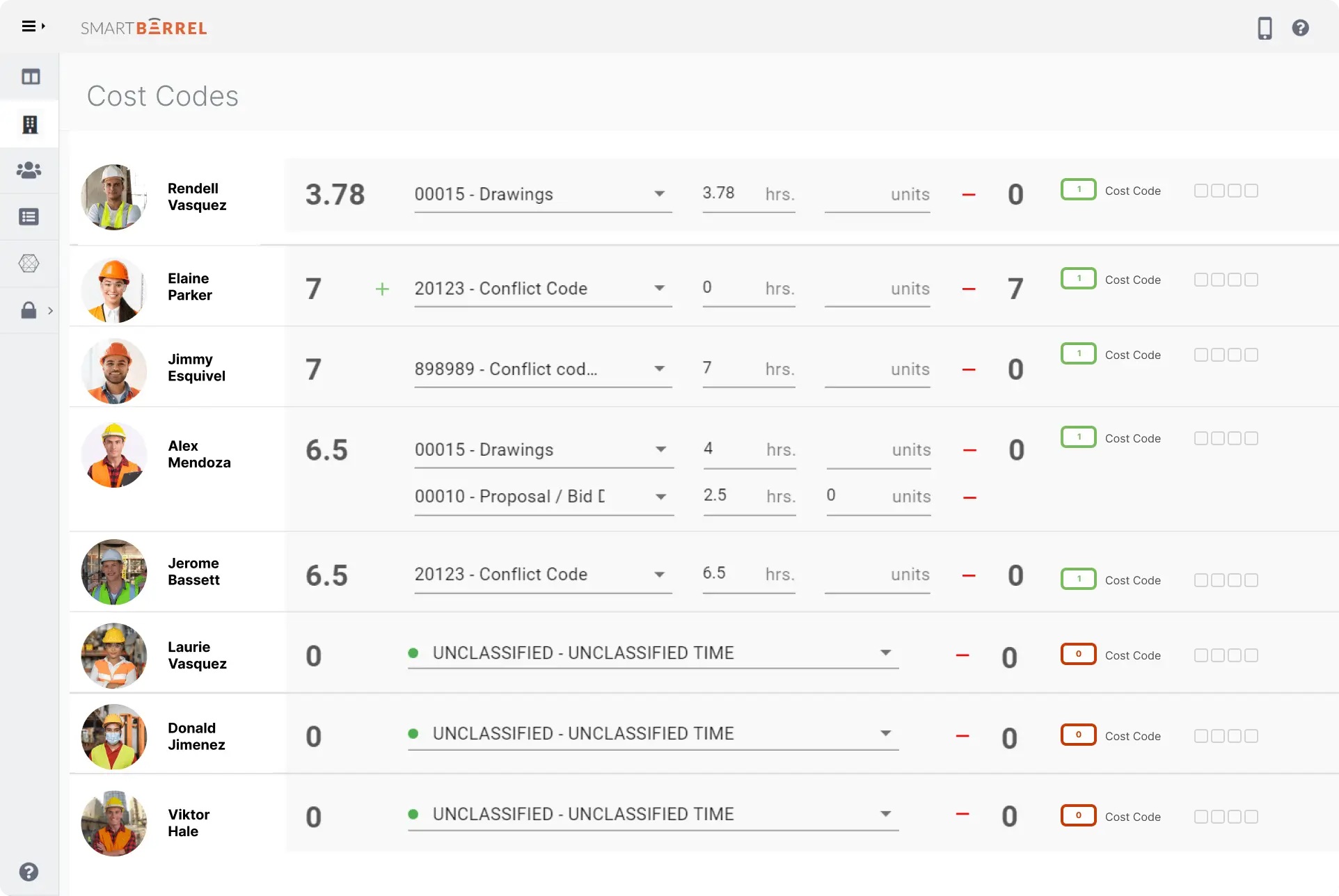
- Assign codes: Foremen or supervisors link cost codes to each worker’s hours from a list limited to that job.
- Split or carry over: One shift can be split across several codes, or codes can carry over from the day before.
- Bulk Apply: If an entire crew worked on one cost code that day, foremen can apply it in bulk, instead of assigning codes one by one.
- Sync: Approved hours and codes sync to CMiC, Procore, or Viewpoint Vista.

How Cost Codes Sync with Your ERP
The goal of integrating cost codes with the ERP is ensuring smooth data flow from field to payroll without anyone rekeying hours. The CMiC software integration, for example, pulls cost codes in from CMiC and sends approved hours back.
Managers can also see labor cost tracking by job and cost code next to other jobsite expenses for real time insights into project performance.
Case Study: Ogden Brothers Construction
Ogden Brothers Construction is a concrete, masonry, steel, and tilt-wall contractor in Fort Myers, Florida, with more than 260 employees. Its crews had been choosing codes from the full CMiC list in a mobile time tracking app.
Before SmartBarrel | With SmartBarrel | |
Cost code selection | Crews picked from the full CMiC list | Supervisors assign from job-specific lists |
Timesheet approval | Weekly review at the office | Daily approval in the field |
Entry into CMiC | Manual rekeying | Export in minutes |
Admin time | An additional 20 hours a week of correcting errors, review and rekeying | Hours and cost codes appear error-free in CMiC. Payroll processed in about two hours |
Controller Bryan Smrz said, “Now that the data is so clean, it only takes us two hours to process payroll.” Read how Ogden Brothers removed 1,040 hours of manual cost code correction.
Put job-specific cost codes in front of your foremen. Request a SmartBarrel demo.
Frequently Asked Questions About Construction Cost Codes
What's the difference between a cost code and a general ledger account?
A general ledger account shows where money sits in the company’s books, such as payroll expense. A cost code breaks job costs down by scope of work inside a single project. One GL account can hold many cost codes.
What's the difference between a phase code and a cost code?
A phase code identifies where or when work happens, such as a floor. A cost code identifies what work was done. Many contractors use both to track scope by area.
Are cost codes the same as labor classifications on certified payroll?
No. They’re separate fields that often apply to the same hours. A cost code records the scope the hours went to, while the labor classification on the DOL’s WH-347 certified payroll form records the worker’s trade for prevailing wage purposes. On public work, contractors typically capture both.
How do cost codes feed a WIP report?
Cost codes provide the scope-level breakdown a WIP report needs, so projected margin reflects where costs are landing. The report itself compares costs to date with the estimate and billings on each job.
How should T&M work be cost coded?
Give T&M work its own cost code or code suffix so those hours stay separate from lump-sum scope. Verified, separately coded hours are easier to back up when the general contractor or owner reviews the T&M ticket.
Getting Cost Codes Right at the Source
The labor side of construction cost codes depends on how hours get coded in the field. A short list for each job and one clear owner for coding give construction businesses labor data they can use to improve cost control and support effective project management.
Get the most accurate time from the field, coded to the right job. Request a SmartBarrel demo.