
SmartBarrel’s team was at Procore Groundbreak 2026 in Orlando, talking with specialty contractors, self-perform general contractors, and its own customer community. Five takeaways came back from those conversations and the main stage: AI dominated everything, but the biggest hurdle is getting people to use it.
In the age of AI, several contractors the team spoke to surprisingly still used pen and paper to capture time and cost codes from the field, with many still dealing with inaccuracies. Those willing to adopt tech are weighing the benefits of all-in-one software or specialized tools.
What Did SmartBarrel’s Team Hear at Procore Groundbreak 2026?
The team heard five themes: AI, people, paper timesheets, accuracy, and all-in-one versus specialized tools.
Takeaway | What the team heard | What it means for your labor data |
1. AI was everywhere | AI came up in nearly every conversation | AI tools read your time records, so their answers are only as good as those records |
2. People decide AI’s payoff | The Day 2 keynote called preparing people the hardest part of AI | Field tools pay off only when crews use them every shift |
3. Paper is still common | Many teams still run paper timesheets | Every handwritten hour is retyped somewhere before payroll |
4. Accuracy is rising | Contractors called accuracy a growing priority | Many contractors still get inaccurate field data from manual time tracking or foreman-entered hours |
5. All-in-one has limits | Teams want one place to look but see gaps in all-in-one tools | Specialized tools plus a strong integration can deliver both |
1. AI Dominated the Groundbreak Agenda and the Booth Conversations
AI was the topic contractors raised most, on the session schedule and at the booth.
Procore set the tone with AI agents, visual AI, and a voice-first field app, in ENR’s coverage of the Procore AI announcements at Groundbreak. For a specialty contractor, the practical question is how AI reads field data.
An AI assistant that summarizes daily logs or forecasts labor costs works from the real-world hours and headcounts already in the system. If those numbers came from a sign-in sheet filled out at the end of the shift, the AI repeats them with more confidence and less context.
That is why SmartBarrel treats construction data collection for AI as the first step of any AI plan. Capture accurate hours and cost codes from the field, and use that data to power your AI strategy.
Apache Industrial, a Houston-based specialty contractor with about 6,000 field employees across 40+ locations, built verified time into its AI strategy. Kurtis Kim, Apache’s VP of Information Technology, put it this way: “Accurate information is the only way you’re going to get accurate data coming out of AI.” Apache moved time capture into the field with facial verification and geofencing, so supervisors and project managers own their crews’ records. Read how Apache set up verified, AI-ready timekeeping.
See how verified clock-ins work on a live jobsite. Request a SmartBarrel demo.
2. The Hardest Part of AI Is Getting People to Use It
The Day 2 keynote moved the construction industry’s AI conversation from tools to people. Zack Kass, a global AI advisor and former head of go-to-market at OpenAI, argued that AI amplifies human potential and that the hardest part is helping your people prepare to embrace it, according to Procore’s Groundbreak speaker lineup.
Field time tracking is where that plays out first. A tool that adds steps for foremen or needs a phone in every worker’s pocket tends to stall on the jobsite. Adoption comes easier when check-in takes seconds and nobody rebuilds hours at the end of the shift.
Dynamic Systems, Inc. (DSI), a union mechanical contractor with about 2,500 employees, saw that firsthand. Its labor managers had spent 2 to 3 hours a week at each jobsite collecting time. After rollout, DSI reports full field buy-in, with foremen and supers sending in feature requests. During the pilot, Randy Smith, DSI’s Director of Enterprise Applications, also saw how far off the old process had been:
“The hours that were getting turned into payroll were double or triple what SmartBarrel was actually showing.” Randy Smith, Director of Enterprise Applications, DSI
DSI reports $260,000 a year saved in time spent collecting hours and $2.6 million a year in potential savings from overreported and inaccurate time. See the case study on how DSI reclaimed $2.6M in overreported labor hours.
Before rolling out any field tool, check three things that decide whether crews will use it:
- Workers can clock in without training, a photoshoot, or their own phone
- Foremen no longer collect or retype hours at the end of the shift
- Verified hours reach payroll and Procore without a manual handoff
Want to see what inaccurate time costs your operation? Talk to SmartBarrel about a pilot.
[SCREENSHOT PLACEHOLDER: Live Dashboard showing real-time headcount across multiple jobsites]
3. Paper Timesheets Are Still on a Lot of Jobsites in 2026
Even at a conference built around AI, many builders admitted their crews still clock in on paper.
“A lot of teams are still using paper timesheets, which they admitted is outdated. It’s 2026.” Brittany Evans, Head of Customer Success, SmartBarrel
Paper timesheets survive because they are familiar and cost nothing up front. The cost shows up later. Someone has to read the handwriting, chase missing entries, and retype the paperwork before payroll. Each step can leave room for error, which is why manual timesheet errors in construction tend to surface in payroll corrections and billing disputes weeks after the shift.
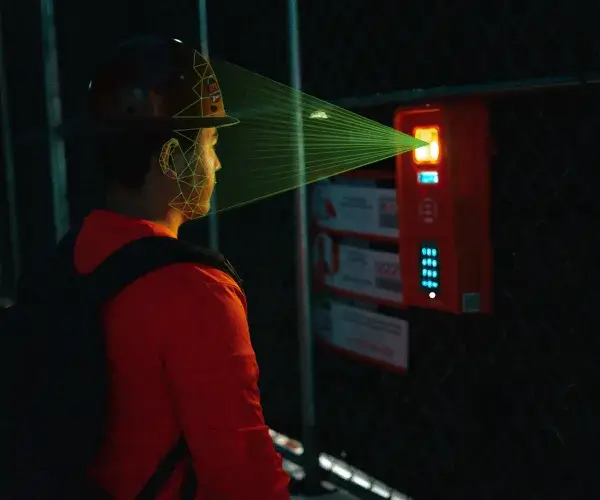
Moving off paper does not have to drain resources. With SmartBarrel, workers check in using biometric facial verification on the TimeClock 4.0 or Kiosk App. The system learns each worker from earlier clock-ins, so no photoshoot is needed. Workers without a phone handle their own fob registration, and gloves or welded fingertips do not get in the way.
4. Accuracy Is Moving Up Contractors’ Priority Lists
Industry leaders at Groundbreak talked about accuracy as a growing priority, and the AI push is part of the reason.
Accuracy matters more now because more systems depend on the same hours. One clock-in feeds payroll, job costing, certified payroll, T&M billing backup, and now AI forecasts. When an hour is wrong at the source, it is wrong everywhere it travels.
The fix starts at the punch. A clock-in that confirms the worker on site, the jobsite, and the time gives every later system a record it can trust. SmartBarrel calls this the most accurate time from the field.
5. All-in-One Platforms vs. Specialized Tools: Integration Decides It
Contractors want everything in one place, but many are starting to see where all-in-one platforms fall short.
“People are starting to notice that the all-in-one solutions have their limitations. However, they still care a lot about having everything in one place.” Ana Uribe, Sr. Marketing Manager, SmartBarrel
Isaiah Zavala, Solutions Engineer at SmartBarrel, heard the same tension from the other side. Contractors asked for all-in-one payroll and timekeeping, or for ways to keep everything in a single system. Many are now picking the best tool for each job, such as field time capture, and using APIs to connect that data to Procore or their ERP.
The deciding factor is the integration. NexGen Contracting, the roughly 700-person self-perform arm of Gray Construction, runs Procore and CMiC. NexGen replaced Excel spreadsheets and paper sign-in sheets with verified clock-ins, using connections into its existing systems, giving finance and HR more accurate data without changing platforms. Read how NexGen moved to verified clock-ins in place of paper timekeeping.
Procore also has its own time tracking. With Procore’s timecard tool, project teams enter time on a phone, tablet, or desktop, log the project, cost code, and hours for each entry, and export timecards to payroll.
For teams that run everything in Procore, that keeps time close to the project record. The main difference is how the hours are captured. In Procore, time is entered by foremen or site supervisors, while SmartBarrel has each worker check in with AI facial verification at the jobsite, so the record starts with the person on site rather than an entry made on the crew’s behalf. Many contractors run both: SmartBarrel for field capture and Procore for the project record.
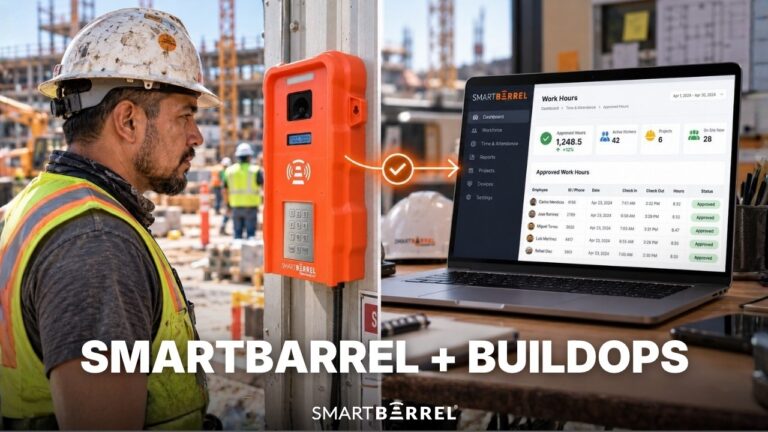
For Procore users, the Procore time tracking integration sends verified hours into Procore timesheets, shows manpower by project, and fills in daily reports with cost codes and weather.

What Does Capturing Accurate Hours Look like for Procore Users
For Procore users, capturing accurate hours means verifying each worker at the clock-in and sending those hours into Procore without anyone retyping them. Here is what that looks like with SmartBarrel’s Procore time tracking integration:
- A worker checks in on the TimeClock 4.0 or Mobile App with facial verification, inside the jobsite geofence.
- The foreman assigns cost codes at clock-in, so the hours carry job costing data from the start.
- Verified hours auto-populate in SmartBarrel’s dashboard and sync to Procore timesheets in real time.
- SmartBarrel’s Daily Logs push into Procore’s daily reports.
The office works from one record from the field through Procore and payroll, and other tools in your stack read the same verified hours. Simple for your crew, built for your complexity: one site or 50 sites, the record stays the same.
Book your SmartBarrel demo and see verified time flow into Procore.
Frequently Asked Questions
When is the next Procore Groundbreak?
The next Procore Groundbreak is scheduled for September 15 and 16, 2027, in Anaheim, California, according to Procore’s Groundbreak event page.
Can you watch Procore Groundbreak 2026 sessions on demand?
Yes. Procore has made Groundbreak 2026 sessions available on demand through its Groundbreak page, so construction teams that missed Orlando can explore the keynotes and breakout sessions.
Do you need to be a Procore customer to join Groundbreak?
No. The keynotes, industry sessions, and networking apply to anyone in construction, while the hands-on workshops and many product sessions are built for teams already on Procore, according to the Construction Owners Groundbreak 2026 guide.