

Are you tired of the work challenges that resurface every time a situation feels under control? The paperwork pile-up, the compliance exposure, the uncertainty around your crews’ labor hours. For specialty contractors tracking their own field workforce, that uncertainty is often where the stress starts.
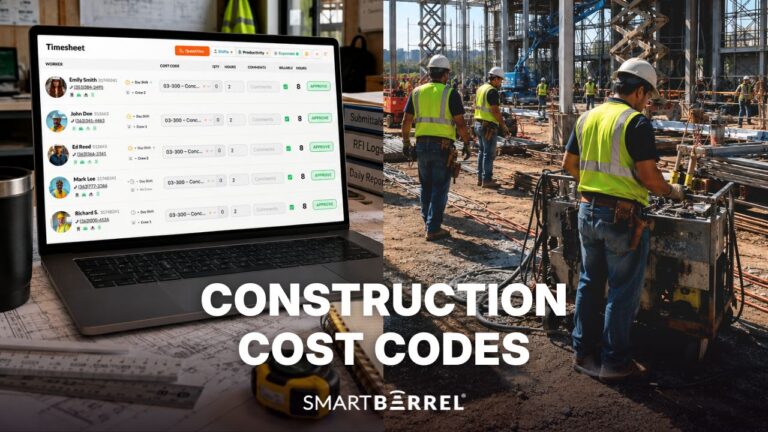
The single biggest shift comes from having workers check in and check out daily, rather than having a foreman enter time for the whole crew at the end of the week. Daily check-in gives you accurate labor costs as the job runs, so you can compare estimated labor hours against actual hours while there’s still time to act. And because foremen get that time back, they can apply labor costs by cost code to shifts daily, letting you compare budgeted hours by cost code to actual hours by cost code.
Cost codes are the labels that assign labor hours to specific budget line items or scopes of work, so hours can be measured against the estimate for each task.
Here’s the practical difference between the two approaches:
|
Foreman enters time weekly |
Workers check in and out daily |
|
|
Labor cost visibility |
End of week, after the fact |
Daily, near real-time |
|
Estimated vs. actual hours |
Hard to compare in time to act |
Visible while the job is running |
|
Cost code accuracy |
Reconstructed from memory |
Applied to current shifts |
|
Foreman workload |
High (manual entry for the crew) |
Lower (review and assign only) |
|
Decision-making |
Reactive |
Proactive |
A construction time clock can’t guarantee your workers show up on time, but it can show you who’s showing up late or leaving early. That visibility automates a manual timekeeping process, improves accountability, and frees you from the usual stress-induced headaches so you can focus on what matters.
Get Control of Your Time Tracking
1. How Does Worker Accountability Take The Stress Out Of Payroll?
In this industry, every dollar matters. There isn’t room to pay “ghost” workers who aren’t on-site. By confirming that only verified workers are present and reducing time fraud, construction time tracking software helps you keep labor spend tied to productive work. That’s why facial verification has become increasingly important on the modern jobsite.
Facial verification confirms a worker’s presence by comparing their check-in photo against that same worker’s previous photos. It is different from facial recognition: it can’t identify a stranger, only confirm whether the person checking in matches who they say they are.
The time clock makes the process straightforward. The rugged device stays on-site, and workers check in by taking a photo of their face. The system compares that photo to their previous ones to confirm the right worker is present. It can also detect PPE, so a hard hat and safety glasses don’t get in the way of a clean check-in. This level of accountability doesn’t just reduce payroll errors. It can substantially cut them.
2. How Does Verified Time Data Lower Your Compliance Risk?
When workers check themselves in and out, you give them ownership of their own time while capturing accurate, verified data complete with photos. If a compliance issue or a claim comes up, you have reliable records to fall back on. At any point you can see:
- How many workers were on-site and when they arrived
- Who was verified present, with a check-in photo on file
- An SMS sent to each worker at clock-in and clock-out, confirming the time they’re being paid for
- An SMS at clock-out asking whether there were any safety incidents to report
Having real-time, shared data turns project documentation into something you can pull up on demand, which makes compliance tracking easier and reduces the risk of costly mistakes later. See how Related Urban Construction uses SmartBarrel to manage compliance on affordable housing projects.
Daily jobsite documentation such as crew counts, photos, and safety incidents becomes easier to maintain when it builds from that same verified data.
3. How Does Real-Time Cloud Data Keep Your Projects On Track?
Making faster, smarter decisions isn’t negotiable in this day and age. It’s vital to business health and growth. When business leaders have real-time data ready to be viewed at a moment’s notice, whether they are on-site or not, it can make a difference in a project’s success or failure. With our secure, cloud-based access, important decisions no longer need to be made relying on outdated paper logs. Access critical project data anytime, anywhere, and make better, more informed decisions that keep your decision-making momentum moving.
4. How Does A Field-Ready Time Clock Keep Adoption Stress-Free?
No tech expertise required. The jobsite time clock is rugged enough to handle the harshest conditions but simple enough for anyone to use, regardless of how tech-savvy they are. The days of installing fragile clocks that can’t survive the elements are behind you. What you want is hardware built for the field:
- A built-in internet connection, so it doesn’t depend on jobsite WiFi
- A weatherproof case that holds up in a storm
- Simple push-button check-in and check-out anyone can operate
- Setup that doesn’t turn into an IT project
5. How Does Automated Payroll Keep Your Pay Cycle On Track?
If you’re done chasing paper timesheets or hearing that paychecks are wrong, it’s time to move into modern timekeeping. The system can automate payroll data collection and reporting, which cuts your manual workload and the stress that comes with tracking paper. With that in place, you can expect:
- Automated time data collection and less manual entry
- Fewer payroll errors and fewer disputes over paycheck accuracy
- Labor costs tracked accurately for job costing
- Payroll that runs on time without the paper chase
The biggest stress reducer on any jobsite is a construction time tracking system that captures verified hours automatically and feeds your payroll without the chase.
You need a modern time-tracking system that saves money, time, and legal headaches. If you’re looking for a tool that does this and more, you can book a SmartBarrel demonstration today. Stop worrying about compliance, accuracy, and payroll errors, and start focusing on the build.