

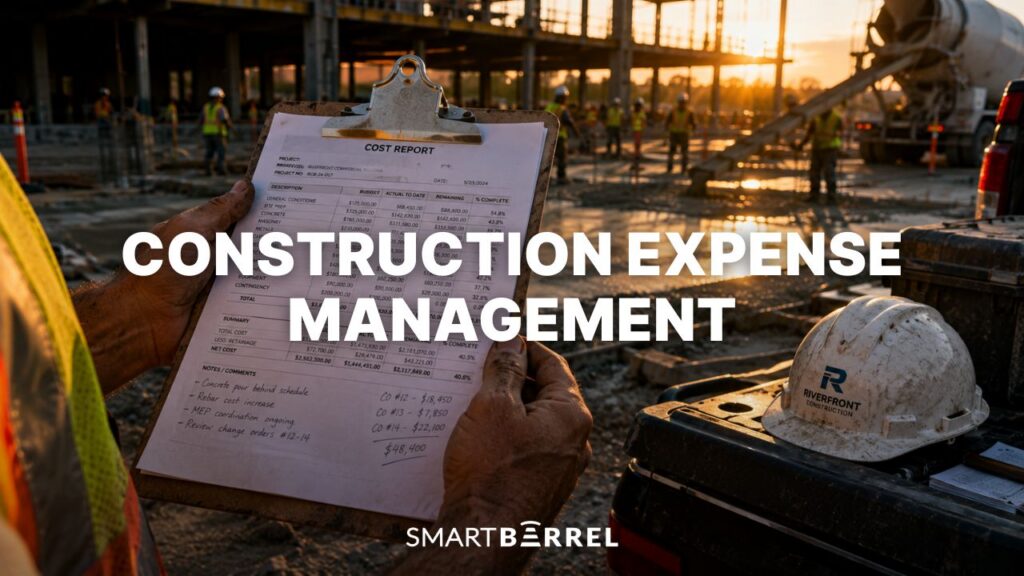
The construction industry averages only around 6% profit per job, according to industry benchmarks from FMI Corporation. At that margin, a single project with untracked labor costs or disputed billing doesn’t just hurt that job. It can erase the profit from two or three others.
Before getting into the tips, it’s worth being specific about what construction expense management actually covers. In this context, expenses include labor costs tracked against cost codes, per diem payments, mileage and truck allowances, jobsite reimbursements, and worker-submitted expenses.
Those categories look small next to mega project cost breakdowns, but they scale with crew size and duration, which is exactly what multi-year campus work delivers.
Of everything on that list, labor is where the money gets lost. Per diem and reimbursements are meaningful costs, but they’re finite. Labor compounds. For trade contractors running multiple jobsites, labor cost tracking is where expense management either holds together or falls apart. Labor typically represents 20 to 40 percent of total project budgets – it’s also the controllable cost: the one that moves with the systems and decisions made on the jobsite, not with global markets.
This article covers five practical tips for getting construction expense management under control, starting with the data problems that cause most overruns.
Tip 1: Fix the Data Before You Fix the Budget
Inaccurate field data doesn’t stay in the field. It moves into timesheets, payroll, job cost reports, and ERP – and every calculation built on top of it is wrong by the same margin. For trade contractors running multiple jobsites, that gap between what workers actually worked and what gets recorded can run well into six figures over the life of a project.
Where errors enter the system
Most construction companies track labor hours with foreman sign-offs and manual entry, which is exactly where errors compound. Eliminating manual work and capturing hours accurately at the source fixes that.
When workers verify their own presence at clock-in and clock-out using biometric facial verification, the system records hours automatically – not reconstructed by memory, manually transcribed, or re-keyed into ERPs. It eliminates errors, buddy punching and reduces admin time spent on collecting hours.
SmartBarrel’s biometric time clocks go up on the jobsite and workers clock in by verifying their own presence. No phones, no fobs, no foreman involvement required. The verified hours flow directly into your construction payroll and job costing systems without manual entry at any step. What reaches your ERP is the actual record of who was on site, when, and against which cost code. Not a reconstruction of it.


Tip 2: Stop Paying Expenses That Aren’t Earned
Start with the rules, not the receipts
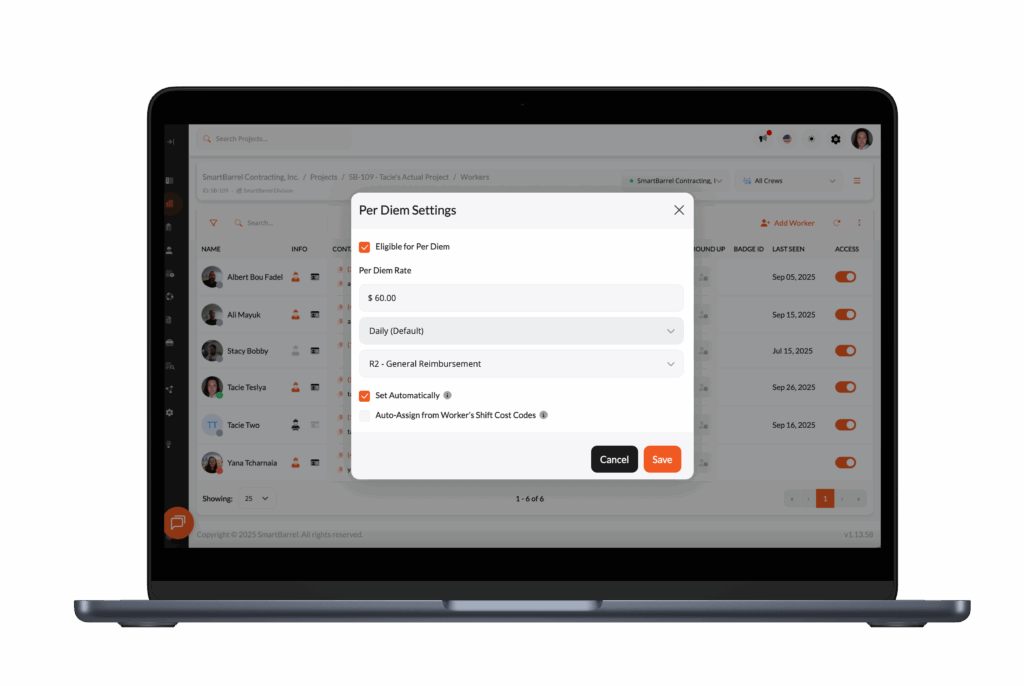
Per diem, mileage, truck allowances, and jobsite reimbursements are labor-adjacent costs that most contractors process separately from verified hours – reconciled late, estimated rather than documented, and calculated manually. Most of those problems trace back to the same root cause: nobody configured clear parameters before the job started.
Before any system can enforce expense controls, someone has to define them – which expense types are reimbursable, which workers or classifications are eligible, what the submission window is, and what spending limits apply by project or role. That configuration step is where most contractors skip ahead, and where the gaps that drive overpayments originate.
SmartBarrel’s expense management starts by establishing rules. Per diem rates, mileage allowances, truck allowances, and reimbursement eligibility are all configured by worker, classification, or specific project before a single shift is worked. Once those rules are in place, the system applies them automatically against verified time which means no manual enforcement required from payroll or project managers.
The per diem problem
On most jobsites, per diem gets applied based on the schedule: if a worker was supposed to be on site that day, they get per diem. When a worker calls out, starts late, or leaves early without proper documentation, the per diem still processes. It clears payroll before anyone catches it.
Over the course of a multi-month construction project with a large crew, those overpayments compound in ways that don’t surface until the job is already closed.
Schedule-based per diem | Verified-presence per diem | |
Trigger | Worker was scheduled | Worker completed a qualifying shift |
No-show risk | Per diem processes regardless | Per diem doesn’t apply |
Late arrival / early departure | No adjustment | Shift rules determine eligibility |
Reconciliation | Manual, at month’s end | Automatic, in real time |
Mileage, allowances, and one-off reimbursements
Tying every expense to verified jobsite presence fixes this at the source. Spending limits and rates are configured by worker, classification, or specific project. Mileage ties to verified shift data. The system applies allowances automatically when conditions are met – foremen aren’t managing the calculation and payroll isn’t reconciling it at month’s end.
The same logic extends to one-off reimbursements. Employees submit expenses through the mobile app tied to a specific project and cost code. SmartBarrel’s AI reviews each receipt and flags mismatches before they reach the approval queue – if the receipt date doesn’t match the verified shift, or the amount doesn’t align with the description, foremen or crew leaders are notified and can address it on the spot before it gets paid out.
Construction teams get the financial oversight they need while the project is still running, not during closeout when nothing can be corrected.

Tip 3: Build T&M Documentation Into the Workflow, Not the Dispute
T&M billing disputes are a direct expense management problem. When a client challenges hours on a T&M job, contractors who can’t substantiate those hours face a choice: absorb the disputed amount or spend time and resources fighting a battle they may not win. Either outcome affects cash flow and project profitability.
Why standard documentation falls short
Most contractors track time on T&M construction projects. The problem is the quality of the documentation. Timesheets signed by a foreman, or hours entered manually into a spreadsheet, are easy to dispute. They don’t prove that a specific worker was on a specific jobsite at a specific time.
Biometrically verified check-in records are accurate and defensible. Each entry links a worker to a specific location and time. The contractor can pull an audit-ready record showing exactly who was on site, when they arrived, when they left, and what cost codes were performed. That’s the kind of data that supports informed decisions on both sides of a billing dispute – and tends to end them quickly.
Apache Industrial Services implemented SmartBarrel specifically to address verification gaps on complex jobsites. With verified time records feeding directly into their billing process, disputed hours became far easier to resolve. The documentation existed, it was unambiguous, and clients couldn’t argue with it. For contractors moving more work to T&M contracts, that kind of verified record changes how billing conversations go. You can read more about their experience in the Apache Industrial case study.
For contractors on prevailing wage work, the same verified records that resolve T&M disputes also support ensuring compliance with certified payroll reporting requirements automatically.

Tip 4: Treat Overtime as a Visibility Problem, Not a Labor Cost
Overtime is often budgeted as a fixed variable in construction – an accepted cost of keeping projects on schedule. That framing obscures the actual problem. Most overtime on multi-jobsite operations isn’t driven by project demands. It’s driven by uneven crew distribution that nobody caught in time to fix.
The visibility gap that makes overtime expensive
When a VP of Operations doesn’t have real-time headcount visibility across all active projects, overtime on one jobsite can go unnoticed while another site has workers available. By the time the weekly payroll report surfaces the overtime, the premium hours are already spent and the budget impact is locked in. Cost overruns from overtime aren’t always a scheduling problem – they’re often a visibility problem that shows up too late to correct.
Real-time labor data changes the response window. When construction teams and operations leadership can see current headcount by project at any point during the day, reallocation decisions can happen before premium hours accumulate. That’s the difference between managing overtime and paying for it.
For contractors managing ten or more active construction projects, the aggregate impact of better overtime control is substantial. It doesn’t require more accounting software or additional back-office staffing. It requires knowing what’s actually happening in the field, as it’s happening.

Tip 5: Take Timekeeping Off the Foreman’s Plate
Most time tracking systems are built around the foreman entering their time either manually on paper or through a mobile app. The foreman is responsible for making sure time is recorded, errors are fixed and timesheets are submitted at the end of the week. That’s a system designed to produce inconsistencies, because the person accountable for timesheet accuracy is the same person managing crew productivity, safety, and daily progress.
Of the common ways contractors track time, foreman-led entry is the one that places the most administrative weight on a single person’s week.
How the accountability shift works in practice
A better-designed system flips that accountability in three steps:
- Workers self-verify. Clock-in and clock-out happens independently, no prior enrollment session required. The system self-learns each worker through biometric facial verification, and clock in through a designated timeclock on the jobsite or through a mobile app.
- Foremen review, not reconstruct. By the time the foreman opens the dashboard, the time is already captured through auto-populating timesheets. Their role becomes exception management: pushing back on a worker who didn’t clock out rather than rebuilding the full day’s timesheet from scratch.
- Problems surface the same day. Foremen reviewing exceptions catch issues before per diem processes or reimbursements get submitted against the wrong shift, and before overtime accumulates without visibility.
The expense management consequences of the old model are direct. When timekeeping depends on a foreman’s bandwidth, gaps appear – workers who didn’t fully clock out get their time estimated, cost codes get assigned from memory days later, and reimbursements go unsubmitted because nobody followed up.
Each gap feeds into payroll, job costing, and future estimates. The construction projects where expense management holds together are the ones where field data doesn’t depend on a single point of failure.
Construction Expense Management Is a Data Problem First
The five tips above aren’t independent practices. They compound on each other.
Tip | What it enables |
Accurate field data | Every expense calculation built on verified hours |
Per diem tied to verified presence | Overpayments caught before they clear payroll |
Reimbursements connected to time records | No gaps between what was paid and what was earned |
Verified T&M documentation | Payments that don’t get disputed |
Overtime visibility | Budget overruns caught before they’re locked in |
For trade contractors managing multiple construction projects and large field crews, expense management breaks down most often at the point where field activity gets translated into financial data. Data-driven decisions – on labor allocation, billing, and project costs – depend entirely on whether that translation is accurate.
Getting the most accurate time from the field is where control begins. The rest follows from that.
Frequently Asked Questions
What documentation should contractors provide to support T&M billing?
On time and materials jobs, clients increasingly expect more than a signed timesheet. Supporting documentation typically includes verified attendance records, receipts or logs tied to specific cost codes, and timestamped proof that workers were physically on site. Biometrically verified check-in records satisfy all three requirements in one system. Each entry captures presence, time, and cost code assignment simultaneously, giving contractors audit-ready backup for every billable hour.
How do construction businesses control labor expenses across multiple projects?
Controlling labor expenses at scale starts with real-time visibility. Construction teams managing multiple jobsites need to monitor expenses by project and phase as work happens, not after timesheets are submitted at week’s end.
Labor is typically where the largest unplanned cost overruns occur, so accurate time capture at each jobsite is the foundation. Expense reports built on estimated hours reflect estimates rather than reality – and the gap between the two tends to widen over the life of a project.
Can virtual cards help construction companies manage jobsite expenses?
Virtual cards can be a useful tool for controlling material purchases on jobsites, particularly when tied to specific cost codes or project phases. They let construction companies set spending limits, capture receipts digitally, and identify spending patterns across projects – without relying on manual tasks like end-of-month reconciliation.
For labor – typically the largest and most variable expense on any construction project – contractors need verified time data flowing directly from the field into their accounting and payroll systems. Accurate field data also supports ensuring compliance with payroll regulations, gives contractors the documentation needed to resolve billing disputes, and reduces the administrative burden at project closeout.