
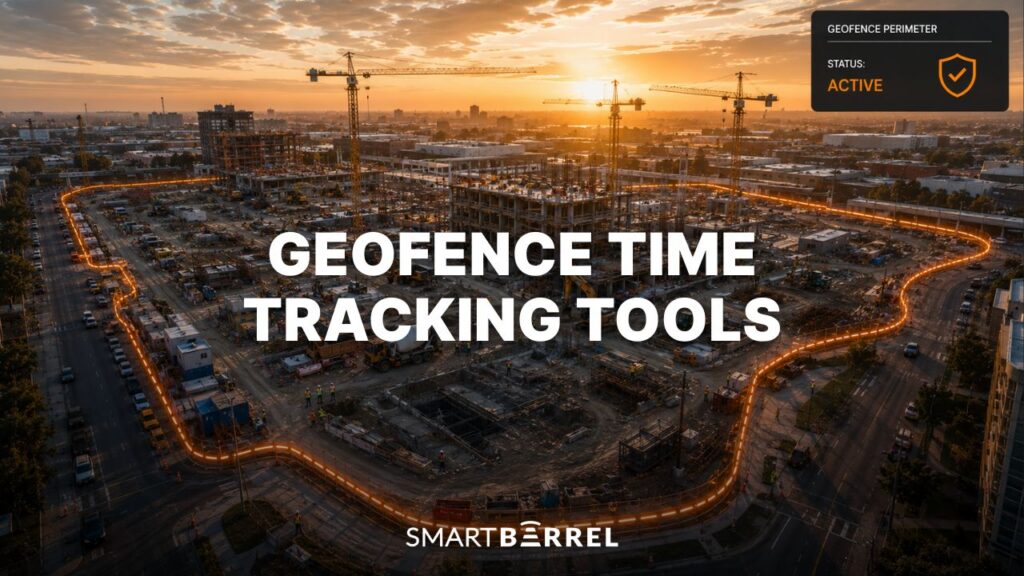
Geofence time tracking is supposed to close the door on off-site clock-ins. Draw a virtual boundary around the jobsite, and workers can only clock-in when they are physically inside it. Clean, simple and bullet proof. Except it is not.
GPS signals drift. They bounce off steel framing, concrete facades, and underground parking structures. A phone left in a truck still clocks in on time. A worker standing in the parking lot, twenty feet outside the fence line, gets flagged. A worker three floors underground does not register at all. And none of these tools know whether the right person is holding the phone.
For small service crews on straightforward jobs, geofence time tracking software works fine. For trade contractors managing 100 to 5,000 workers across multiple jobsites simultaneously, geofencing alone is not enough.
This guide evaluates the 7 best geofence time tracking apps available in 2026 using SmartBarrel’s construction software review methodology, adapted for location-based time tracking. Each tool is scored on the factors that matter most to trade contractors: accuracy, verification, field readiness, integration depth, and scale.
What Is Geofence Time Tracking?
Geofence time tracking is a method of recording employee time and attendance by tying clock ins and clock outs to a virtual boundary around a physical location. The boundary, or geofence, is created using GPS coordinates. When a worker’s mobile device or time clock detects that the device is inside the boundary, the system allows or triggers a clock in. When the device leaves the boundary, it can trigger a clock out or send a reminder.
The core function is location enforcement: ensuring that employees clock in when they are physically at the jobsite and not from a parking lot, a coworker’s phone, or the couch at home. Most geofence time tracking software operates through a mobile app. Workers carry their smartphones to the jobsite, and the app communicates with GPS satellites to confirm location relative to the configured boundary.
What to Look for in a Geofence Time Clock Before You Buy
Most buyer guides lead with feature checklists. This one starts with the failure modes. Understanding where geofence time tracking software breaks down is the fastest way to know what to demand from a vendor.
Does it verify who clocked in, or just where the phone was?
This is the question most geofence time tracking apps cannot answer. GPS tracking confirms that a device entered a virtual boundary. It does not confirm that the right employee was holding the device. A phone passed at the gate defeats GPS-only location enforcement without breaking a single rule, which is why buddy punching survives in most geofencing systems completely intact.
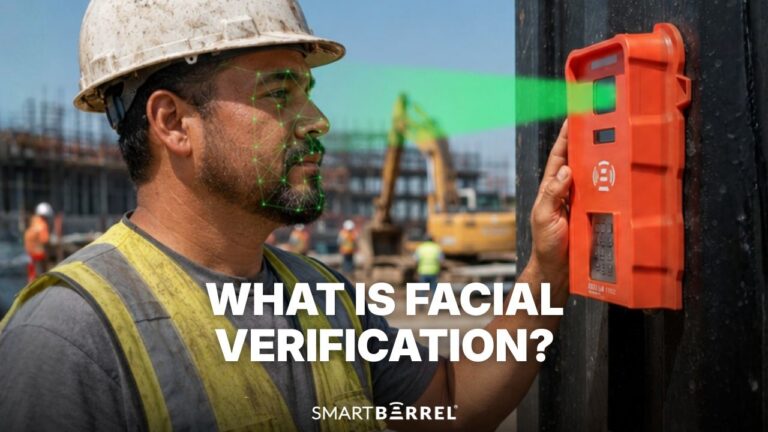
The most powerful tools pair geofence technology with an additional layer of biometric facial verification. The worker has to be physically present for a punch to be accepted. A phone alone is not enough. That combination is what makes geofencing paired with biometric verification buddy punch proof in a way that GPS tracking alone cannot be.
Does it hold up without WiFi or cell signal on the jobsite?
GPS signals are weakest where construction happens most: dense urban corridors, basement pours, underground utilities, or remote areas with limited cell service. App-only solutions that depend on cellular data for employee clock-ins will produce failed punches in exactly those conditions.
Can workers without a personal smartphone punch in?
App-based geofencing requires every worker to own a compatible mobile device, keep the phone battery charged, have service, include a data plan and have it physically on them to punch in and out. On large crews with hundreds of workers, it is unlikely every single worker is abiding by these rules.
Does it scale across multiple jobsites with consistent accuracy?
Managing multiple geofences across multiple locations is different from managing one. Each site needs its own virtual boundary configured, maintained, and monitored. Employee location data needs to feed a single dashboard in real-time, not sit in separate project views that someone has to open one at a time.
At ten or twenty simultaneous jobsites, the administrative overhead of managing GPS data manually becomes its own problem. Contractors need a central platform that lets them manage resources across their entire operation without juggling separate dashboards. The right platform handles multiple geofences centrally, with real-time visibility across all active projects.
Does the data connect to your ERP and payroll without manual re-entry?
Clock-ins are only the beginning. Verified hours need to flow into payroll systems, job costing tools, and ERPs without someone rekeying it.
Time tracking software that produces reports but requires manual upload to Viewpoint Vista, CMiC, Foundation, or Procore adds a step where payroll errors compound. When the data captured in the field arrives in your systems clean, structured, and ready without a manual rekeying, that is a true integration.
How We Evaluated These Geofence Time Tracking Tools
Each tool was evaluated using SmartBarrel’s construction software review methodology, adapted for geofence time tracking. The 7-factor scoring system is weighted to reflect what matters most for trade contractors: time tracking accuracy, field deployment, and construction-specific workflows carry the heaviest weight.
Factor | Points Available |
Time Accuracy & Fraud Prevention | 20 |
Field Readiness & Deployment | 20 |
Construction-Specific Features | 20 |
Integration Ecosystem | 15 |
Scalability | 15 |
User Experience & Support | 5 |
Value & Transparency | 5 |
Total | 100 |
Time Accuracy & Fraud Prevention: evaluates whether the tool confirms who clocked in, or just where a device was. Tools with biometric verification or layered anti-fraud controls score highest.
Field Readiness & Deployment: evaluates whether the solution works in real construction conditions: signal-dead environments, underground, dense urban sites, gloves on, no WiFi.
Construction-Specific Features: evaluates whether the platform handles construction workflows including job codes, cost code assignment, T&M documentation, prevailing wage, and multi-site attendance management.
Integration Ecosystem: evaluates native connections to construction ERPs, payroll platforms, and project management tools.
Scalability: evaluates how the platform performs when managing resources across 10, 20, or 50 simultaneous jobsites with large field teams.
User Experience & Support: based on verified review scores from Capterra, G2, and app stores.
Value & Transparency: evaluates pricing clarity and documented ROI evidence.
The 7 Best Geofence Time Tracking Tools for Contractors in 2026
1. SmartBarrel: 91/100
Overview
SmartBarrel is the only tool on this list that layers AI biometric facial verification on top of geofencing. Where every other platform asks “was the device on the jobsite,” SmartBarrel asks “was this specific worker on the jobsite.”
SmartBarrel’s geofence time tracking solution gives you options. Use a foreman’s tablet in Kiosk mode as a shared check-in station. Or, workers can use their personal smartphones in punch mode. Both work the same way: workers enter their phone number, take a picture and are punched in.
The geofencing feature ensures that punches can only occur when workers are physically within the virtual boundary. Both layers work together: location enforcement plus identity verification, with zero manual entry and no WiFi dependency.
If the tablet or phone is not connected to the Internet, punches are still recorded and timestamped then pushed to the dashboard when connection returns.
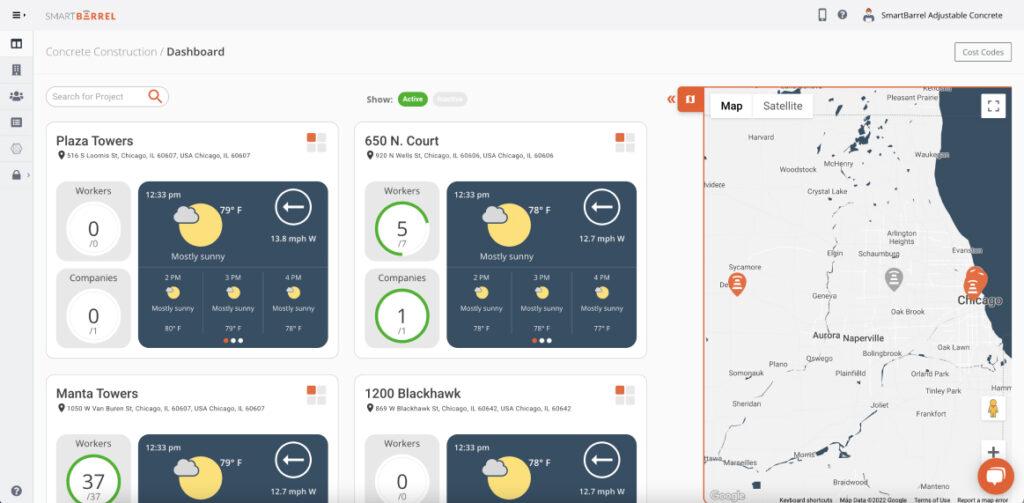
For specialty trade contractors on T&M contracts, prevailing wage work, or multi-site operations managing hundreds of workers, that combination produces something the other tools on this list cannot match: clock-ins that are both location-confirmed and identity-verified, feeding real-time visibility across all active jobsites from a single dashboard.

Scores
Factor | Score |
Time Accuracy & Fraud Prevention | 19/20 |
Field Readiness & Deployment | 20/20 |
Construction-Specific Features | 19/20 |
Integration Ecosystem | 14/15 |
Scalability | 15/15 |
User Experience & Support | 2/5 |
Value & Transparency | 2/5 |
Total | 91/100 |
Best Suited For
Specialty trade contractors (electrical, concrete, MEP, drywall, solar, scaffolding) with 100 to 5,000 field workers across multiple jobsites. Particularly strong for teams on T&M contracts, prevailing wage or union work, and operations where accurate time tracking is a financial and compliance requirement.
Key Features
Biometric Facial Verification
Workers clock-in using facial verification. SmartBarrel’s AI compares each scan against previously captured images and confirms identity with a green or red indicator. If flagged red, crew leaders are notified immediately, making buddy punching impossible. No photoshoot or photo upload required: the system self-learns workers automatically. Built for the field, SmartBarrel allows for clocking in with gloves on, hardhats, in low light, and in harsh field conditions.
Geofencing for Mobile and Kiosk Clock-ins
Virtual boundaries are configured around each jobsite. You can draw a simple circle around the site, or more complex polygons. Workers using the mobile app can only clock-in when they are physically within the geofence. When they leave the jobsite, the project disappears from the app. No employees enter time from off-site. The geofence time tracking works in combination with facial verification so that location enforcement and identity verification happen simultaneously.
TimeClock 4.0 Hardware
Complementary to SmartBarrel’s geofence time tracking app is their time clock device. The TimeClock 4.0 runs on solar or electric power, connects via built-in LTE, and handles rain, dirt, and heat without complaint. Magnetic mounting puts it on site in minutes. Workers start clocking in within 60 seconds, no training required, no WiFi needed. The device and the app can be used at the same jobsite to give teams a flexible clock-in option.
Flexible Punch Options
Not every worker on a large crew carries a smartphone. SmartBarrel supports three punch methods so every worker is covered regardless of how the jobsite is set up. Workers can clock in on the TimeClock 4.0 hardware device, on a shared tablet or smartphone running the kiosk app, or on their own phone if that option is enabled.
All three methods start the same way: the worker enters their phone number, the system confirms identity through biometric facial verification, and the punch is recorded.
Mobile App
An easy-to-use mobile app that can be used as a shared check-in station. Use a foreman’s tablet in Kiosk Mode to capture punches. Or, use any smartphone as a shared check-in station. As long as one person has the app downloaded, the whole crew can punch in. Download and set up the app in under 1 minute.
Live Dashboard
Real-time headcount and employee locations across all active jobsites, updating as workers clock-in and out. Includes automatic lunch break and rounding rules, and easy cost code assignment by foremen. One view covers the entire operation, regardless of how many multiple jobsites are running simultaneously.
Cost Code Tracking and Job Codes
Labor hours are assigned to job codes directly from the dashboard with one click. Administrators can create job codes from within the platform and apply them to any active project. Supports splitting and carry-over. Data flows into connected payroll systems and ERPs without manual re-entry.
Per Diem and Travel Allowance Tracking
Per diem and travel allowances are easy to miss on large or fast-moving jobs. SmartBarrel captures per diem confirmations tied directly to each shift, so there is a record of who claimed what, on which job, and when. Data exports for certified payroll and client audits pull the same verified records. No chasing foremen for confirmations after the fact.
SMS Field Communications
After workers punch out, SmartBarrel can automatically send them a text message confirming their hours are correct for that day. Workers can also reply with safety incidents. Responses are timestamped, logged in the dashboard, and ready to export. No extra app needed.
The result is compliance documentation tied to a verified punch, generated without adding anything to the crew’s clock-out process.
Automated Compliance Documentation
Attendance management, prevailing wage documentation, union classifications, and certified payroll exports are handled automatically. Detailed reports are generated from verified clock-in and clock-out data, with no manual input required from the field or the office.
Integrations
SmartBarrel offers direct integrations with Viewpoint Vista, CMiC, Procore, Plexxis, Foundation and PowerBI. Verified labor data transfers from SmartBarrel into the connected system with associated job and cost structure information. API access is available for custom integrations.
Pricing
Custom pricing based on workforce size and hardware configuration. Contact SmartBarrel for a quote.
Pros and Cons
Pros | Cons |
Only tool with biometric facial verification layered on top of geofencing | Hardware investment required upfront |
Built-in LTE with no WiFi dependency, ever | Pricing requires a sales conversation |
Works without a personal smartphone (fob + phone number option) | Best fit is specialty trade contractors; residential builders are outside the primary design target |
Self-learning system: no photoshoot, no enrollment sessions | |
Scales from 100 to 5,000+ workers without accuracy degradation | |
Real-time headcount across all jobsites from a single dashboard | |
Direct integrations with Viewpoint Vista, CMiC, Procore, Plexxis, PowerBI | |
Automated prevailing wage and union compliance documentation | |
Hardware built and assembled in the USA |
Reviews
“The hours that were getting turned into payroll were double or triple what SmartBarrel was actually showing. And in our shop, we caught a bunch of buddy punching.” — Randy Smith, Director of Enterprise Applications, DSI
DSI, a mechanical subcontractor with 2,500 workers, recovered $2.6M in overreported labor hours after deploying SmartBarrel across their jobsites.


Your field time should be verified, not approximated. See how SmartBarrel combines geofencing and biometric verification to produce the most accurate time from the field.
2. Hubstaff: 68/100
Overview
Hubstaff is a GPS tracking and employee monitoring platform built primarily for distributed and remote teams. Its geofencing feature creates circular boundaries around jobsites and can auto-start or auto-stop timers when workers enter or leave, or send reminders to clock in. GPS tracking records real time employee locations, travel routes, and timestamps throughout each shift. For small to mid-sized field service teams that prioritize activity visibility and payroll accuracy, Hubstaff delivers a solid mobile app experience with strong reporting.
For trade contractors evaluating Hubstaff for construction jobsite use, there are documented gaps worth considering.
The platform has no biometric or identity verification layer, meaning location enforcement is not paired with identity confirmation at clock in. Activity monitoring features including screenshots and keyboard tracking are included in paid plans but are designed for computer-based workers rather than field crews based on publicly available documentation.
Scores
Factor | Score |
Time Accuracy & Fraud Prevention | 11/20 |
Field Readiness & Deployment | 14/20 |
Construction-Specific Features | 11/20 |
Integration Ecosystem | 13/15 |
Scalability | 11/15 |
User Experience & Support | 4/5 |
Value & Transparency | 4/5 |
Total | 68/100 |
Best Suited For
Distributed field service teams and smaller specialty contractors who need GPS-based attendance management, mileage tracking, and payroll integration without hardware.
Not recommended for large-crew trade operations where buddy punching prevention is a priority.
Key Features
Hubstaff covers the core geofencing and GPS tracking features that distributed field teams need, delivered through a mobile app without hardware:
- Circular geofence zones configurable from 50 to 3,000 meters around each jobsite
- Automatic clock in and clock out triggers when employees enter or exit a geofence, with reminder and no-action options also available
- Real time GPS tracking records employee locations throughout each shift with route history and timestamps, allowing managers to track employee movements between jobsites during the workday
- Mileage tracking logs travel automatically
- Multiple geofences configurable across multiple locations simultaneously
- Automated payroll processing connects to major payroll systems
- Detailed reports cover hours, activity, and location data
Integrations
Hubstaff offers 35+ integrations.
Payroll and payments: QuickBooks, Gusto, Deel, Rippling, PayPal, Wise, Paychex, Bitwage.
Project management: Asana, Trello, Jira, ClickUp, Monday.com, GitHub, Zendesk, Salesforce, Google Calendar.
No construction ERP integrations (Viewpoint, CMiC, Foundation, Procore) listed based on publicly available documentation.
Pricing
- Starter: $4.99/seat/mo (2 seat minimum).
- Grow: $7.50/seat/mo (2 seat minimum).
- Team: $10/seat/mo (2 seat minimum).
- Enterprise: $25/seat/mo, billed annually.
Free 14-day trial. 30-day money-back guarantee.
Pros and Cons
Pros | Cons |
Auto clock-in and clock-out via geofencing | No biometric or identity verification layer |
Real-time GPS tracking with route history | Activity monitoring features (screenshots, keyboard) irrelevant for construction |
Strong payroll system integrations | No construction ERP integrations based on publicly available documentation |
Mileage tracking included | Not purpose-built for construction jobsite conditions |
Multiple geofences across multiple locations | |
Transparent per-user pricing |
Reviews
Capterra: 4.5 stars out of 5 (1,604 reviews)
Aditya R. says “Overall, my experience with Hubstaff has been positive. It’s a reliable tool for tracking time, and monitoring productivity. While there are a few minor drawbacks, it delivers strong performance and is especially useful for remote work environments.”
3. Workyard: 66/100
Overview
Workyard is a GPS time clock and workforce management platform built for construction, field service, and property management teams. Its core approach is continuous GPS location tracking while workers are clocked in: the system records exact arrival and departure times, travel routes, mileage, and total work hours automatically. Geofencing in Workyard is used primarily for clock-in reminders and automation, while GPS data provides the definitive attendance record. Photo ID verification is available as an optional add-on to help reduce buddy punching.
For contractors evaluating Workyard, a few patterns surface consistently in verified user reviews. Prevailing wage support is flagged as limited across multiple reviews. GPS accuracy issues in urban environments are reported by users in dense jobsite conditions. Geofencing automation features are locked behind higher-tier plans.
Scores
Factor | Score |
Time Accuracy & Fraud Prevention | 12/20 |
Field Readiness & Deployment | 15/20 |
Construction-Specific Features | 12/20 |
Integration Ecosystem | 12/15 |
Scalability | 9/15 |
User Experience & Support | 3/5 |
Value & Transparency | 3/5 |
Total | 65/100 |
Best Suited For
Smaller specialty contractors and field service teams that need GPS-verified attendance across multiple jobsites and do not require prevailing wage documentation or large-crew biometric verification.
Key Features
Workyard’s feature set centers on continuous GPS visibility with scheduling and job costing built around it:
- Continuous GPS tracking logs location data throughout each shift, providing live location tracking for managers monitoring crews across active projects
- Geofencing triggers clock in reminders or automatic clock outs when workers leave the jobsite
- Drag-and-drop scheduling lets managers assign jobs and crews with task details and checklists
- Photo ID verification available to reduce buddy punching
- Job costing ties labor hours to specific job codes
- Offline mode stores punches locally and syncs when connectivity returns
- Mileage tracking logs travel between jobsites automatically
Integrations
Workyard offers 15+ native integrations.
Payroll and accounting: QuickBooks Online, QuickBooks Desktop, ADP Run, ADP Workforce Now, Gusto, Paychex, Sage.
Construction: ComputerEase, Foundation (via Enterprise tier). Developer API available for custom integrations. ERP integrations are restricted to the Enterprise plan based on publicly available documentation.
Pricing
- Starter: $6/user/mo + $50/mo company base fee.
- Pro: $13/user/mo + $50/mo company base fee.
- Enterprise: custom. Free trial available.
ERP integrations and API access on Enterprise tier.
Pros and Cons
Pros | Cons |
Continuous GPS location tracking throughout each shift | Prevailing wage support limited based on publicly available documentation and user reviews |
Offline functionality for remote jobsites | Geofencing automation locked behind higher-tier plans |
Drag-and-drop scheduling with job details | Not well-suited for large-crew multi-trade operations |
Photo ID verification option | |
Construction-focused positioning | Annual subscription with limited refund flexibility reported in reviews |
Reviews
Capterra: 4.8 stars out of 5 (102 reviews)
Bradley S. says: “Very positive experience overall using the Workyard app. I highly recommend the app for employers wanting to increase efficiency and monitor employee job times.”
4. ClockShark: 64/100
Overview
ClockShark is a mobile-first time tracking app built for construction and field service businesses. Its geofencing feature enforces location at clock in: workers are alerted to clock in or out when they enter or leave a jobsite, and the system permanently records GPS coordinates at each punch.
Managers can check employee locations at any point during a shift, not just at clock in and out. For smaller construction firms looking to eliminate manual timesheets and get GPS-backed attendance records, ClockShark is straightforward to deploy and use.
For contractors evaluating ClockShark, a few things are worth confirming directly with the vendor before committing. Geofence boundaries require manual configuration for each new job rather than applying automatically. GPS accuracy and app stability have drawn mixed feedback in verified user reviews, reflected in an App Store rating of 2.9/5 as of May 2026.
Scores
Factor | Score |
Time Accuracy & Fraud Prevention | 10/20 |
Field Readiness & Deployment | 15/20 |
Construction-Specific Features | 12/20 |
Integration Ecosystem | 12/15 |
Scalability | 9/15 |
User Experience & Support | 3/5 |
Value & Transparency | 3/5 |
Total | 62/100 |
Best Suited For
Smaller construction and field service teams (typically under 100 workers) that want GPS tracking, job code assignment, and mobile time tracking without hardware investment.
Key Features
ClockShark covers the core bases for smaller construction and field service teams looking to move off paper timesheets:
- GPS location recorded at every clock in and clock out on the mobile app
- Geofencing sends instant alerts to workers when entering or leaving a jobsite boundary
- Real time employee location visible to managers throughout each shift
- Drag-and-drop scheduling with job and task assignment
- Job costing tied to clock in data
- Customizable geofence settings with radius adjustments per jobsite
- Payroll exports to connected accounting platforms.
Integrations
ClockShark connects with :
- QuickBooks Online,
- QuickBooks Desktop,
- ADP Run,
- ADP Workforce Now,
- Sage 100 Contractor,
- Gusto,
- Xero,
- MYOB,
- Paychex,
- Zapier,
- Simpro.
Pricing
- Standard: $40/mo base + $9/user/mo (most popular).
- Pro: $60/mo base + $11/user/mo.
14-day free trial, no credit card required.
Pros and Cons
Pros | Cons |
GPS tracking with location recorded at every punch | No biometric or identity verification |
Geofencing alerts and enforcement at jobsites | Geofencing not auto-enabled for new jobs: requires manual configuration |
Job costing and job code assignment | Not designed for large-crew multi-site trade contractor operations |
Drag-and-drop scheduling | Integration depth is limited and tricky per user reviews |
Construction-focused positioning | App Store rating 2.9/5 as of May 2026 |
Reviews
Capterra: 4.7 stars out of 5 (1,910 reviews)
Jamie G. says: “So far we have had a good experience switching to clock shark for our time tracking needs and it has been very smooth.”
5. busybusy: 62/100
Overview
busybusy positions itself as a GPS time tracking and job costing platform built specifically for construction. Crews clock in from their mobile devices, and GPS coordinates are recorded at every punch. The geofencing feature sends location-based reminders when workers arrive at or leave a jobsite. Equipment tracking is available for logging machine hours alongside labor. For smaller construction firms running QuickBooks who want a mobile-first track time solution with job costing, busybusy covers the basics.
For contractors evaluating busybusy, a few patterns surface consistently in verified user reviews. Prevailing wage support is flagged as a gap by contractors doing government work, with verified Capterra reviewers citing the inability to assign different pay rates per project as a documented limitation. The photo-based facial recognition feature requires pre-uploaded worker photos before deployment, which adds an enrollment step that GPS-only setups do not require.
Scores
Factor | Score |
Time Accuracy & Fraud Prevention | 9/20 |
Field Readiness & Deployment | 14/20 |
Construction-Specific Features | 12/20 |
Integration Ecosystem | 13/15 |
Scalability | 7/15 |
User Experience & Support | 3/5 |
Value & Transparency | 3/5 |
Total | 62/100 |
Best Suited For
Smaller construction contractors (typically under 100 workers) using QuickBooks who need GPS attendance, job costing, and equipment tracking without hardware investment.
Key Features
busybusy bundles GPS time tracking, equipment tracking, and job costing into a single mobile app built for construction:
- GPS clock ins record exact employee locations at every punch
- Geofencing sends location-based reminders when workers arrive at or depart a jobsite
- Photo-based facial recognition at clock in requires pre-uploaded worker photos
- Equipment tracking logs machine hours alongside labor hours
- Job costing ties tracked employee hours to specific project budgets
- Daily reports and project photos can be captured and organized
- Offline access stores punches locally and syncs when connectivity returns
Integrations
busybusy offers one of the strongest construction ERP integration ecosystems in this category.
Confirmed integrations: QuickBooks Online, QuickBooks Desktop, Procore, Sage 100 Contractor, Sage 300 CRE, Sage Intacct, Foundation, Viewpoint Spectrum, Viewpoint ProContractor, ComputerEase, ADP, Paychex, Explorer, JobView, Protiv, and Zapier.
Pricing
- Free: $0 (GPS time tracking, job costing, equipment tracking, unlimited users).
- Pro: $9.99/user/mo + $40 admin license, billed annually.
- Premium: $14.99/user/mo + $40 admin license, billed annually.
Optional add-on modules: Safety, Operations, GPS Equipment Tracking. BusyPayroll available as a separate add-on. 14-day free trial, no credit card required.
Pros and Cons
Pros | Cons |
Construction-specific positioning | Prevailing wage support limited based on user reviews |
GPS clock-ins with job costing | Photo recognition requires pre-uploaded photos (enrollment burden) |
Equipment tracking alongside labor | Not suited for large multi-site trade operations |
Free plan available | Limited ERP integration beyond QuickBooks |
QuickBooks integration |
Reviews
Capterra: 4.5 stars out of 5 (441 reviews)
Linda L. says: “I would recommend this time tracking software to any small business (especially if you have a lot of field activity). Staff will find that it is accessible and easy to use to keep time on track. It will also cut back on anxiety when staff may not be able to clock in and out on computer bound software. It’s a win either way. Try it, you won’t be disappointed.”
6. QuickBooks Time: 59/100
Overview
QuickBooks Time (formerly TSheets) is a time tracking app built primarily for businesses already in the Intuit ecosystem. Its geofencing feature lets managers set boundaries around jobsites or client locations and configure automatic clock in and clock out triggers when employees enter or leave. GPS tracking records real time employee locations throughout each shift. For contractors running QuickBooks for payroll and job costing, the integration removes the data transfer step entirely and keeps labor data inside a system the back office already knows.
For contractors evaluating QuickBooks Time, a few practical constraints are worth noting. Geofencing and GPS tracking require the Time Elite plan at $40/mo base plus $10/user/month, with promotional pricing available for the first 3 months.
A QuickBooks Online subscription is a prerequisite for any plan. Construction ERP connections to Viewpoint, CMiC, or Foundation are not available natively based on publicly available documentation. Offline capabilities are limited based on user feedback, which can affect reliability on jobsites with inconsistent cell coverage.
Scores
Factor | Score |
Time Accuracy & Fraud Prevention | 10/20 |
Field Readiness & Deployment | 13/20 |
Construction-Specific Features | 11/20 |
Integration Ecosystem | 10/15 |
Scalability | 9/15 |
User Experience & Support | 3/5 |
Value & Transparency | 3/5 |
Total | 59/100 |
Best Suited For
Small to mid-size contractors already using QuickBooks Online or QuickBooks Payroll who want geofencing and GPS tracking without switching their accounting platform.
Key Features
QuickBooks Time delivers geofencing and GPS tracking as part of a broader time management suite built around the QuickBooks ecosystem:
- Geofencing triggers automatic clock ins and clock outs when employees enter or exit designated jobsites or client locations
- Real time alerts notify managers when employees clock in outside authorized locations
- GPS tracking records real time employee locations with shift-level route history
- Automated reminders prompt employees to clock in when they are near a jobsite
- Customizable timesheets support overtime rules and break tracking
- Mobile time tracking works on iOS and Android with offline mode for areas without cell coverage
Integrations
Deep integration with QuickBooks Online and QuickBooks Payroll. Connects with several third-party payroll systems and HR platforms.
Pricing
- Time Premium: $10/mo base + $8/user/mo (requires QuickBooks Online).
- Time Elite (includes geofencing and GPS tracking): $20/mo base + $10/user/mo (requires QuickBooks Online).
- Workforce Premium: $44/mo + $10/employee/mo.
- Workforce Elite: $67/mo + $12/employee/mo.
Promotional pricing available for the first 3 months.
Pros and Cons
Pros | Cons |
Seamless QuickBooks payroll integration | Geofencing requires the Time Elite plan (higher cost) |
Automatic clock-in and clock-out via geofencing | Requires QuickBooks Online subscription to function |
Real-time GPS tracking with route history | No construction ERP integrations natively |
Offline mode for remote sites | No biometric or identity verification |
Highly rated for ease of use | Internet connection required for accurate GPS tracking based on user feedback |
Reviews
Capterra: 4.7 stars out of 5 (7,007 reviews)
Audry A. says: “Overall, my experience with QuickBooks Time has been very positive. It provides a reliable and organized way to manage employee time tracking, especially for teams that need structure, accountability, and integration with payroll systems. While there is a bit of a learning curve for more advanced features, the day to day usability is strong and it works well for managing time tracking efficiently.”
7. Connecteam: 53/100
Overview
Connecteam is a broad workforce management platform built for non-desk teams across hospitality, retail, healthcare, construction, and other industries. The time clock app includes geofencing and GPS tracking as part of the Operations hub.
Geofencing in Connecteam operates as a passive monitor: the system flags whether employees clock-in within the geofence boundary but does not block clock-ins from unauthorized locations by default. Real-time alerts can notify managers when employees clock-in outside the designated area.
For construction trade contractors, Connecteam’s geofencing feature has a significant functional limitation: it cannot restrict unauthorized clock-ins by default, only flag them. This matters on large jobsites where time theft is a real operational problem. The platform is strong for scheduling, communication, and HR workflows across mixed teams. Its construction-specific depth, particularly around job codes, prevailing wage, and ERP integration, is limited compared to purpose-built construction tools.
Scores
Factor | Score |
Time Accuracy & Fraud Prevention | 8/20 |
Field Readiness & Deployment | 14/20 |
Construction-Specific Features | 8/20 |
Integration Ecosystem | 9/15 |
Scalability | 8/15 |
User Experience & Support | 4/5 |
Value & Transparency | 2/5 |
Total | 53/100 |
Best Suited For
Multi-industry teams managing mixed workforces where employee attendance, scheduling, communication, and HR tools are the primary need. Not recommended for specialty trade contractors where construction-specific compliance, job costing, and anti-fraud controls are priorities.
Key Features
Connecteam brings together time tracking, scheduling, and team communication in a single platform, with geofencing as part of the Operations hub:
- Clock in and clock out via mobile device or shared kiosk
- Geofencing logs whether employees were within the virtual boundary at clock in and sends real time alerts when workers clock in from unauthorized locations
- Multiple geofences configurable across multiple locations
- GPS tracking records employee location at punch time
- Scheduling and shift management tools integrated into the same platform
- Team communication features built in alongside time tracking
- Free plan available for teams of up to 10 users
Integrations
Connecteam integrates with Gusto, QuickBooks, Paychex Flex, Xero, ADP, BambooHR, PrismHR, Zapier, Wix Bookings, Lightspeed POS, Square POS, Shopify POS, Clover POS, and physical time clock hardware (Accu-Time, Synel (both in beta)).
No construction ERP integrations (Viewpoint, CMiC, Foundation, Procore) listed based on publicly available documentation.
Pricing
- Free: up to 10 users (full Operations, Communications, HR access)
- Basic: $29/mo for first 30 users + $0.80/user/mo additional
- Advanced: $49/mo for first 30 users + $2.50/user/mo additional (includes geofencing)
- Expert: $99/mo for first 30 users + $4.20/user/mo additional.
- Enterprise: custom.
All plans billed monthly; annual billing available.
Pros and Cons
Pros | Cons |
Free plan available up to 10 users | Geofencing cannot prevent unauthorized clock-ins by default: flags only |
Multiple geofences across multiple locations | No biometric verification |
Real-time alerts for unauthorized clock-ins | No construction ERP integrations natively |
Strong scheduling and communication tools | Construction-specific features are limited |
Easy to use across non-technical field teams | Geofencing requires Advanced plan or higher |
Reviews
Capterra: 4.6 stars out of 5 (5,044 reviews)
Ryan F. says: “Overall, my experience has been really positive since it has made managing schedules, tracking time, and communicating with the team much easier and more organized on a daily basis.”
Geofencing vs. GPS Tracking: What Is the Difference?
These two terms are often used interchangeably. They are not the same thing.
Geofencing | GPS Tracking | |
What it does | Enforces a location rule at clock in/out | Records where a device is throughout a shift |
Primary use | Prevents off-site clock ins | Provides route history and real time location |
Works without the other? | Yes | Yes |
Common pairing | Most modern geofence time tracking apps include both |
A platform can offer one without the other. For construction contractors, geofencing handles attendance enforcement. GPS tracking handles visibility. The strongest solutions do both.
How Does Geofence Time Tracking Work?
Geofence time tracking works by combining GPS coordinates with a virtual boundary definition. An administrator configures the geofence in the software, typically by entering a jobsite address and setting a radius. The software converts that into a set of GPS coordinates that define the boundary.
Step-by-step at clock in:
- Worker opens the time clock app on their mobile device
- App checks the device’s GPS coordinates against the configured boundary
- If inside the geofence: clock-in is allowed
- If outside the boundary: app blocks the clock-in, sends an alert, or flags it for manager review (depending on configuration)
At scale: Some platforms support multiple geofences running simultaneously across multiple jobsites, with each site operating as an independent boundary. When workers move between locations, they appear in the correct project automatically and the clock-in is tied to the correct job.
This is where geofence time tracking software starts to deliver real operational efficiency for any business that operates across multiple active jobsites simultaneously.
The GPS Accuracy Problem Contractors Should Know About
GPS signals rely on a line of sight to satellites. In dense urban environments, signals reflect off glass and concrete in what is known as the urban canyon effect. Research published by the National Center for Biotechnology Information found horizontal positioning errors of up to 13 meters in urban canyon conditions, enough to place workers outside a configured geofence even when standing at the site entrance.
The same problem appears on:
- Underground work and basement pours
- Steel-framed structures mid-build
- Dense urban corridors with high-rise construction nearby
A time tracking system that relies on GPS alone will produce gaps and false negatives in exactly those conditions.
What Are the Benefits of Geofence Time Tracking Software?
Geofence time tracking software does more than log when workers arrive and leave. For specialty trade contractors, it removes entire categories of administrative burden: disputed timesheets, off-site punch fraud, manual headcount calls, and payroll reconciliation errors that compound across dozens of jobsites.
The benefits below apply whether a contractor is running three crews or thirty, though the financial impact scales with the size of the operation.
Prevents off-site clock-ins
The most direct benefit is location enforcement. Workers cannot clock-in from the parking lot, from home, or from a jobsite they are not physically at. For contractors managing multiple jobsites with crews that rotate between locations, accurate time tracking at each site becomes automatic rather than dependent on foreman oversight.
Reduces time theft and buddy punching disputes
Time theft costs the construction industry significantly. FMI’s labor productivity research estimates that 6 to 10 percent of total labor costs may be unproductive or wasted, with companies that don’t track time accurately as the most vulnerable.
Geofencing eliminates one route for time theft: clock-ins from off-site locations. It does not eliminate buddy punching, since a device can be passed at the gate. But when paired with biometric verification, it closes both gaps simultaneously.
Automatic multi-site assignment
When multiple geofences are configured across multiple locations, workers are automatically assigned to the correct project when they arrive on site. This eliminates the manual step of selecting the right job at clock-in, reduces miscoded hours, and keeps job code data clean without requiring foreman intervention.
Real-time visibility without check-in calls
A live dashboard with geofenced attendance management replaces the morning call from the office asking how many workers are on site. Managers and project managers can see real-time headcount across all active locations from a single view, without relying on the field to report in.
Compliance and payroll documentation
GPS-timestamped clock-ins create an attendance record that supports attendance tracking, prevailing wage reporting, certified payroll, and T&M billing documentation. When a general contractor or owner disputes hours on a time and materials project, geofenced attendance data with timestamps provides a record that is harder to challenge than a foreman-submitted timesheet.
Saving time on payroll processing
Automated clock-ins and clock-outs reduce manual timesheet entry. When geofencing triggers accurate employee time records without additional data entry, the time spent on payroll reconciliation drops from days to a verification step.
Why Specialty Contractors Need More Than Geofencing Alone
Geofencing enforces location. It does not verify identity. That gap is where time fraud survives, even in systems with strict virtual boundary enforcement.
A phone passed at the jobsite gate defeats geofencing without technically violating it. The device entered the boundary. The clock-in was accepted. The employee who clocked in was not the one who showed up.
This is the digital version of the same buddy punching problem that paper timesheets created, and it runs at exactly the same scale on large crews where not everyone knows everyone.
Operation size | Reality |
20 workers, 1 jobsite | Supervisor knows who is there. Exposure is manageable. |
300 workers, 15 jobsites | No one can visually verify every clock in. The system has to do it. |
Where the financial exposure sits:
FMI research estimates that 6 to 10 percent of total construction labor costs may be unproductive or wasted. Most of that loss does not happen through dramatic schemes. It happens through small, consistent overreporting that nobody catches because the system accepts whatever it is told.
Biometric facial verification adds the identity layer that geofencing cannot provide. The system does not just confirm that a device is on the jobsite. It confirms that the registered worker holding the device is the one clocking in. Combined with a dedicated hardware time clock that does not depend on personal smartphones and built-in LTE that does not depend on WiFi or cell signal, the result is a time tracking process that has no gaps for crews to exploit.
For contractors evaluating construction time tracking software at scale, the question is not whether geofencing is better than nothing. It clearly is. The question is whether geofencing alone is sufficient for the size of the operation, the contract types in play, and the financial exposure if time data is not accurate.
How Geofence Time Tracking Protects Contractors in T&M and Billing Disputes
Time and materials billing disputes are a reality for specialty trade contractors. General contractors challenge labor hours. Owners question crew counts. Insurance claims require timestamped documentation of who was on site and when. Without verifiable records, the contractor is negotiating from memory against a party with financial incentive to push back.
GPS-timestamped clock-ins create a documented attendance record that is much harder to dispute than a handwritten timesheet or a foreman’s summary. When employees clock-in through a geofenced system, every punch carries a timestamp, a GPS coordinate, and a jobsite reference. That record can be printed, exported, or pulled into a report within minutes.
The evidentiary strength increases when biometric verification is added. A GPS coordinate confirms a device was at a location. A biometric verification record confirms the registered worker was at the location. For contractors defending T&M invoices, that distinction can be the difference between a disputed claim and a settled one.
Proof in practice:
DSI, a specialty contractor and SmartBarrel customer, documented $2.6 million in reclaimed labor hours after implementing verified time tracking. The process was not complicated: accurate clock-in and clock-out data replaced estimates, and the records supported billing claims that had previously been vulnerable to dispute.
How to Choose the Right Geo Time Tracking Software for Your Team
Not every contractor needs the same solution. The right geo time tracking software depends on crew size, contract type, jobsite conditions, and what the data needs to feed downstream. The decision branches below are designed to cut through the feature comparisons and point to the right fit based on how the operation actually runs.
You are managing 100 or more workers across multiple jobsites
This is where app-only solutions start to break down. Managing multiple jobsites means configuring multiple geofences, monitoring multiple dashboards, and ensuring every worker on every site has a phone on their person and charged. Hardware-based solutions with dedicated portable time clocks for construction sites remove the smartphone dependency and scale without adding administrative overhead. SmartBarrel is the right choice at this scale.
You are on T&M contracts and billing accuracy is non-negotiable
GPS-timestamped clock-ins with biometric verification create the strongest possible attendance record for T&M documentation. Any tool on this list provides better documentation than paper timesheets. For contractors where billing disputes are a real operational risk, SmartBarrel’s layered verification produces records that are both location-confirmed and identity-verified.
Your crews work in basements, underground, or dense urban sites
GPS signal is weakest in exactly those environments. An app-only geofencing tool will produce gaps and failed punches consistently in underground, steel-framed, or urban canyon conditions. Hardware with built-in LTE that does not depend on smartphone GPS solves this. If the jobsite is above ground and in open terrain, app-only solutions work reliably.
You are already on QuickBooks
QuickBooks Time is the most friction-free option for contractors where QuickBooks Online is the primary accounting platform. Geofencing and GPS tracking work, the integration is seamless, and there is no additional data transfer step at payroll. It is not purpose-built for large trade contractor operations, but for small to mid-size contractors in the QuickBooks ecosystem, it earns its place.
You need prevailing wage and union compliance documentation
This is a hard filter. Workyard, busybusy, ClockShark, Connecteam, and Hubstaff all have documented limitations in this area based on user reviews and publicly available documentation. SmartBarrel handles automated overtime calculations, union classifications, multi-state compliance, and certified payroll exports. For contractors where prevailing wage compliance is an audit exposure, the choice is clear.
You are a smaller service contractor with 10 to 30 workers
At this scale, the operational complexity is lower and the smartphone dependency is more manageable. Any of these tools can optimize time tracking for smaller crews without a hardware investment. Hubstaff, ClockShark, or QuickBooks Time all deliver real-time GPS tracking, geofencing enforcement, and payroll integration at a per-user cost that is easy to justify.
Whichever way the decision tree points, scoring vendors on identity verification, cost coding, and payroll integration keeps the comparison from coming down to price alone.
Connecteam works well if scheduling and communication are also priorities.
Frequently Asked Questions About Geofence Time Tracking
Can geofence time tracking work without cell service or WiFi on a remote jobsite?
It depends on the tool. App-only geofence time tracking relies on GPS signals from the device to confirm location, which requires satellite visibility but not necessarily a cell connection at punch time. However, syncing that data to a server typically requires connectivity. Platforms with offline mode store punches locally and sync when coverage returns. Hardware solutions with built-in LTE handle this differently: the device maintains its own connection independent of the jobsite network, eliminating the sync delay entirely.
Does geofence time tracking hold up in prevailing wage and union compliance audits?
GPS-timestamped attendance records provide a stronger documentation baseline than manual timesheets, but not all geofence time tracking tools are built for the complexity of prevailing wage and certified payroll compliance. Automated wage determination, multi-classification support, and certified payroll report generation require purpose-built construction features that most general-purpose geofencing apps do not include. Contractors doing government work or managing union crews should verify compliance capabilities directly with the vendor before deployment.
How large should a geofence radius be for a construction jobsite?
For most active construction sites, a radius of 100 to 300 meters covers the working area without generating false clock-ins from adjacent streets or parking lots. Large horizontal sites like highway construction or civil projects may require larger boundaries or multiple overlapping geofences. Urban jobsites with high-rise construction may need tighter radii to avoid including adjacent buildings. Testing the geofence boundary before deployment and adjusting based on actual worker clock-in patterns is the most reliable calibration method.
Detailed Scoring Breakdown
SmartBarrel: 91/100
Time Accuracy & Fraud Prevention: 19/20
Positive:
- Biometric facial verification confirms identity at every clock-in, not just device location
- Geofencing enforces jobsite boundaries for mobile and kiosk punches simultaneously
- System self-learns workers: no photoshoot or enrollment session required
- Complete audit trail with timestamps, GPS coordinates, and biometric confirmation
- Buddy punching is effectively removed: the face must match the registered worker
Negative:
- 1 point deducted as no system is entirely immune to determined fraud at the hardware level, though SmartBarrel comes closest
Field Readiness & Deployment: 20/20
Positive:
- Built-in LTE with no WiFi dependency
- Solar or electric powered: no charging required
- Weatherproof hardware rated for construction field conditions
- Workers start clocking in within 60 seconds of deployment
- Works with gloves on, in low light, with welded fingerprints
- Fob plus phone number option for workers without smartphones
- Offline punch storage syncs when connectivity returns
Construction-Specific Features: 19/20
Positive:
- Job code and cost code assignment with one-click splitting and carry-over
- Automated lunch break and rounding rules
- Prevailing wage, union classification, and certified payroll export support
- T&M documentation with biometrically verified attendance records
- Multi-site attendance management from a single live dashboard
- Per diem, travel allowance, and overtime workflows
- PPE verification and safety incident documentation
Negative:
- 1 point deducted as pricing transparency requires a sales conversation
Integration Ecosystem: 14/15
Positive:
- Native integrations with Viewpoint Vista, CMiC, Procore, Plexxis, and PowerBI
- Public API for custom integrations
- Data exports in standard formats for platforms not directly connected
Negative:
- 1 point deducted as integration roadmap includes platforms still in development
Scalability: 15/15
Positive:
- Documented deployments from 100 to 5,000+ workers
- Multiple geofences across unlimited jobsites from a single dashboard
- Real-time headcount updates across all active projects simultaneously
- Zero accuracy degradation as site count increases
User Experience & Support: 2/5
Positive:
- Capterra: 4.9/5 | Google Play: 4.1/5 | App Store: 4.4/5
- Onboarding and support teams receive consistent positive feedback
Negative:
- Smaller review volume than mature general-purpose platforms
Value & Transparency: 2/5
Positive:
- Documented ROI: DSI recovered $2.6M in overreported labor hours
- Pays for itself in first month per customer documentation
Negative:
- Pricing not publicly listed: requires a sales conversation
Hubstaff: 68/100
Time Accuracy & Fraud Prevention: 11/20
Positive:
- Geofencing enforces location at clock-in
- GPS tracking records location throughout each shift
- Real-time alerts for clock-ins outside geofence boundaries
Negative:
- No biometric or identity verification layer
- Buddy punching is not addressed
- A device passed between workers defeats location enforcement
Field Readiness & Deployment: 14/20
Positive:
- Mobile app on iOS and Android
- Auto clock-in and clock-out via geofencing
- Offline functionality available
Negative:
- No dedicated hardware option for construction jobsites
- Activity monitoring features (screenshots, keyboard) irrelevant for construction use cases
- Not purpose-built for harsh outdoor field conditions
Construction-Specific Features: 11/20
Positive:
- Project tracking and task assignment
- Multiple geofences across multiple locations
- Mileage tracking for mobile teams
Negative:
- No construction ERP integrations based on publicly available documentation
- No job code or cost code structure purpose-built for construction
- No prevailing wage or union compliance features based on publicly available documentation
Integration Ecosystem: 13/15
Positive:
- 35+ integrations covering payroll (QuickBooks, Gusto, Deel, Rippling, Paychex, Wise, PayPal), project management (Asana, Trello, Jira, ClickUp, Monday.com), and communications (Slack)
- Project management integrations: Asana, Trello, Jira
Negative:
- Construction ERP integrations absent based on publicly available documentation
Scalability: 11/15
Positive:
- Handles multiple jobsites with multiple geofences
- Enterprise plan available for large teams
Negative:
- Not designed for large-crew construction operations
- Monitoring depth creates friction for field-only teams
User Experience & Support: 4/5
Positive:
- Capterra: 4.6/5 (1,601 reviews as of May 2026)
Negative:
- Some reviews flag syncing delays and intrusive monitoring
Value & Transparency: 4/5
Positive:
- Transparent per-user pricing publicly listed
- Free plan for single users
Negative:
- Base fee adds to total cost at scale
Workyard: 66/100
Time Accuracy & Fraud Prevention: 12/20
Positive:
- Continuous GPS location tracking throughout each shift
- Photo ID verification option available
- Geofencing triggers clock-in reminders and clock-out automation
Negative:
- GPS tracking is the primary verification layer: identity confirmation is optional, not standard
- GPS glitches in urban environments reported by users
- Buddy punching not fully addressed without the optional photo verification
Field Readiness & Deployment: 15/20
Positive:
- Offline mode stores punches and syncs when connectivity returns
- Mobile app on iOS and Android
- Construction-focused positioning
Negative:
- No dedicated hardware option
- Requires personal smartphone for all workers
- GPS glitches in urban environments and on complex sites reported in reviews
Construction-Specific Features: 12/20
Positive:
- Job costing with labor tied to specific budgets
- Scheduling with job details and checklists
- Mileage tracking
Negative:
- Prevailing wage support limited based on user reviews
- Large-crew multi-trade operations appear to outgrow the platform based on user feedback
Integration Ecosystem: 12/15
Positive:
- QuickBooks Online and Desktop, ADP Run, ADP Workforce Now, Gusto, Paychex, Sage, ComputerEase, Foundation (Enterprise tier); Developer API for custom connections
Negative:
- ERP integrations (Foundation, ComputerEase) locked behind Enterprise plan; Viewpoint and CMiC integrations not listed based on publicly available documentation
Scalability: 9/15
Positive:
- Handles multiple jobsites
Negative:
- Not designed for 500+ worker multi-site trade contractor operations
- Annual prepay with limited refund flexibility noted in reviews
User Experience & Support: 3/5
Positive:
- Capterra: 4.7/5
Negative:
- Geofencing automation locked behind higher-tier plans frustrates users
Value & Transparency: 3/5
Positive:
- Pricing publicly listed
- Free trial available
Negative:
- Annual prepay with limited refund options reported negatively in reviews; ERP access requires Enterprise upgrade
ClockShark: 64/100
Time Accuracy & Fraud Prevention: 10/20
Positive:
- GPS coordinates recorded permanently at every punch
- Geofencing alerts and enforcement at clock-in
- Managers can check employee locations throughout each shift
Negative:
- No biometric identity verification
- Geofencing not auto-enabled for new jobs by default
- App Store rating of 3.2/5 raises reliability concerns
Field Readiness & Deployment: 15/20
Positive:
- Mobile app on iOS and Android
- Offline sync functionality
- Construction-focused positioning
Negative:
- GPS inaccuracy issues reported in mobile app reviews
- No hardware option
- Requires personal smartphone
Construction-Specific Features: 12/20
Positive:
- Job costing tied to clock-in data
- Drag-and-drop scheduling
- Customizable geofence settings per jobsite
Negative:
- Integration with ERPs is limited and tricky per user reviews
- Prevailing wage and union reporting not prominent based on publicly available documentation
Integration Ecosystem: 12/15
Positive:
- QuickBooks Online and Desktop, ADP Run, ADP Workforce Now, Sage 100 Contractor, Gusto, Xero, MYOB, Paychex, Zapier, Simpro
Negative:
- No Viewpoint, CMiC, or Foundation integrations listed based on publicly available documentation
- Report customization noted as insufficient in reviews
Scalability: 9/15
Positive:
- Handles multiple jobsites
Negative:
- Not purpose-built for large-crew multi-site trade operations
- Per-user pricing scales up for large crews
User Experience & Support: 3/5
Positive:
- Capterra: 4.7/5
Negative:
- App Store: 3.2/5 with support response complaints noted in 2026 reviews
Value & Transparency: 3/5
Positive:
- Pricing publicly listed
Negative:
- Per-user plus base fee model; integrations flagged as limited for the price
busybusy: 62/100
Time Accuracy & Fraud Prevention: 9/20
Positive:
- GPS coordinates recorded at every clock-in and clock-out
- Photo facial recognition option available
- Location-based geofencing reminders
Negative:
- Photo recognition requires pre-uploaded worker photos: enrollment burden at deployment
- GPS glitches and app instability reported in user reviews
- Geofencing is reminder-based, not hard enforcement in all configurations
Field Readiness & Deployment: 14/20
Positive:
- Offline access with automatic sync
- Construction-specific focus
- Equipment tracking alongside labor
Negative:
- Requires personal smartphone for all workers
- No dedicated hardware option
- App stability issues reported in reviews
Construction-Specific Features: 12/20
Positive:
- Job costing with budget tracking
- Equipment hour logging
- Daily reports and project photos
Negative:
- Prevailing wage support limited based on user reviews
- Large commercial operations reported outgrowing the platform
Integration Ecosystem: 9/15
Positive:
- QuickBooks Online and Desktop, Procore, Sage 100 Contractor, Sage 300 CRE, Sage Intacct, Foundation, Viewpoint Spectrum, Viewpoint ProContractor, ComputerEase, ADP, Paychex, Explorer, JobView, Zapier
Negative:
- One of the stronger construction ERP ecosystems in this category; primary gap is no Viewpoint Vista or CMiC integration listed based on publicly available documentation
Scalability: 7/15
Positive:
- Construction-focused positioning
Negative:
- Not designed for 100+ worker multi-site operations
- Consistent user feedback that the platform does not scale well for larger contractors
User Experience & Support: 3/5
Positive:
- Capterra: 4.5/5 (441 reviews)
- Support team highly rated for responsiveness
Negative:
- Multiple app versions on Google Play noted as confusing
Value & Transparency: 3/5
Positive:
- Free plan available
- 90-day money-back guarantee
Negative:
- Paid features may not justify cost for larger operations based on user feedback
QuickBooks Time: 59/100
Time Accuracy & Fraud Prevention: 10/20
Positive:
- Geofencing triggers automatic clock-ins and clock-outs
- Real-time alerts for clock-ins outside boundaries
- GPS tracking records location throughout each shift
Negative:
- No biometric identity verification
- Internet connection required for accurate GPS-based employee tracking
- Offline limitations reduce reliability in remote jobsite conditions
Field Readiness & Deployment: 13/20
Positive:
- Mobile app on iOS and Android
- Offline mode available
- Geofencing auto-triggers reduce forgotten clock-ins
Negative:
- Geofencing and GPS require Time Elite plan
- Requires QuickBooks Online subscription to function
- Not purpose-built for harsh construction field conditions
Construction-Specific Features: 11/20
Positive:
- Project tracking with budget comparison
- Overtime rules and break tracking
Negative:
- No construction ERP integrations natively
- Prevailing wage and certified payroll features not available based on publicly available documentation
Integration Ecosystem: 10/15
Positive:
- Deep QuickBooks Online and Payroll integration
- Several third-party payroll connections
Negative:
- Construction ERP integrations absent
- Integration limited primarily to the Intuit ecosystem
Scalability: 9/15
Positive:
- Handles multiple jobsites with multiple geofences
Negative:
- Base fee plus per-user model becomes expensive for large crews
- Better suited to small and mid-size teams than enterprise trade operations
User Experience & Support: 3/5
Positive:
- Capterra: 4.7/5 (6,994 reviews)
- Highly rated for ease of use
Negative:
- Mobile app syncing issues noted in reviews
Value & Transparency: 3/5
Positive:
- Pricing publicly listed
Negative:
- Requires QuickBooks Online subscription as a prerequisite, adding to total cost
Connecteam: 53/100
Time Accuracy & Fraud Prevention: 8/20
Positive:
- GPS location recorded at clock-in
- Real-time alerts for clock-ins outside geofence boundaries
- Multiple geofences across multiple locations
Negative:
- Geofencing cannot prevent unauthorized clock-ins by default: flags only
- No biometric verification
- Purpose-built for multi-industry workforce management, not construction anti-fraud controls
Field Readiness & Deployment: 14/20
Positive:
- Mobile app and kiosk option
- Easy to use across non-technical field teams
- Free plan available for small teams
Negative:
- No dedicated hardware
- Geofencing as a restriction feature requires Advanced plan or higher
- Not purpose-built for harsh construction field conditions
Construction-Specific Features: 8/20
Positive:
- Scheduling and shift management
- Team communication tools
Negative:
- Construction-specific depth is limited
- Job code and cost code structure not purpose-built for construction workflows
- No construction ERP integrations natively
Integration Ecosystem: 9/15
Positive:
- Gusto, QuickBooks, Paychex Flex, Xero, ADP, BambooHR, PrismHR, Zapier, and POS systems (Square, Shopify, Lightspeed, Clover)
Negative:
- Construction ERP integrations absent based on publicly available documentation
Scalability: 8/15
Positive:
- Multi-location geofence management
- Enterprise plan available
Negative:
- Not designed for large trade contractor operations
- Feature bundling requires higher-tier plans to unlock basic geofence enforcement
User Experience & Support: 4/5
Positive:
- Capterra: 4.6/5 (5,044 reviews)
Negative:
- Pricing tier complaints noted in reviews
Value & Transparency: 2/5
Positive:
- Free plan up to 10 users
Negative:
- Geofencing requires Advanced plan
- Feature bundling forces upgrades to access individual features
Verification Recommendations
Before making a purchasing decision, we recommend:
- Request Demos: See each geofence time tracking tool in action for your specific use case: crew size, contract type, and jobsite conditions. Test geofence configuration, multiple jobsite management, and clock-in flows with gloves on.
- Check Current Features: Verify capabilities directly with vendors. Geofence time tracking software evolves rapidly and features listed here reflect publicly available documentation as of May 2026.
- Speak with References: Ask vendors for customer contacts in similar trades, crew sizes, and operational setups. A concrete contractor managing 200 workers has different requirements than a 20-person electrical service team.
- Pilot Test: When possible, run a pilot on one jobsite before full deployment. Test clock-in reliability in the actual site conditions: indoor, underground, urban, or open terrain.
- Verify Integrations: Confirm current integration status with your specific ERP, payroll platform, and project management system. Integration roadmaps change, and partial integrations may require manual data transfer steps.
- Review Contracts: Understand cancellation terms, data ownership, hardware return policies, and minimum commitment requirements before signing. Several platforms use annual prepay models.
- Calculate Total Cost: Factor in hardware, implementation, training, per-user fees, base fees, and integration costs. A lower per-user price with a significant base fee can exceed a higher per-user option at large crew sizes.
Last Updated: May 2026
Methodology: How We Review Construction Software
Questions or Corrections: If you believe any information in this analysis is inaccurate or outdated, please contact us with documentation and we will investigate and update accordingly.
Ready to see what verified field time looks like at scale? Get a demo of SmartBarrel.