Procore helps run the project. Drawings, RFIs, submittals, daily logs, job costing, and project management all live in one place. Procore time tracking is part of that picture too, with Timesheets and Timecards that let teams record crew hours against jobs and cost codes right inside the platform.
However, inaccuracies creep in when time foremen-entered. In most setups, a foreman or site supervisor enters hours into Procore, leaving room for human error: reconstructing hours from foggy memory or keying mistakes. While hours are often correct, it’s not 100% accurate and verifiable. The most effective way to collect time is at the source, the moment work begins, recorded by the worker, the moment they start work.
A biometric time clock or easy-to-use mobile app closes that gap by verifying hours where they happen, then sending them into Procore automatically. SmartBarrel was built around one idea: the most accurate time from the field should feed everything else. Its Procore integration writes verified field hours into Timesheets, Timecards, and Daily Logs, so the project record starts from what happened on-site rather than a reconstruction of it.
What the SmartBarrel and Procore Integration Does
The SmartBarrel Procore integration is a two-way sync. Project setup data flows from Procore into SmartBarrel, and verified field data flows back. Setup stays in one place, and the field stays simple for the crew while the data behind it scales from one jobsite to fifty.
Procore syncs into SmartBarrel:
- Active employees
- Companies
- Jobs and sub jobs
- Phases
- Tasks and cost codes
SmartBarrel sends back into Procore:
- Verified timesheets, with employee, job, cost code, phase, date, hours, and time type
- Manpower and headcount for the jobsite
- Cost codes applied to each shift, including shifts split across tasks or phases
- Daily Log entries populated from field check-ins
- Work summaries and incident records
Real Time Field Data, Automatically in Procore
This goes further than a basic hours export. The same verified record lands in several places. One check-in feeds payroll through Timesheets and Timecards, and the same data auto-populates the daily log and reporting view in Procore.
A superintendent sees who verified on-site, in real time, rather than rebuilding the count after everyone has gone home. Construction managers back in the office see the same verified total hours and budget impact across operations, without waiting for the week to close.
How the Procore Time Tracking Integration Works
Setup runs through the integration settings and is quick to stand up.
- Designate a Procore user with directory admin permissions to authorize the connection. A dedicated integration user works well, and this user also needs admin access in SmartBarrel.
- Install the SmartBarrel connector from the Procore App Marketplace.
- In the SmartBarrel dashboard, open the Integrations page, find the Procore card, and click Connect.
- Authorize the connection and confirm the correct Procore company.
- SmartBarrel imports your projects, workers, timesheets and more. Activate the projects you want to track and configure any sub jobs.
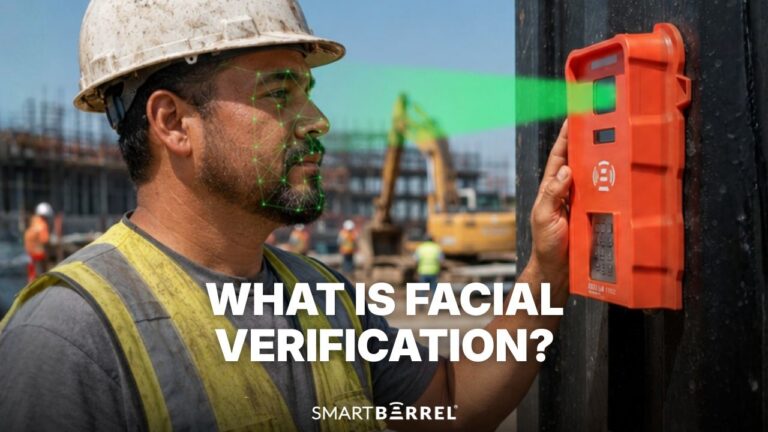
- Mount the TimeClock 4.0 at the jobsite entrance or muster point. It mounts magnetically and is quick to set up. For smaller crews, the SmartBarrel mobile app runs on a tablet or phone.
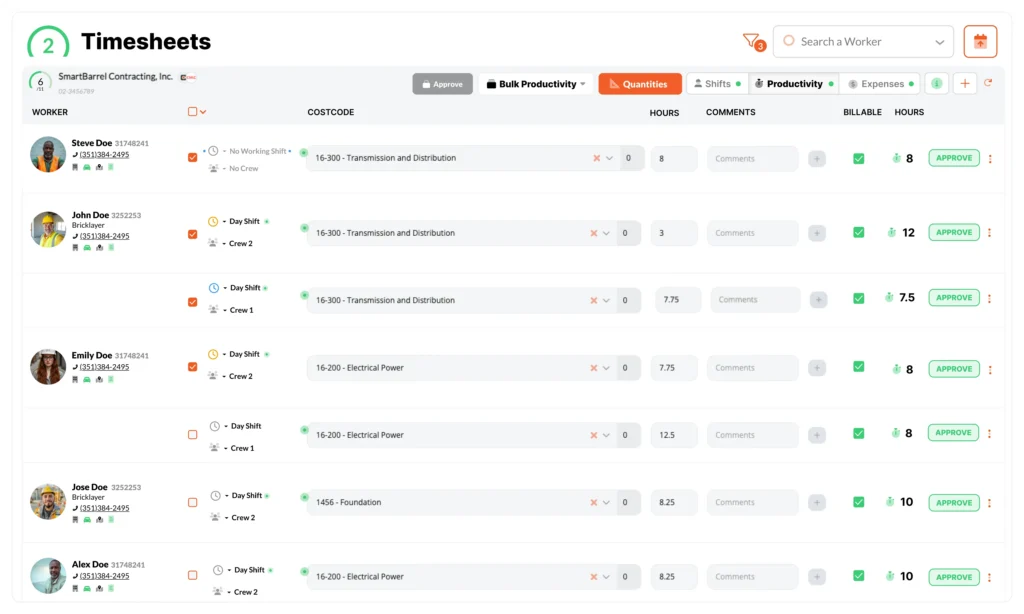
- Workers check in with facial verification in seconds. Foremen review self-populating timesheets, confirm cost codes, and approve hours before data syncs back to Procore.
Foreman Entered Time vs. SmartBarrel and Procore
The difference between foreman entered time and a verified connection shows up across the whole week, not only at payroll.
Foreman entered time into Procore | SmartBarrel and Procore | |
Time accuracy | Estimated or rounded | Verified to the minute |
Buddy punching | Hard to catch | Addressed with facial verification |
Foreman time on timesheets | Several hours per week | Minutes per week |
Cost code accuracy | Often missing or miscoded | Synced from Procore, confirmed before export |
Daily Log entries | Rebuilt from memory at day’s end | Auto-populated from field check-ins |
Jobsite headcount | Entered after the fact | Live, in real time |
Data into Procore | Manual re-entry or export | Automatic sync, scheduled or on demand |
Visibility across projects | End of week | Live dashboard |
See the integration on your own projects. Request a demo
Why Accurate Labor Costs Start in the Field
Procore’s reporting, dashboards, and job costing inherit the quality of the data entering them. Clean inputs make the outputs worth trusting, and estimated inputs weaken every report built on them. Accuracy is also a compliance matter. Federal recordkeeping rules require employers to keep accurate records of the hours employees work, and any timekeeping method is acceptable as long as it is complete and accurate.
Thornton Construction, an institutional builder based in Hialeah, Florida, uses Procore daily and ran into this firsthand. The team relied on manual headcounts and sign-in sheets to track who was on-site, a process that slowed down as crews grew and left room for error, since a worker could be counted and then leave, or another person could sign out on their behalf.
After connecting SmartBarrel, verified check-ins gave Thornton an accurate, real-time count per company on the jobsite, and that data auto-populates the daily log tool in Procore. The manual entry went away.
According to the team, the man-count process that once consumed considerable time now runs in under 30 minutes, and their Virtual Design and Construction manager named the Procore integration one of the features they value most, because the field data reaches the platform they already use without anyone retyping it.
Accurate labor data is the throughline. Capture the hours correctly where they are created, and every system that depends on them gets easier. Manual time tracking drains the office.
Verified hours protect billable hours on T&M work and give the business more control over labor costs, saving the office hours every payroll week. SmartBarrel’s biometric construction time tracking software turns the field into a reliable data source rather than a weekly reconciliation problem.
Frequently Asked Questions
Does the integration work on jobsites without reliable WiFi?
Yes. The TimeClock 4.0 has built-in LTE, so it sends verified hours to SmartBarrel and on to Procore in real time without depending on jobsite WiFi. It can also connect over WiFi where that is available.
Is SmartBarrel available on the Procore App Marketplace?
Yes. SmartBarrel is listed on the Procore App Marketplace, and the connector installs from there as the first step of setup. A Procore user with directory admin permissions authorizes the connection.
Bring Verified Time Tracking to Your Next Construction Project
Accurate field data changes what Procore can tell you about a job. A short walkthrough on one of your own projects shows how verified hours reach your Timesheets, Timecards, and Daily Logs without manual entry.
Put the most accurate time from the field into Procore. Book a walkthrough on one of your own jobsites and see verified hours populate your Timesheets, Timecards, and Daily Logs.