
Why does timekeeping accuracy matter so much for contractors?
Labor is typically the largest cost a contractor controls directly, and it is the only major cost that gets re-measured every day by hand. Materials come with invoices and equipment comes with meter readings. Hours come from whatever method you use to capture them, so the accuracy of that method sets the accuracy of payroll, job costing, and every bid built on historical data.
Contractors track time three ways: workers report their own hours, foremen report hours for the crew, or a verified system captures each check-in at the point of arrival. Only the third holds up once crews pass 20 workers, because it is the only one that removes memory and honor-system reporting from the data. Timekeeping is a data quality question. It has nothing to do with distrusting your workforce or nickel-and-diming anyone.
Labor accounts for 30% or more of a contractor’s costs. It’s the most expensive and complicated asset in your business. Every other asset — materials, equipment, subs — is easy to track and plan around in comparison.
The difference between a worker showing up at 6:45 a.m. versus 7:15 a.m. may seem small. But apply that across dozens of workers, on multiple jobsites, over weeks and months, and that “30 minutes here and there” becomes the reason a profitable contractor ends up in survival mode.
Margins in this industry are thin. Unrecorded or over-reported time erodes them quietly, and many contractors only see the gap once the job closes out.
Additionally, while some timekeeping methods can be manually managed with small teams, once your workforce scales to 20, 200, or 2,000 workers, paper-based systems break down and fail to scale. Foremen can’t keep up. Excel turns into chaos. The only way to stay ahead is to implement a powerful, scalable, and frictionless tool.
Knowing which tool actually qualifies is the harder part, so we put together a checklist for comparing construction time tracking software on the criteria that hold up in the field.
AI construction time tracking handles that scale by verifying each worker at the point of clock-in, without adding any burden to foremen or office staff.
If you can’t measure your labor accurately, you can’t manage your business.
Get Control of Your Time Tracking
1. What is worker-reported time, and where does it break down?
Worker-reported time means each worker records their own start and stop, on paper or in an app. It fails at the point of capture: the method depends on the worker having the tool at hand (a clipboard, or a charged phone with signal) and remembering to use it twice a day. Both versions produce a number, but neither can prove the worker was on site when the number says they were.
Workers logging their own time sounds simple, but execution is where most systems crumble.
Manual (Paper, Clipboard, Timesheet)
Workers write in and out times on a clipboard. Sometimes they signed it. Sometimes they didn’t.
- Pros: “Free,” quick to start.
- Cons: Easy to lose, easy to forge, and impossible to validate after the fact.
SmartBarrel POV: This method looks “free,” but it is often the most expensive one in disguise. There is nothing to verify a punch against and nothing to audit later, so accountability rests on the honor system, and that system strains when margins are tight and supervision is thin. Paper gets damaged or lost, and with nothing enforcing accuracy, the door to fraud stays open.
Digital App-Based
Workers clock in/out on an app using their phones.
- Pros: Better than paper. Adds some tech.
- Cons: Adoption is the weak point. Workers often don’t want to download apps, and “no battery,” “no service,” and “forgot” become daily explanations. Without biometric verification and geofencing, the punch is unverified.
SmartBarrel POV: Yes, it’s more advanced than paper. But it’s also built on a big assumption: that every worker has a smartphone, knows how to use it, and will reliably open an app twice a day, every day. That assumption dies fast in the field. App fatigue is real, and excuses like “no signal,” “battery died,” or “phone broke” pop up constantly. Without biometric verification or a tight geofence, the data is no better than a polite guess.
2. What is foreman-reported time, and why does it drift?
Foreman-reported time means one person reconstructs hours for an entire crew, usually at the end of the day or the end of the week. The drift comes from the workload, not from the foreman: a crew lead managing materials, safety, and production is also being asked to serve as the crew’s memory. Bulk-entry shortcuts make the sheet faster to fill, and faster to fill from memory means further from what happened.
Excel/Macros
Foremen jot down hours on a spreadsheet. There may be some formulas or pivot tables involved.
- Pros: Familiar, flexible, and customizable — most foremen already know how to use it.
- Cons: A data nightmare. No audit trail. Impossible to track who changed what, when. Mistakes go unnoticed. Workers disappear and reappear. Data cleanup becomes a full-time job.
SmartBarrel POV:
Excel is great until it’s not. This system is fine if you’re tracking three people, not 30, and definitely not 300. As soon as the job grows, it becomes a mess of manual edits, outdated rosters, broken formulas, and invisible changes. There’s no way to see who changed what, and to reconcile the data. That becomes someone’s full-time job just to untangle the mess.
Foreman-Led Time Entry
Some companies use foreman-led time entry software with cost codes, job lists, and guardrails where the foreman is entering in time for their crews.
- Pros: Slightly better. At least you get some visibility and audit logs.
- Cons: Still based on memory. Still delayed. Still easy to fudge. Tools allow “copy yesterday” or “apply 8 hours” across a crew.
SmartBarrel POV:
Digital foreman tools look good on paper, but they still ask too much of one person. Foremen are expected to remember who was where, for how long, and doing what, all while managing materials, subs, safety, and production. And if the tool offers bulk entries and copy/paste features (which they always do), those tools just help foremen guess faster. You get cleaner data, just not accurate data.
3. How does SmartBarrel capture verified time from the field?
SmartBarrel puts a rugged TimeClock 4.0 device (or the Kiosk App and Personal App for smaller and mobile crews) at the point of arrival, and each worker checks themselves in with facial verification. The system self-learns faces, so there is no photoshoot to set up, and workers without a phone can register their own fob at the device. The result is worker self-reported time with the verification layer that paper and apps lack: the most accurate time from the field, delivered to the foreman as a pre-populated timesheet.
SmartBarrel replaces the guessing game with verified, real-time data, without friction or excuses.
SmartBarrel uses rugged jobsite-ready hardware and a native mobile app to enable biometric, geotagged, worker self-reported time, and our portable biometric time clock does it better than any clipboard or app alone. If you’re moving off clipboards and basic apps, construction time tracking software that verifies every punch removes the rounding and buddy punching that manual methods allow.
- ✅ Workers clock in/out with facial verification
- ✅ No apps to download (but a native app is available)
- ✅ No training needed
- ✅ Works for W2s, 1099s, and temp labor
- ✅ Real-time data is visible to foremen in a pre-filled, ready-to-approve timesheet
Even the SmartBarrel native mobile time clock app holds adoption where phone-only apps lose it: it’s device-agnostic, biometric, geotagged, and excuse-proof. Whether your team is 5 or 5,000, the system handles it.
SmartBarrel POV: SmartBarrel works as an automated, self-policing system that turns worker punches into real-time payroll and cost data. The best part? Foremen don’t chase time. They manage productivity. That’s how construction should work.
For supervisors and operations leaders wondering how to act on better time data, read our post on construction operations leadership and time tracking.
How do the timekeeping methods compare side by side?
Category
Worker-Reported (Manual)
Worker-Reported (App)
Foreman-Reported (Excel/Macros)
Foreman-Reported (Digital System)
SmartBarrel
Want to see which solution pays for itself fastest? Our comparison of the best construction workforce management software breaks down real costs and savings.
The bottom line on construction timekeeping
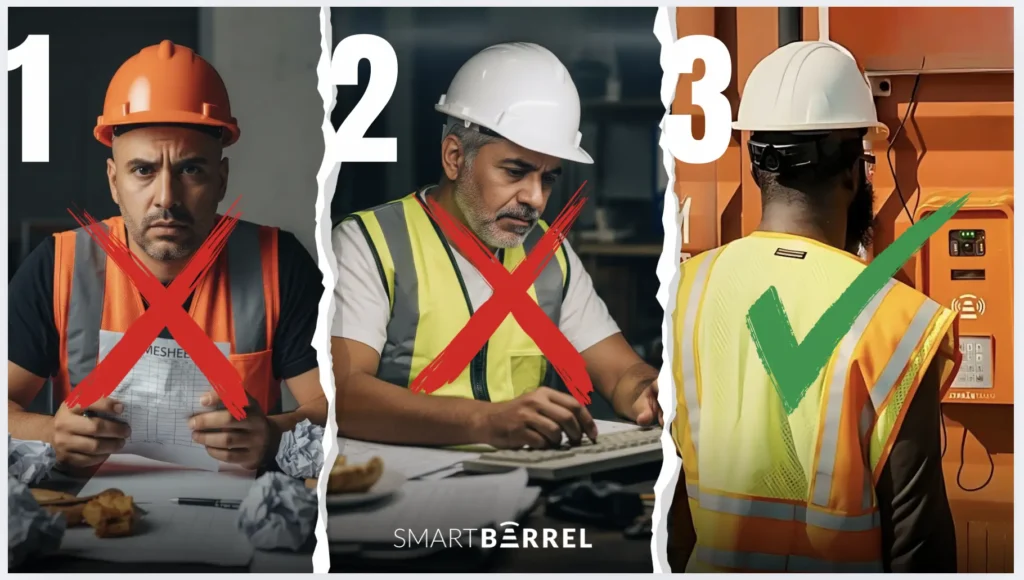
You have three options:
- Guesswork from your workers
- Guesswork from your foreman
- 100% verified, real-time from SmartBarrel
That’s it. There’s no fourth option.
If you’re still on option 1 or 2, you’re paying for hours you can’t verify and spending office time reconciling them.
SmartBarrel doesn’t f**k around. Neither should you.
Frequently asked questions about construction time tracking methods
-
Can workers without smartphones use a biometric time clock?
Yes. With a jobsite device like SmartBarrel's TimeClock 4.0, the worker checks in at the device with facial verification, so no personal phone is involved. Workers who prefer a tap can register their own fob at the device during check-in, and the phone number collected at first check-in is used for SMS, not for running an app. This is why hardware plus mobile tends to hold adoption better than mobile-only solutions on crews with mixed devices.
-
What does the foreman do once workers report their own time?
The foreman's job shifts from data entry to review. Workers check in and out; the foreman opens a pre-populated timesheet, assigns or splits cost codes, and approves. When someone forgets to check out, the foreman pushes that back to the worker rather than reconstructing the day, which moves accountability for the punch to the person who made it. In practice this typically returns hours per week to crew leadership, and it takes the foreman out of the awkward dual role of motivator and timekeeper.
-
How long does it take to move a crew from paper timesheets to verified check-ins?
For a jobsite device, setup typically takes under five minutes (magnetic mount, built-in LTE, power from electricity, solar, or a tool battery), and a worker's first check-in takes about a minute: name, phone number, employee ID, and a photo. There is no photo upload or enrollment session beforehand because the system learns each worker from their own check-ins. Most contractors pilot on one job for a pay cycle or two before rolling out across sites.