

Quick Summary
The best construction time tracking software is SmartBarrel. It verifies every clock-in with AI-powered biometric facial verification, uses geofencing to tie hours to the right jobsite and cost code, and sends clean, payroll-ready time data straight to Procore, CMiC, Viewpoint Vista, Plexxis, and PowerBI.
For contractors running smaller service projects, like short-duration repair calls or single-tech jobs, Workyard is worth a look. For teams that need built-in scheduling alongside time tracking, consider ClockShark. For smaller operations under 100 employees, Jibble’s free plan can cover basic needs.
Pricing across these 11 apps ranges from free to $46+/user/month, depending on hardware requirements, biometric verification capabilities, and construction-specific compliance features.
What’s New In This Update? (August 2026)
- Updated brand names throughout for companies that have rebranded or changed names since the last review.
- Replaced all homepage screenshots to reflect each tool’s current interface.
- Refreshed pricing across all tools.
- Updated Capterra and Apple App Store ratings for every tool where current ratings are available.
Time tracking apps for construction help contractors accurately log crew hours, prevent time theft, and track labor costs across multiple job sites. We thoroughly evaluated 11 leading construction time clock apps using a 7-factor scoring system designed specifically for construction’s unique needs.
The challenge: Construction time tracking is fundamentally different from office time tracking. Your construction teams work in harsh conditions, across multiple sites, often without reliable WiFi. Construction workers wear gloves. Devices need to survive weather exposure. And adoption fails if the time clock system is too complicated or requires workers to use personal phones.
What’s at stake: Time theft and payroll errors cost contractors an average of $4,285 per worker annually. Beyond the direct labor costs, inaccurate time tracking creates billing disputes with GCs, compliance issues, and hours of administrative burden chasing down timesheets.
What changes in 2026: The technology finally caught up to construction’s needs. Biometric facial verification became reliable in field conditions. GPS accuracy improved dramatically. True offline time tracking became standard rather than a premium feature. Going into 2026, real-time project tracking is integrated directly into time tracking apps.
Location controls matured too, and virtual jobsite boundaries that block off-site punches are now worth checking on any shortlist.
How we evaluated these solutions:
- Analysis of 200+ verified user reviews from G2, Capterra, and industry forums
- Comparison using our 7-factor scoring system weighted for construction priorities
- Evaluation of integration capabilities with payroll and accounting systems
- Assessment of field-specific features (offline capability, weather resistance, glove compatibility)
Learn more details about our scoring system and how we evaluate and choose the best software for our guides.
This guide helps you:
- Understand the 7 must-have features for construction time tracking
- Compare best construction time tracking software using expert objective scoring criteria
- Identify the best time tracking app for your construction business
- Avoid common mistakes contractors make when choosing construction time tracking systems
- Calculate your actual ROI and payback period
- Match the right time tracking solution to your specific needs (crew size, trade, budget)
Our Top 11 Picks For Best Construction Time Tracking Software
Methodology Disclaimer: This analysis is based on publicly available information, vendor documentation, and verified user reviews as of August 2026. Scores reflect our assessment using SmartBarrel’s published evaluation criteria.
Software capabilities and features evolve over time. We encourage readers to verify current features, pricing, and capabilities directly with vendors before making purchasing decisions.
Overall Rankings
Rank | Software | Total Score | Rating |
1 | SmartBarrel | 95/100 | Outstanding |
2 | Buddy Punch | 81/100 | Very Good |
3 | Workyard | 80/100 | Very Good |
4 | Arcoro Time | 77/100 | Very Good |
5 | WorkMax | 72/100 | Very Good |
6 | Jibble | 68/100 | Good |
7 | Timeero | 68/100 | Good |
8 | ClockShark | 65/100 | Good |
9 | AlignOps | 64/100 | Good |
10 | Raken | 61/100 | Good |
11 | Connecteam | 52/100 | Fair |
Note: Scores reflect alignment with construction-specific criteria in our methodology. Lower scores do not indicate poor quality – they may indicate different target markets or use cases. Solutions scoring 75+ are very strong performers for construction applications.

SmartBarrel
Best Suited For: Mid to large contractors with over 100 employees that manage labor across multiple jobsites and want to improve accuracy, compliance, and control.

Buddy Punch
Best Suited For: Small businesses operating in controlled environments with reliable connectivity.

Workyard
Best Suited For: Contractors who want high-accuracy location tracking and detailed labor cost control.

Exaktime
Best Suited For: Contractors who need basic scheduling, are comfortable with GPS breadcrumbing privacy concerns, and don’t require identity verification or compliance automation.

WorkMax
Best Suited For: Construction companies that use Foundation Software as their ERP Solution, which require detailed time tracking and job costing features.

Jibble
Best Suited For: Small to mid-sized businesses seeking a simple, cost-effective time tracking solution across various industries.

Timeero
Best Suited For: Construction companies and contractors who need a solution for tracking time, verifying employee identity, and managing payroll across multiple locations.

ClockShark
Best Suited For: Smaller contractors who want simple, GPS-based time tracking and don’t need verified identities.

BusyBusy
Best Suited For: Smaller construction firms or subcontractors who want affordable mobile time tracking with GPS.

Connecteam
Best Suited For: Seskless workers across various industries seeking an all-in-one communication and scheduling platform.
Best Construction Time Tracking Solutions Reviewed
Overview
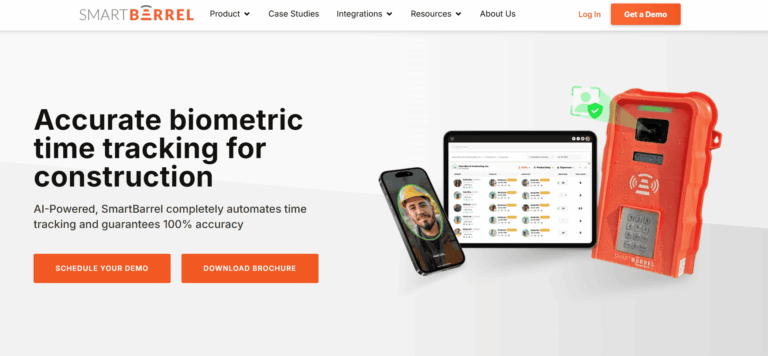
SmartBarrel is a time tracking app for construction built to prevent time theft, verify every clock-in, and take the guesswork out of payroll. It’s the only platform on this list that uses AI-powered facial verification to confirm identity at every punch, whether on a mobile device, tablet, or their rugged jobsite timeclock.
The system is specifically tailored for construction employees, addressing the unique challenges of tracking work hours and attendance on dynamic jobsites. It is designed to reduce friction for both the field and the back office. Workers can clock in without downloading an app or learning a new system.
Every punch is verified on the spot and flows directly into job costing, compliance, and payroll workflows with no cleanup required. Robust attendance tracking capabilities help manage workforce punctuality and presence, ensuring accurate records for all construction employees.
SmartBarrel also offers a rugged jobsite time clock built for tough environments. It’s LTE-connected, solar or AC-powered, and designed to keep working even if service drops. Punches are stored locally and synced automatically once connectivity resumes. Facial verification works with beards and PPE- hats, safety glasses, gloves.
If your crew structure changes frequently, or you’re dealing with temp labor, union oversight, or certified payroll, SmartBarrel gives you the accuracy and control that generic time clock apps can’t match.
Now let’s break down how SmartBarrel captures verified time, and what makes it different from the rest.
Key Features Summary
Fob scans, foreman entered hours, and manual punches might look like time tracking until the hours don’t add up, and there’s nothing solid to fall back on. SmartBarrel makes sure every punch is tied to the right person.
Workers enter their phone number to start their shift, and SmartBarrel confirms their identity using biometric facial verification powered by AI. It’s fast, consistent, and accurate across flexible punch options.
If your crews or HR team have questions about what the system actually checks at clock-in, our facial verification explainer walks through it in plain terms.
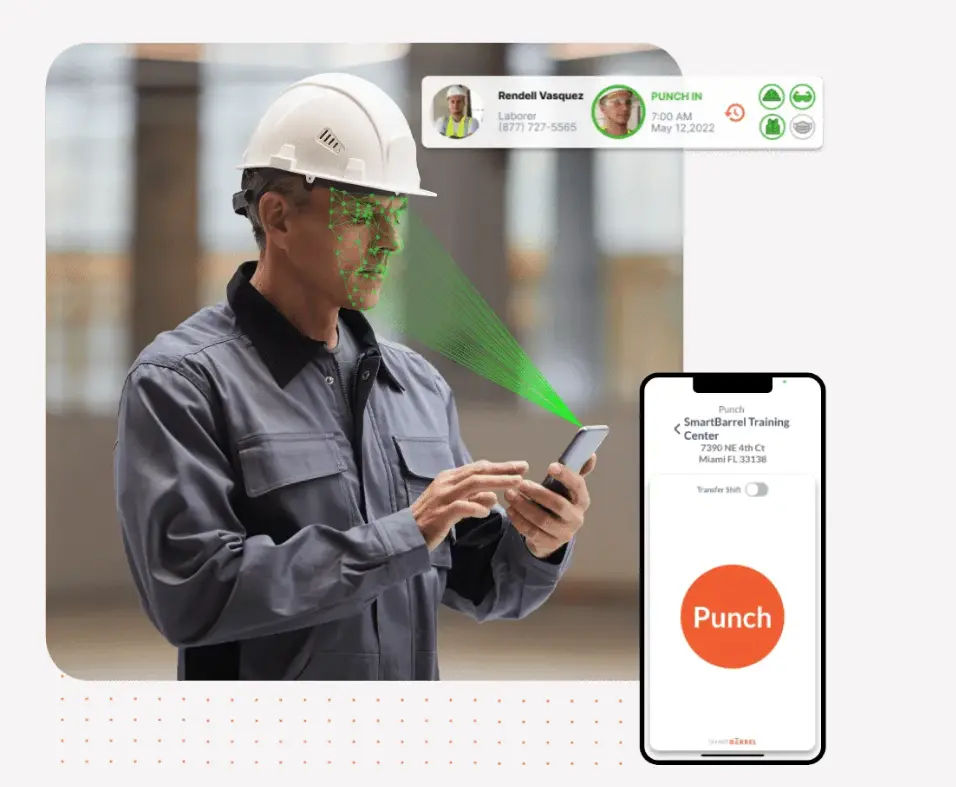
Unlike systems that just attach a photo or rely on memory, SmartBarrel uses facial matching to verify the worker on-site. Even with safety gear, dirt, or jobsite conditions, it matches each punch to a saved facial profile. There’s no guessing who showed up, and no easy way to manipulate hours.
That level of verification matters when you’re dealing with certified payroll, union oversight, or time and materials billing. When every hour needs to hold up in an audit or client review, you need to know the data is legit.
Foreman-entered time puts your super in an impossible spot – be the strict timekeeper and piss everyone off, or be generous with hours and watch your labor costs bleed. SmartBarrel gives you that peace of mind without changing how your crews work.
All punches feed into the dashboard in real time. Your foreman reviews pre-populated timesheets and assigns cost codes. Meanwhile, you’re seeing live headcount across every jobsite.
You can filter by jobsite, crew, or classification and trust what you’re seeing. If your job depends on accurate hours and verified labor, SmartBarrel makes sure the record matches reality.
Some time clock apps only work on a phone, and that’s a problem when you’re managing 50+ workers on a jobsite. SmartBarrel gives you more ways to track time without slowing crews down or forcing them to use their own devices.
- Kiosk App Mode on Shared Devices
SmartBarrel makes it easy for your team to clock in, no matter how you work. Use the mounted time clock at the jobsite or crews can punch in using a shared tablet or smartphone in kiosk mode, leveraging the time clock feature for accurate employee time tracking and attendance management.
All punch types start the same way: the worker enters their phone number when employees clock in, and SmartBarrel confirms their identity using biometric facial verification with photo ID capture. SmartBarrel also allows you to create precise, project-specific geofences, ensuring that workers can only clock in when they’re physically on site, eliminating clock-ins from off-site locations or outside the jobsite.
It’s consistent, fast, and secure across every mode, with no training, no shared logins, and no second-guessing who clocked in. Supports mobile punches without requiring workers to download an app.
- Rugged Jobsite Time Clock

SmartBarrel’s hardware time clocks are solar or AC-powered, LTE-connected, and built to handle dirt, heat, rain, and everything else the jobsite throws at them. With the integrated time clock feature, crews can punch in without Wi-Fi, and the device stores punches locally when offline, syncing them automatically once service returns.
Facial verification works even with PPE, and the interface is consistent across devices. There is no learning curve, and no training required. Whether your workers are punching in on a rugged jobsite clock, a shared tablet in kiosk mode, or their own phone, the process is the same: enter a phone number, take a photo, get verified.
Each option supports SmartBarrel’s facial matching to confirm identity, keeping your time records secure and audit-ready.
- Mobile Punch on Personal Devices (Optional)
Available if enabled, workers can punch in on their own smartphones, but only for themselves. You can geofence by jobsite to ensure workers are only clocking in at work. The workforce mobile app enables easy time tracking, giving field teams and managers a user-friendly platform to streamline attendance and payroll.

This flexibility matters most when your crew structure isn’t cookie-cutter. Whether you’re using temp labor, rotating teams, or subcontractors, SmartBarrel makes it easy to capture time accurately, without relying on paper, memory, or tech-savvy workers.
Per Diem Tracking
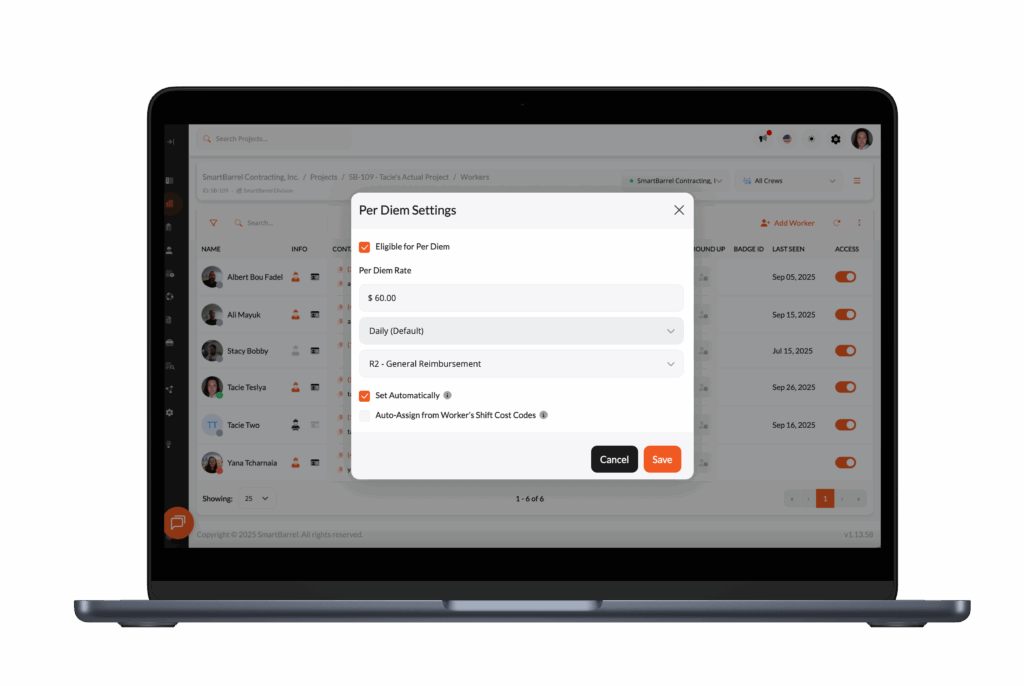
Per diem, travel allowances, and other worker expenses are easy to miss – especially on large or fast-moving jobs. SmartBarrel has per diem, allowance, and travel time workflows. If you’re setting rules for travel allowances, it helps to align payroll with the basics of per diem in construction (rates, rules, and tax treatment).
Capture per diem confirmations tied to each shift. See who claimed what, when, and on which job. Export for payroll. Pull reports for certified payroll or client audits.
No chasing down foremen. No worker disputes. Just clean documentation tied to verified clock-ins.

Need answers from the field? Send a text.
After workers punch out, SmartBarrel can automatically text them whatever you need to know:
- Break compliance?
- Safety incidents?
- Equipment issues?
- Site conditions?
Workers reply. Responses are timestamped, logged in your dashboard, and ready to export.
Common uses:
- Incident documentation
- Safety check confirmations
- Equipment or material issues
- Break compliance
- Per diem and travel time
No forms. No app downloads. Just text messages that become compliance documentation.
Job Costing and Cost Code Control
Job costing and cost control only work if the work hours are tied to the right codes, preventing inaccurate project costs. When assigning cost codes is tedious, it opens the door to guesswork and inconsistent reporting. SmartBarrel makes it simple. Workers clock in like normal. Foreman or superintendents verify hours and assign cost codes daily.
Cost codes can be automatically imported from your ERP. Once set, those codes can carry over automatically to the next day and foremen see only the cost codes relevant to their project and stage.

This means no guessing in the field and no missed cost tracking. Project managers, payroll teams, and accounting staff can assign codes in bulk or by shift, depending on how your reporting is set up.
Whether you’re tracking standard hours, prevailing wage, piecework, or temp labor for construction projects, SmartBarrel keeps your data organized from the start with digital timesheets.
Because every punch is facially verified and stored with shift context, you can confidently link labor hours to the correct phase of work. No backfilling, no rounded guesses, and no scrambling at the end of the week. Exports and ERP syncs include cost code data, and the system generates detailed reports for project costs, labor hours, and job performance, so what you see in your payroll or job cost report matches what actually happened on site.
Accurate and validated labor hours protect your reporting, improves billing accuracy, and helps you manage costs across complex jobs.

Certified payroll, union rules, labor laws, OSHA compliance. Most construction time tracking apps aren’t built to manage that kind of oversight. SmartBarrel is.
Every punch is initiated by the worker, facially verified, timestamped, and logged with the right job, cost code, and classification. That data flows into your payroll and reporting systems cleanly, with no guesswork or manual cleanup. Whether you’re exporting hours or syncing with platforms like Viewpoint Vista, CMiC, or Procore, the records hold up under scrutiny.
SmartBarrel supports job-specific pay rules, union-based requirements, and break tracking to help you meet local labor laws and federal standards. Need to track travel separately from shift hours? Validate rest periods for DOT or OSHA compliance? Or run certified payroll reports with confidence? It’s all built in.
Admins can configure how shifts are reviewed and approved, so verification fits the way you operate. Even on complex projects with large crews and variable rates, you stay compliant, and your documentation is already in place when the audit hits.
For payroll teams, SmartBarrel removes the cleanup work that slows every pay cycle. Because punches are verified, coded, and approved before they reach the back office, payroll no longer has to chase missing entries, correct cost codes, or resolve inconsistencies from handwritten or foreman-entered timesheets.
The data arrives clean the first time, so payroll runs stay on schedule, payroll errors don’t cascade, and you aren’t forced to rerun batches after someone discovers errors. It turns payroll from a reconstruction exercise into a simple review-and-approve process.
With SmartBarrel, what’s on the report matches what happened on the jobsite. No spreadsheets. No backtracking. Just verified time, ready to go.
Field Logs and Jobsite Documentation

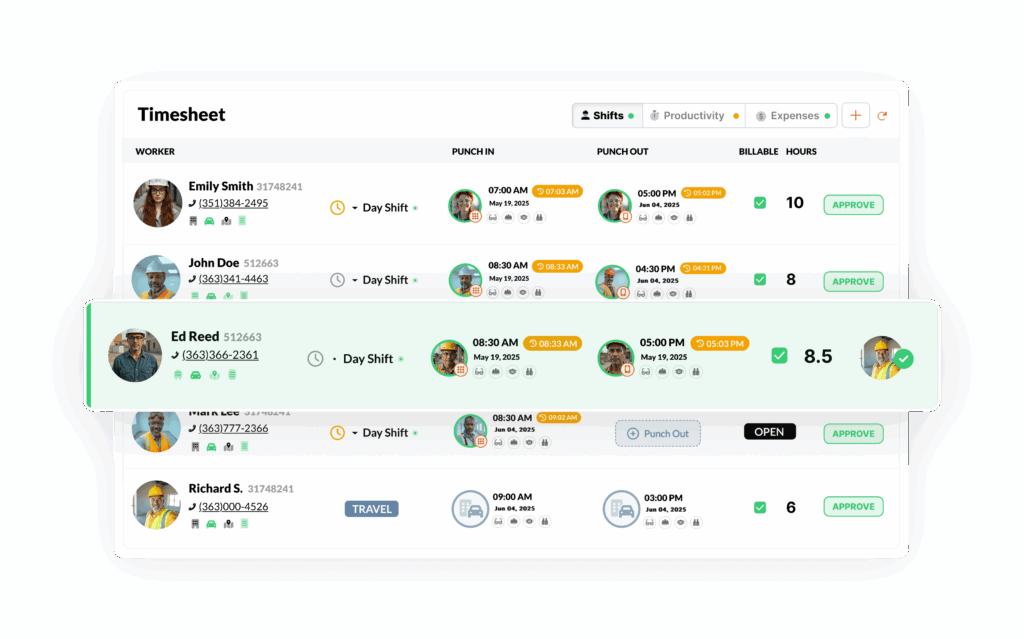
Paper timesheets and manual logs slow you down and create gaps in documentation. SmartBarrel replaces clipboard chaos with automated field reporting that provides detailed reports tied to the punch, enabling better project tracking.
When a worker clocks in, SmartBarrel captures who was on site, when they arrived, what job they were on, and even what the weather looked like, with no extra steps required. Daily headcounts, shift summaries, and cost-coded hours are logged automatically and displayed in the dashboard.
Need to document an incident or toolbox talk? Just turn on the SMS messaging option. SmartBarrel sends a short text that allows field crews to report safety events with a quick reply. Each submission is timestamped and linked to the shift, so there’s no chasing forms after the fact.
SmartBarrel creates a structured log from the data you’re already collecting. No duplicate entry, no formatting, and no delay. It’s jobsite documentation, built in.
Getting accurate labor data is one thing. Getting it to where it needs to go is another. SmartBarrel connects directly to key systems like Viewpoint Vista, CMiC, Plexxis, Procore and more so verified timecards flow into your payroll, job costing, reporting, and project tools effortlessly.

SmartBarrel provides multiple options for transferring labor and operational data into other systems. The method used depends on the software in your environment and your internal workflows.
Direct Integrations
SmartBarrel offers direct integrations with the following platforms:
- Viewpoint Vista
- CMiC
- Plexxis
- Procore
- Power BI
- Foundation
- ComputerEase
- Sage
- QuickBooks
- Microsoft Excel
When a direct integration is enabled, verified labor data is transferred from SmartBarrel into the connected system with associated job and cost structure information. This allows data captured in SmartBarrel to be used for payroll processing, job costing, reporting, and analytics without manual re-entry.
For Procore, SmartBarrel syncs hours and manpower data into Daily Logs to support project-level reporting.
API Access
SmartBarrel provides a public API for customers who need to access data programmatically or integrate with systems beyond the supported direct integrations. The API can be used to:
- Retrieve structured labor and operational data from SmartBarrel
- Support custom integrations or internal applications
- Automate data transfers based on internal schedules or workflows
- API availability and usage are subject to configuration and access permissions.
Exports
SmartBarrel supports exporting data for use in systems that are not connected through direct integrations or the API. Exports can be generated in standard formats and used for:
- Payroll and accounting uploads
- Data validation and reconciliation
- Supplemental reporting
Built for Complex Crews and Projects

Most time tracking apps work fine when your team is small, stable, and tech-savvy. SmartBarrel is built for the construction industry, where crews change, temp labor rotates, and not everyone wants to download an app on their mobile devices.
Whether you’re managing a couple of dozen construction crews or two hundred across multiple job sites or 10,000, SmartBarrel keeps things simple. There’s no need to create logins for every worker or teach them how to use an app. They punch in using a shared tablet, mobile kiosk, or rugged jobsite time clock, and the system handles the rest.
Each punch is facially verified, so you know who actually showed up, not just whose number was entered. This matters when you’re dealing with large self-perform crews, temp labor, or a mix of W2 and subcontracted workers.’
It’s the same crew mix that makes time tracking on data center construction projects so hard to get right at scale.
SmartBarrel tracks work hours accurately for all employees across multiple sites by person, job, and cost code, so even if your crew structure changes daily, your labor records stay accurate.
Digital solutions like SmartBarrel also help prevent missed clock outs, a common issue with paper timesheets, ensuring your records are complete and payroll is accurate.
You don’t need to compromise between scale and control. SmartBarrel is built to handle both, with no training curve.
Reviews

4.9/5

4.1/5

4.2/5
Pros and Cons
Cons
- Built for Larger Crews and Longer Projects
- Targeted at Specialty Contractors, Not All Construction Types
- Aren’t able to handle service work order time management well yet
- No public pricing - must contact sales for quote
- Currently does not include in-app scheduling
Pros
- Verifies every clock-in with biometric facial verification to prevent buddy punching
- Built-In house hardware (built in the USA) - the SmartBarrel Timeclock helps eliminate any excuses of why workers can't check in
- Flexible punch options: rugged device, tablet kiosk, or mobile phone
- Tracks time by job and cost code for accurate labor and productivity reporting
- Integrates with ERP & Project Management platforms
- Supports complex payroll needs including overtime calculations, union requirements, and certified payroll requirements
- Supports geofencing for mobile and kiosk punches
- Works offline, capturing punches even without internet or Wi-Fi
- Absentee Tracking to ensure no one's time gets missed and no payroll re-runs need to happen
Pricing
SmartBarrel charges per worker and per physical time clock. No additional charge for admins.

#2 - Buddy Punch

Overview
Buddy Punch is a cloud-based time tracking and scheduling platform used across construction, retail, healthcare, and professional services. Over 10,000 businesses use it, and the construction feature set has expanded to include job costing, variable pay rates by job, and geofences tied to job codes.
Best Suited For: Contractors running crews on their own iPhones who want verified punches, job-coded geofences, and prevailing wage rate handling without buying jobsite hardware.
Key Features Summary
- Web-Based Time Clock
- Mobile Apps
- Facial Recognition
- GPS Tracking
- QR Code Clock-In
- Kiosk Mode
- PTO Management
- Scheduling
- Job Costing
- Overtime Tracking
Key Features
- Face ID Verification: Uses Apple Face ID on the worker’s own iPhone or iPad, gating both the punch and app login, with no admin photo library or reference images to upload
- Photos on Punch: Captures a selfie with the punch for manager review, works on Android as well
- Offline Mode: Available on Pro and Advanced, workers can punch in, punch out, switch job codes, and start and end breaks with no connection
- Job Costing: Job codes by project or customer, workers switch codes through the day, labor hour and labor cost reports run by project
- Variable Pay Rates by Job: Handles prevailing wage differentials, a worker can carry a different rate on a public works code than on private work
- Geofencing Tied to Job Codes: The perimeter blocks off-site punches and assigns the correct job automatically
- GPS Tracking: GPS on punch, plus real-time GPS with breadcrumb trails between sites
- Group Punch and Text to Punch: One lead can clock an entire crew in or out, SMS punching for workers without a smartphone
- QR Code and Kiosk Clock-In: Runs on any Apple or Android tablet for the trailer or gang box, with PIN or QR entry
- Scheduling, PTO, and Overtime Tracking: Employee schedules, shift assignments, time off requests, approvals, accrual tracking, overtime alerts before overtime is incurred
Integrations
- QuickBooks Online
- QuickBooks Desktop
- ADP Workforce Now
- Deltek
- Deluxe Payroll
- Gusto
- iSolved
- Justworks
- Paychex
- Paycor
- Paylocity
- Rippling
- SurePayroll
- TriNet
- ViewPoint
- Wagepoint
- Workday
- Open REST API, Zapier, and SSO through Google, Apple, Okta, and OneLogin
Pricing
Plan | Price | Key Features |
Starter | $5.99/user/month + $19/month base fee | Web-based time clock, mobile apps, GPS on punch, job costing |
Pro | $7.99/user/month + $19/month base fee | Face ID verification, offline mode, geofencing tied to job codes, QR code punching, kiosk mode, photo on punch |
Advanced | $13.99/user/month + $19/month base fee | Variable pay rates by job, real-time GPS, group punch, text to punch, photo on punch |
Every plan includes unlimited free admin and manager accounts. 14-day free trial with no credit card required.
Add-ons: Payroll at $8/user/month plus a $49 base fee. Real-time GPS at $2/user (included in Advanced). Scheduling at $1/user on Starter, included on Pro and Advanced.
Pros and Cons
Cons
- No ruggedized jobsite hardware, runs on the crew's own phones and tablets
- Face ID verification is iOS only, Android crews fall back to photos on punch requiring manager review
- Offline mode is a single-user, own-phone feature, shared kiosk and QR punching still require a connection
- Offline mode requires Pro or Advanced, not available on Starter
- Certified payroll is handled through Deltek, Viewpoint, and ADP exports rather than natively
- Not construction-specific, built to serve multiple industries
- QR codes can be photographed and shared, so QR-only sites carry more punch risk than Face ID sites
Pros
- Face ID runs on the worker's own device with no admin photo library, no reference image uploads, and no manual matching step
- True offline punching on Pro and Advanced with automatic sync and conflict prompts that prevent silent timecard overwrites
- Variable pay rates by job handle prevailing wage differentials on public works
- Geofences tied to job codes assign the right job automatically instead of leaving foremen to correct codes later
- Fully public pricing with a lower base fee than most competitors at $19/month
- Unlimited admin and manager accounts at no extra cost
- Text to punch covers workers without smartphones
- Overtime alerts fire before overtime is incurred, plus punch limiting and auto punch out
- English and Spanish interface
- Deltek and ViewPoint integrations connect to construction accounting systems
Reviews
4.8/5
4.4/5
4.9/5
#3 - Workyard
Overview
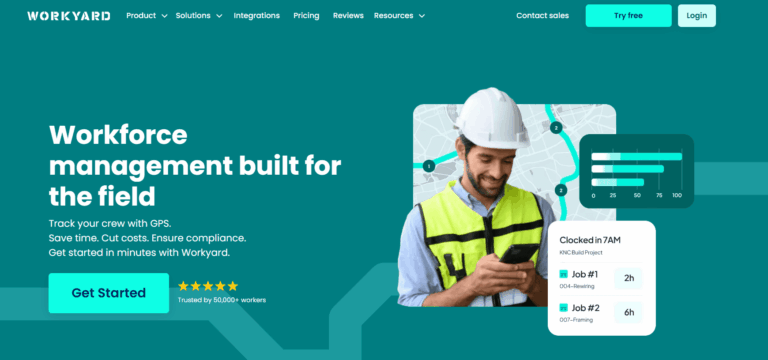
Workyard is a mobile-first GPS time tracking and workforce management platform built specifically for construction, contractors, and trades professionals.
Key Features Summary
- GPS Time Tracking
- Photo ID Verification
- Mobile Time Clock
- Job Costing
- Break & Overtime Tracking
- Scheduling
- Crew Management
Best Suited For: Workyard is a good fit for contractors who want high-accuracy location tracking and detailed labor cost control. It works well for:
- Contractors who don’t need biometric verification
- Contractors who care about cost code tracking but don’t need fraud prevention
- Supervisors who are comfortable reviewing and approving time after the fact
- Teams who prefer mobile-first time tracking with GPS validation
Key Features
- GPS Time Tracking: GPS-verified clock-in/out, geofencing, automatic site detection, offline mode with sync, mileage tracking
- Photo ID Verification: Optional photo verification at clock-in to prevent buddy punching
- Mobile Time Clock: Easy one-tap clock-in/out via mobile app, kiosk mode for crew clock-in
- Job Costing: Track time by project and cost code, real-time labor cost tracking, compare actual vs. budget
- Break & Overtime Tracking: Automated break reminders, state/federal overtime rules, differentiate between OT types (1.5x, 2x)
- Scheduling: Drag-and-drop calendar, assign jobs to individuals/crews, recurring tasks, job site details and instructions
- Crew Management: Clock in entire crew with one tap, supervisor-led time tracking, group settings (rounding, break deductions)
- Auto-trim: Adjusts clock-out times based on geofence exits
- Smart Forms: Digital data collection, eliminate paperwork, custom form builder
- Reporting: Timecard summaries, labor hours by project/employee, export to PDF/CSV
Integrations
- QuickBooks (Desktop and Online)
- ADP
- Gusto
- Paychex
- Sage 300 CRE
- Foundation
- Procore
- NetSuite
- ComputerEase, and more
- Developer API available for custom integrations
- Native two-way integrations with major payroll software & accounting platforms
Pricing
Plan | Price | Key Features |
Starter | $6/user/month + $50/month base fee | Time tracking and GPS |
Pro | $13/user/month + $50/month base fee | Automatic geofence assignment, advanced features |
Enterprise | Custom pricing | API access, advanced integrations, tailored for larger organizations |
14-day free trial available (no credit card required). Annual billing offers discounts.
Pros and Cons
Cons
- No facial recognition or biometric verification to confirm who clocked in
- No individual accountability, more susceptible to buddy punching than biometric-based solutions
- Higher monthly cost than most basic options
- Mobile-only setup; no physical clocks for non-smartphone jobsites
Pros
- GPS tracking is more precise than most competitors
- Real-time labor cost data helps manage project budgets
- Timecards are automatically created from verified GPS data
- Integrates with common payroll systems
- Great for smaller companies doing service work
- Supports dispatch scheduling and time for work order management
Reviews
4.7/5
3.8/5
4.0/5
#4 - Arcoro Time

Overview
Arcoro Time (formerly ExakTime) is a time tracking app for construction and field service companies, offering both hardware (JobClock) and mobile app options for workforce management.
Best Suited For: Arcoro Time is best for contractors who need basic scheduling, are comfortable with GPS breadcrumbing privacy concerns, and don’t require identity verification or compliance automation. It’s a fit for:
- Companies using Sage or QuickBooks for payroll
- Teams relying on supervisor oversight for fraud prevention
- Firms that prioritize GPS tracking over fraud prevention
Key Features Summary
- Hardware Option
- Mobile App
- GPS Tracking
- Job Costing
- Cost Coding
- Scheduling
- Overtime Tracking
- Break Management
Key Features
- Hardware Option: JobClock Hornet – rugged, weatherproof time clock with fob/badge scanning (no biometric verification on device)
- Mobile App: iOS and Android apps with photo verification at clock-in
- GPS Tracking: Location verification and geofencing via mobile app
- Cost Coding: Track time by phase, cost code, and activity
- Job Costing: Real-time labor cost tracking by project
- Scheduling: Create employee schedules, assign workers to jobs
- Overtime Tracking: Configurable overtime rules, daily/weekly/double time
- Break Management: Automatic break deductions, meal period tracking
- PTO Management: Time off requests and approvals
- Reporting: Labor hour reports, job costing, payroll export
- Time Card Editing: Supervisors can review and approve time with edit history
Integrations
- QuickBooks (Online and Desktop)
- ADP
- Paychex
- Sage 100 Contractor
- Sage 300 CRE
- Foundation
- Vista/Viewpoint
- Spectrum
- CMiC
- Procore
- ComputerEase
- Jonas and 50+ other construction accounting/ERP platforms
- Strong two-way integration capabilities
Pricing
Plan | Price | Key Features |
Connect | $9/user/month | Mobile app only |
Premium | $11/user/month | Advanced features included |
Enterprise | Custom pricing | Tailored for large organizations |
JobClock Hardware | $500-1,500 per device (one-time purchase) | Optional hardware time clock |
Hardware purchase or lease options available. Free trial typically offered.
Pros and Cons
Cons
- Does not offer real-time facial verification, relying instead on photo capture for manual identity verification
- Lacks advanced OT rules
- Lacks per diem & expense tracking
- Users report difficulties modifying time entries, adjusting schedules, and viewing workforce data, impacting real-time labor tracking
- App uses breadcrumb tracking which raises privacy concerns for field teams
- Data may sync on timed intervals, depending on configuration, rather than instantly
Pros
- GPS tracking for monitoring worker location
- Integrates with popular payroll systems
- Offers workforce scheduling
- Includes basic equipment tracking
Reviews
3.6/5
3.7/5
5/5
#5 - WorkMax

Overview
Workmax is a mobile-first construction workforce management platform with 20+ years of industry experience (founded 2003 as AboutTime Technologies). Now part of the Foundation Software family, it specializes in time tracking, certified payroll, and productivity analytics for contractors with complex workforce structures.
Best suited for: WorkMax is suitable for construction companies that use Foundation Software as their ERP Solution, which require detailed time tracking and job costing features. It’s best for:
- Contractors requiring job costing and ERP alignment
- Can manage kiosk setups for biometric verification
- Have admin capacity to handle setup and support
- Organizations managing multiple jobsites with varying connectivity
- Contractors who prioritize detailed job costing over ease of use
Key Features Summary
- GPS Time Tracking
- Facial Recognition
- Mobile Time Clock
- Advanced Job Costing
- Certified Payroll & Prevailing Wage
- Complex Pay Rules
- Productivity Analytics
Key Features
- GPS Time Tracking: GPS-enabled clock-in/out with location stamping, geofencing, offline sync, breadcrumb tracking, clock-jumping across devices/time zones
- Facial Recognition: “True facial recognition” with match percentage verification, alerts below threshold (requires pre-upload of worker photos)
- Mobile Time Clock: iOS and Android apps, real-time jobsite data, workers punch individually or supervisors clock entire crew
- Advanced Job Costing: Track by WBS, phase, activity, and cost code, unlimited cost structure, mirrors accounting system organization
- Certified Payroll & Prevailing Wage: Built-in compliance for local/state/federal regulations, multi-union support, wage orders, break certification, mobile signatures
- Complex Pay Rules: California overtime, multiple pay groups/periods, shift differentials, holiday pay, rest/meal break compliance
- Productivity Analytics (INSIGHTS): Real-time reporting, earned value, historical performance for bidding, forecast accuracy, enterprise KPIs
- Asset Tracking (ASSETS): Equipment monitoring, maintenance scheduling, cost tracking, inventory management
- Digital Forms (FORMS): Customizable mobile forms, daily logs, safety forms, change orders
- Reporting: Real-time dashboards, customizable reports (PDF/XLS/CSV), scheduled reports
Integrations
- Foundation Software
- QuickBooks
- Sage
- Acumatica Construction Edition
- Payroll4Construction
- Robust integration mirrors organizational and project cost structure
- API available for custom integrations
Pricing
Plan | Price | Key Features |
TIME Module | ~$11/user/month (estimated) | Core time tracking, GPS, facial recognition |
Complete Suite | Custom pricing | TIME + FORMS + ASSETS + INSIGHTS |
Custom Quote Required | Contact sales | Pricing varies by modules, team size, complexity |
No public pricing available. Workmax offers flexible, customized pricing based on:
- Number of modules selected (TIME, FORMS, ASSETS, INSIGHTS)
- Team size and active users
- Integration requirements
- Company-specific needs
Contact sales for accurate quote. No free trial information publicly available. Pricing structure allows module-by-module purchase or complete platform.
Pros and Cons
Cons
- Steep learning curve for setup and daily use
- UI is outdated and less intuitive for field teams
- App uses breadcrumb tracking which raises privacy concerns for field teams
- Since being acquired by Foundation, users have reported that support and integrations have dwindled
- Occasional bugs and device issues may require workarounds
- No mobile device biometric support, only available through kiosk setups
- The platform is often bundled with Foundation Software, as the company was purchased by the same ownership group.
- Complex setup and workflow configuration
Pros
- Offers facial recognition, GPS tracking
- Compatible with large ERP systems and accounting tools
- Supports detailed job costing and productivity tracking
- Offline mode for remote or poor-connectivity sites
Reviews
4.2/5
2.8/5
2.0/5
#6 - Jibble

Overview
Jibble is a cloud-based time tracking and attendance management solution designed for remote and mobile teams.
Best Suited For: Small to mid-sized businesses across industries, companies wanting robust free options, teams with basic time tracking needs. Not optimized for large-scale construction-specific workflows.
Key Features Summary
- Time Tracking (Multiple Methods)
- Biometric Verification
- GPS & Geofencing
- Time Management
- Activity Monitoring
- Reporting & Analytics
Key Features
- Time Tracking (Multiple Methods): Mobile app, web app, or kiosk mode for flexible clock-in/out options, QR code scanning, NFC tag support, GPS location stamping at every clock event
- Biometric Verification: Photo capture at clock-in/out, facial recognition matching to prevent buddy punching, verification photos stored with each time entry
- GPS & Geofencing: Real-time location tracking, custom geofence radius per project, prevent clock-in outside designated areas, automatic alerts when workers leave while clocked in
- Time Management: Automated timesheet generation, time-off requests from any device, unlimited custom PTO policies, accrual or allotment systems, approval workflows
- Activity Monitoring: Desktop app screenshots (one every 10 minutes), real-time activity tracking, productivity insights, detailed audit trails
- Reporting & Analytics: Comprehensive time reports, location history, attendance summaries, PTO balances, project-level breakdowns, exportable data formats
Integrations
- QuickBooks
- Xero
- Deel
- Gusto
- Asana
- Trello
- Jira
- ClickUp
- Monday.com
- Todoist
- Slack
- Microsoft Teams
- Zapier
Pricing
Plan | Price | Key Features |
Free Forever | $0 | Unlimited users, unlimited time tracking, GPS tracking, biometric verification, automated timesheets |
Premium | $4.49/user/month (annual billing) | Timesheet editing, payroll integrations, advanced reporting |
Ultimate | $7.99/user/month (annual billing) | All Premium features plus group project assignments, client-based time tracking, live location tracking, enhanced features |
Enterprise | Custom pricing | For 500+ employees; dedicated account manager, API support, SSO, 2FA, priority support |
Free plan available with no user limits. Annual billing required for paid plans.
Pros and Cons
Cons
- Not a construction-specific solution
- Activity monitoring features are basic
- Some users report occasional mobile app performance
- Limited customization options in reporting
- Free plan lacks advanced features like project-based tracking
- Integration with project management tools is less seamless than dedicated solutions
- Minimum 3-user requirement for some plans makes it less suitable for solo freelancers
- Live support availability varies
Pros
- Generous free plan
- True biometric facial recognition
- Intuitive interface across all devices
- Comprehensive reporting with real-time updates
- Affordable pricing compared to competitors
Reviews
4.8/5
4.7/5
4.8/5
#7 - Timeero

Overview
Timeero is a GPS-based time tracking and mileage tracking platform designed for mobile workforces, including construction contractors, field service teams, and remote employees.
Best Suited For: Timeero is an industry-agnostic solution that stops short of full biometric verification. It is ideal for construction companies and contractors who need a solution for tracking time, verifying employee identity, and managing payroll across multiple locations. It works well for:
- Companies that need construction employee time tracking and mileage logs
- Contractors looking to reduce buddy punching with simple identity verification
- Firms that prefer mobile-first tools with flexible setup options
- Teams that don’t need biometric verification but want added GPS controls
Key Features Summary
- GPS Tracking
- Geofencing
- Facial Recognition
- Mileage Tracking
- Mobile Time Clock
- Scheduling
- Time Off Management
- Job Costing
- Overtime Tracking
Key Features
- GPS Tracking: Real-time GPS location tracking showing employee routes throughout the day
- Geofencing: Automatic clock-in/out when entering/leaving job sites, customizable geofence radius
- Facial Recognition: Optional facial recognition at clock-in to verify worker identity
- Mileage Tracking: Automatic mileage calculation for reimbursement and tax purposes, IRS-compliant reports
- Mobile Time Clock: iOS and Android time tracking apps with one-tap clock-in/out, offline mode with automatic sync
- Scheduling: Create and assign shifts, view who’s scheduled vs. who’s clocked in
- Time Off Management: PTO requests and approvals, vacation/sick time tracking
- Job Costing: Track time by job, project, or cost code
- Overtime Tracking: Configurable overtime rules by employee, state, or custom policies
- Segmented Tracking: Track multiple activities within a single shift (e.g., different job sites)
- Timesheet Editing: Supervisors can review and edit timesheets with audit trails
Integrations
- QuickBooks
- ADP
- Gusto
- Paychex
- Xero
- Sage
- API available for custom integrations
- Zapier integration for connecting to additional tools
Pricing
Plan | Price | Key Features |
Basic | $5/user/month | Time tracking and GPS |
Pro | $7.50/user/month | Facial recognition, advanced reporting |
Premium | $10/user/month | Segmented tracking, custom overtime rules |
14-day free trial available. Annual billing offers discounts.
Pros and Cons
Cons
- Not a construction-specific solution
- Basic facial recognition is only available on the iPad kiosk app
- Scheduling and time-off tools require higher-tier plans
- Lacks biometric verification on personal devices
- App uses breadcrumb tracking which raises privacy concerns for field teams
Pros
- Combining GPS, mileage, and basic facial recognition in one platform
- Offers both mobile and kiosk modes
- Simplifies payroll with direct integrations
- Provides offline functionality for remote jobsites
Reviews
4.5/5
3.1/5
4.7/5
#8 - Clockshark
Overview
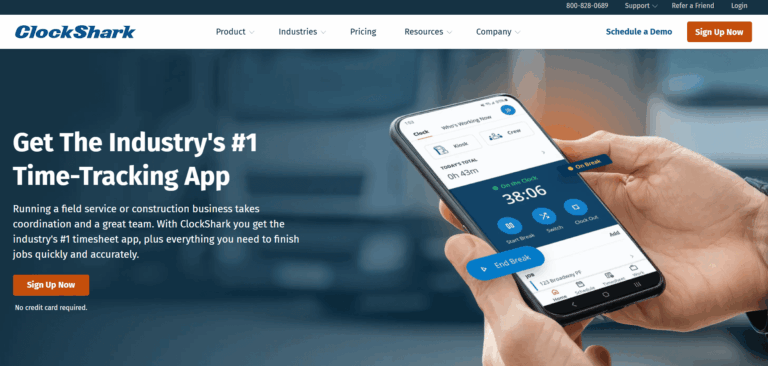
ClockShark is a mobile time tracking and scheduling platform designed for field service businesses and construction contractors with small to mid-sized teams.
Best Suited For: It’s best for smaller contractors who want simple, GPS-based time tracking and don’t need verified identities. It works well for:
- Contractors who trust their crews and prioritize ease of use
- Teams with personal smartphones and stable mobile coverage
- Admins who review time manually before payroll
- Companies that want drag-and-drop scheduling and job tracking, without biometric controls
Key Features Summary
- Mobile Time Clock
- GPS Tracking
- Geofencing
- Mobile Time Clock
- Photo Verification
- Kiosk Mode
- Scheduling
- Job Costing
- Time Off Tracking
Key Features
- Mobile Time Clock: One-tap clock-in/out via iOS and Android apps
- GPS Tracking: Location verification at clock-in
- Geofencing: Automatic clock-in reminders when arriving at job sites
- Photo Verification: Optional photo capture at clock-in (not facial recognition)
- Kiosk Mode: Shared device mode for crew clock-in without individual phones
- Scheduling: Drag-and-drop scheduling, assign jobs to workers or crews
- Job Costing: Track time by job and task, labor cost reporting
- Time Off Tracking: PTO requests and approvals, vacation/sick time management
- Break Management: Configurable break rules and automatic deductions
- Overtime Tracking: Automatic overtime calculations based on state/federal rules
- Who’s Working: Real-time dashboard showing who’s clocked in and where
- Time Card Editing: Supervisor review and approval with edit audit trails
- Offline Mode: Limited offline functionality with sync when connection restored
Integrations
- QuickBooks
- Xero
- Sage
- ADP
- Gusto
- Paychex
- Foundation
- Procore
- Zapier integration available for connecting additional tools
- API available for custom integrations
Pricing
Plan | Price | Key Features |
Standard | $9/user/month + $40/month base fee | Core time tracking, GPS, scheduling |
Pro | $11/user/month + $60/month base fee | Geofencing, kiosk mode, advanced reporting |
14-day free trial available (no credit card required). Annual billing offers discounts.
Pros and Cons
Cons
- Not a construction specific solution
- No biometric or facial verification, increasing fraud risk
- Workers can select job codes, which may reduce cost tracking accuracy
- No physical time clock or kiosk option for jobsites without smartphones
- Not purpose-built for union, prevailing wage, or compliance-heavy environments
- App uses breadcrumb tracking which raises privacy concerns for field teams
Pros
- Clean mobile UI and easy setup for field teams
- Affordable for small to mid-sized contractors
- Strong scheduling tools and job-based tracking
- Reliable GPS location tagging
Reviews
4.7/5
3.9/5
2.9/5
#9 - AlignOps
Overview
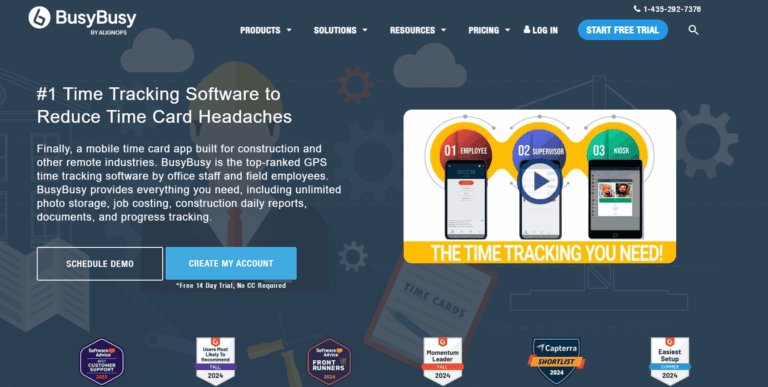
AlignOps is a mobile time tracking and GPS tracking app designed for small to mid-sized construction contractors and trades professionals.
Best Suited For: AlignOps (BusyBusy) works well for smaller construction firms or subcontractors who want affordable mobile time tracking with GPS. It’s a good fit for:
- Smaller contractors that have 100 employees or fewer
- Contractors that require heavy equipment tracking
- Crews that move between jobsites and need location verification
- Small construction firms looking for an affordable GPS-tracking solution
- Teams that want to attach photos and track equipment alongside labor hours
Key Features Summary
- Facial Recognition
- GPS Tracking
- Geofencing
- Mobile Time Clock
- Equipment Tracking
- Job Costing
- Break Tracking
- Overtime Calculations
- Mileage Tracking
Key Features
- Facial Recognition: Photo-based facial recognition at clock-in (requires pre-uploaded photos of workers)
- GPS Tracking: Real-time location tracking
- Geofencing: Automatic alerts when workers enter/leave job sites
- Mobile Time Clock: One-tap clock-in/out via iOS and Android apps
- Equipment Tracking: Track equipment location and usage hours
- Job Costing: Time tracking by job and cost code
- Break Tracking: Configurable break rules and deductions
- Overtime Calculations: Automatic overtime based on state/federal rules
- Scheduling: Basic scheduling and job assignments
- Mileage Tracking: Log mileage for reimbursement
- Reporting: Timesheet summaries, labor reports, job cost reports
Integrations
- QuickBooks
- Sage 100 Contractor
- Sage 300 CRE
- Foundation
- Procore
- ComputerEase
- Jonas
Limited integration ecosystem compared to larger competitors.
Pricing
Plan | Price | Key Features |
Free | $0 | GPS time tracking, job costing, equipment tracking, unlimited users |
Pro | $9.99/user/month + $40/month base fee | GPS breadcrumbing, supervisor tools, daily sign-offs, photos & notes, scheduling |
Premium | $14.99/user/month + $40/month base fee | GPS breadcrumbing, supervisor tools, daily sign-offs, photos & notes, scheduling, documents, daily project reports, progress tracking, checklists, team messaging, video & photo markups, zapier, PPE scans |
14-day free trial available. Pricing designed for smaller teams (20-100 employees).
Pros and Cons
Cons
- Not built for large contractors with large crews
- Facial recognition is only available in kiosk mode
- Complex due to the number of options available for workers to select
- Limited customization for larger or more complex operations
- May not support all compliance needs for union or prevailing wage projects
- App uses breadcrumb tracking which raises privacy concerns for field teams
- Relies heavily on internet connectivity
Pros
- Pricing & functionality is very geared for contractors under 100 employees
- Easy to learn and quick to set up for field crews
- GPS verification helps prevent location-based fraud
- Includes a free version with basic time tracking features
- Offers lower-cost plans than most competitors
- Kiosk mode photo capture at clock-in
Reviews
4.5/5
4.1/5
4.0/5
#10 - Raken

Overview
Raken is a cloud-based construction management platform founded in 2013, primarily known as the industry’s top-rated daily reporting solution. After nearly 10 years focused exclusively on daily reports, Raken added time tracking capabilities in 2023.
Best Suited For: Raken is best for general contractors that prioritize project documentation and reporting rather than time tracking. It’s a fit for:
- Companies managing multiple subcontractors across jobsites for manpower tracking
- Foremen who need a quick way to submit crew hours and daily updates
- Contractors who want daily logs primarily but time tracking as an addition
- Companies that don’t need detailed individual worker verification
Key Features Summary
- Time Tracking (Three Methods)
- AI Photo ID Verification
- GPS & Geofencing
- Time Management
- Daily Reporting
Key Features
- Time Tracking (Three Methods): Supervisor timecards (crew entry), personal time clock (individual mobile), kiosk mode (shared device)
- AI Photo ID Verification: Selfie verification at clock-in/out, basic photo matching to prevent buddy punching
- GPS & Geofencing: Location stamping, custom project radius, prevent clock-in outside geofence, flag workers who leave while clocked in
- Time Management: Roll over previous day’s data, cost code allocation, overtime rules, break tracking, Spanish language toggle
- Daily Reporting: Digital reports with photos/notes/weather, labor hours, equipment logs, production quantities, offline mode (last 5 projects)
- Super Dailies: Consolidate all subcontractor reports into one update
- Safety & Quality: 100+ safety templates, custom checklists, toolbox talks, incident tracking
- Production Tracking: Labor, materials, equipment tracking with quantities and photo timestamps
- Document Management: Centralized storage, bulk uploads, keyword search, cloud integrations
- Communication: Team messaging, photo sharing, note attachments
- Reporting: Project summaries, time/equipment/production/safety/quality/compliance/manpower reports
Integrations
- QuickBooks Online
- Sage 300 CRE
- Paychex
- Procore
- Autodesk
- Google Drive
- Dropbox
- Microsoft OneDrive
- Microsoft Excel
Pricing
14-day free trial mentioned but implementation details unclear.
Pros and Cons
Cons
- Raken's primary focus is field reporting and project documentation rather than detailed time tracking
- No individual clock-ins; foremen enter time for crews, which doesn't prevent buddy punching or inaccurate time tracking
- No biometric verification
- Lacks job costing and fraud prevention features
- Workers can't clock in from their own phones
Pros
- Strong reporting tools beyond time tracking
- Simplifies documentation for foremen and site supervisors
- Centralizes labor hours, safety info, and project updates
- Integrates with common construction payroll platforms
Reviews
4.6/5
4.4/5
4.7/5
#11 - Connecteam

Overview
Best Suited For: Deskless workers across industries (not construction-specific), small businesses under 200 employees, teams needing all-in-one communication and scheduling platform. Less suitable for large construction operations or companies requiring biometric verification and construction-specific workflows.
Key Features Summary
- Time Tracking (Multiple Methods)
- Time Management
- GPS & Geofencing
- Workforce Management
- Photo Capture
Key Features
- Time Tracking (Multiple Methods): One-touch clock in/out via mobile app or kiosk mode, GPS location stamping at every clock event, automated timesheet generation
- GPS & Geofencing: Location verification, custom geofence per job site, ensure workers are at designated locations, prevent off-site clock-ins
- Time Management: Employee scheduling, shift management, break tracking with automatic deductions, overtime calculations, time-off management and approval workflows
- Workforce Management: Task management, team communication tools, document storage, training modules, HR management capabilities
- Photo Capture: Face ID available through kiosk app (captures photos only, no biometric comparison or identity verification)
Integrations
- QuickBooks
- Xero
- GustoADP
- API access is available for custom integrations
Pricing
Connecteam offers a free plan for up to 10 users with basic features.
Plan | Price | Key Features |
Basic | $29/month for up to 30 users ($0.8 / month for each additional user) | Core time tracking features |
Advanced | $49/month for up to 30 users ($2.5 / month for each additional user) | Geofencing, breadcrumb tracking, advanced GPS capabilities |
Expert | $99/month for up to 30 users ($4.2 / month for each additional user) | All advanced features plus expert-level functionality |
Enterprise | pricing plan customized for your business |
Additional users beyond 30 incur per-user charges. Geofencing, breadcrumb tracking, and advanced GPS capabilities only available in Advanced and Expert plans.
Pros and Cons
Cons
- Not a construction specific solution
- Face capture does not include biometric verification to prevent buddy punching
- Many essential features require upgrading to higher-tier plans
- Pricing structure becomes expensive as team size grows
- Requires stable internet connection
- App uses breadcrumb tracking which raises privacy concerns for field teams
- Limited functionality in free and basic plans
- Some users report a steep learning curve for advanced features
- Mobile experience can be inconsistent
Pros
- User-friendly interface across desktop and mobile devices
- Comprehensive all-in-one solution
- Effective geofencing prevents off-site clock-ins
- Free plan available for small businesses
- Works well for construction teams with 10-200 employees
Reviews
4.6/5
4.8/5
4.9/5
What to Look for in a Time Tracking Solution
Not all construction time tracking software is built the same. Here’s what actually matters in the field versus what sounds good in a sales deck.
Core Features (Non-Negotiable)
These aren’t “nice-to-haves.” Without these, you’re buying a system that won’t work in real construction conditions.
1. Biometric Verification (Not Just Facial Recognition)
What it is: Confirms worker identity using unique physical characteristics – facial matching or fingerprints.
CRITICAL DISTINCTION: Facial VERIFICATION vs. Facial RECOGNITION
- Facial Recognition: Identifies WHO you are from a database (security/privacy concern)
- Facial Verification: Confirms you MATCH your previous photos (privacy-safe, no stored identifying data)
Why it’s core: Buddy punching costs the average company 2.2% of gross payroll (APA). For a contractor with $5M in annual payroll, that’s $110,000 lost every year. You need this stopped. Completely.
Must-haves:
- Works without photoshoot requirement (self-learning system)
- Functions in poor lighting, with hard hats and safety glasses
- Instant feedback (green/red verification)
- Works alongside gloves (for facial systems)
- Privacy-safe (verification only, not identification)
Watch out for:
- Fingerprint-only (fails with gloves, calluses, dirty hands)
- Requires perfect photo setup (won’t work in field)
- Facial recognition that identifies people (legal/privacy issues)
2. GPS Location Tracking and Geofencing That Actually Works
What it is: GPS tracks worker location continuously. Geofencing creates virtual boundaries around jobsites, restricting where workers can clock in/out. Breadcrumbs track worker locations, raising privacy concerns especially when the worker is using their personal phone.
Why it’s core: You need proof workers are actually on-site when clocking in. Without this, you’re back to trusting self-reported locations.
Must-haves:
- Precise GPS accuracy (within 30 feet minimum)
- Customizable geofence shapes (jobsites aren’t perfect circles)
- Works offline
- Ability to put in coordinates (Lat/Long) when creating a job
Watch out for:
- Circular-only geofences (doesn’t fit actual boundaries)
- Requires constant signal (fails in steel buildings)
- Breadcrumb tracking- there are benefits to breadcrumb tracking, but also real privacy concerns for workers. Not recommended unless you are providing the worker a company issued phone.
3. Excuse-Free Design For Construction Crews
What it is: System eliminates every common excuse workers give for not tracking time accurately.
Why it’s core: The most feature-rich system in the world is worthless if workers resist using it. Adoption is everything.
Common excuses this eliminates:
- “I forgot to charge my phone” → Device stays on jobsite, solar powered
- “WiFi wasn’t working” → Built-in LTE cellular connectivity
- “My gloves were on” → Facial verification or fob option
- “I don’t want work apps on personal phone” → Shared kiosk device
- “It’s too complicated” → One-tap clock-in interface
- “I forgot my fob” “I forgot my employee ID→ Worker enters phone number
Must-haves:
- Device lives on jobsite permanently (not carried daily)
- Solar or plug-in power options (eliminates charging hassle)
- Built-in cellular connectivity (no WiFi dependency)
- Works with gloves and dirty hands
- Setup completes in under 5 minutes
- Zero training required for workers
- Eliminates worker excuses for not clocking in
4. Seamless Payroll Integration
What it is: Time data flows directly into your payroll system without manual entry, calculation, or formatting.
Why it’s core: This is literally the end goal of time tracking. Hours need to become paychecks. If you’re manually entering data, you’ve just created an expensive headache.
Must-haves:
- Native integration with YOUR specific payroll provider
- Two-way sync capabilities (not just one-way export)
- Automatic overtime calculations per your rules
- Break tracking and automatic deductions
- Construction ERP compatibility (Procore, Vista, CMiC, Foundation)
Critical integrations:
- QuickBooks (Online & Desktop)
- Procore (if you use it)
- Foundation, ViewPoint, or your ERP
- ADP, Gusto, or Paychex (your payroll provider)
Watch out for:
- Manual export/import process
- Limited to generic CSV files
- No overtime calculations
- Can’t handle your specific pay rules
Nice-to-Have Features (Valuable Additions)
These aren’t required for basic time tracking, but they transform your operation from “tracking time” to “managing labor profitably.”
1. True Offline Capability
What it is: System continues tracking time and location even without internet connection, automatically syncing when connection is restored.
Why it’s valuable: Not every jobsite needs this – but if you work in steel buildings, underground, basements, or remote areas, this is actually core for YOU.
What to look for:
- Tracks time continuously offline (not just caches last sync)
- Stores GPS data locally on device
- Zero data loss during offline periods
- Workers can clock in/out with no connectivity
When you need this:
- Steel buildings or metal structures
- Underground work (tunnels, basements, parking structures)
- Remote rural areas with no cell service- typical in data centers or solar projects
- Sites where WiFi isn’t reliable
2. Real-Time Job Costing
What it is: Time clock system automatically allocates labor hours to specific projects and cost codes, calculating actual labor costs as work happens – not days later.
Why it’s valuable: Know if you’re profitable BEFORE the job ends. Catch budget overruns when you can still fix them. Bid future jobs with actual data instead of guesses.
What to look for:
- Time keeping system imports cost codes
- Time keeping system imports worker information
- Real-time labor cost dashboard (not daily updates)
- Budget vs. actual comparisons
- Reports by project, worker, cost code, date range
- Historical data exports for estimating
The ROI: Contractors using real-time job costing catch overruns 2-3 weeks earlier on average. That’s 2-3 weeks to adjust crew size, change approach, or document reasons for change orders.
Watch out for:
- Limited to 10-20 cost codes (you’ll run out immediately)
- Manual allocation required (admin assigns hours later)
- No real-time updates (defeats the purpose)
3. Advanced Construction Employee Accountability Features
What it is: Beyond basic verification – photo capture at every punch, detailed activity logs, automatic alerts for suspicious patterns.
Why it’s valuable: Shifts time tracking responsibility from foreman to individual workers. Foremen shouldn’t spend 10+ hours weekly chasing timesheet corrections.
What to look for:
- Workers check themselves in/out (not foreman entering for crew)
- Photo capture at each clock-in (dispute resolution)
- Automatic alerts for suspicious activity (face not matching, doesn’t match scheduled hours)
- Workers can view their own time immediately without needing to download an app (transparency)
- Detailed audit trails (who changed what, when)
- Tracks tardiness and missed shifts (eliminate payroll re-runs & accountability)
The shift this creates:
- Old way: Foreman fills out crew timesheet from memory at week’s end, payroll chases the foremen to submit time, some workers time is missed and some have time from two different projects on the same day, payroll team processes payroll, some workers didn’t get paid, payroll has to re-run payroll, some workers got paid when they were on PTO, no one finds out.
- New way: Each worker is accountable for their time, system performs facial verification to eliminate buddy punching, foreman assigns cost codes & approves time, super or project manager do a final approval, exceptions are tracked, accountability is easy
What Is a Time Tracking App For Construction?
A construction time clock app is software that records when employees start and stop work, tracks what projects or tasks they’re working on, and calculates total hours worked. The data then flows to payroll systems, job costing reports, and client billing.
In construction specifically, construction time tracking apps solve a challenge that’s existed for decades: getting accurate work hours from crews spread across multiple job sites, often in locations without reliable connectivity or office infrastructure.
The basic purpose:
- Replace paper timesheets, spreadsheets, and manual data entry
- Eliminate buddy punching & approve timesheets faster
- Provide real-time visibility into who’s working where
- Create records for payroll processing
- Generate documentation for client billing and compliance
- Track labor and productivity daily
- Feed accurate labor data into job costing systems
Why construction is different: Hourly workers in restaurants or retail show up at the same location every day in a finished building. Construction workers show up to jobsites that might not have power yet, work in weather that destroys electronics, and wear PPE that makes certain technologies impractical.
That’s why construction time tracking apps look different than what works in other industries – and why many construction companies still use paper despite knowing its limitations.
How Does The Time Tracking App Work?
Time tracking apps follow a basic workflow: capture time → verify accuracy → Assign cost codes → route for approval → send to payroll. But the devil’s in the details – specifically, how that time gets captured in the first place.
Common time capture methods:
Badge/fob systems: Workers tap or scan a physical card or keychain fob against a reader. Simple and fast, but buddy punching remains an issue – one worker can easily clock in their absent coworker.
Time tracking apps: Workers download an app to their mobile devices, open it, and clock in/out. Some include GPS tracking to verify location. The challenge: requires workers to have smartphones, remember to charge them, and actually use the app consistently.
Biometric time clock devices: Fixed hardware installed at jobsites using fingerprints, facial scans, or hand geometry to verify identity. Workers physically interact with the device to clock in. The upside: harder to cheat. The downside: can fail with gloves, dirty hands, or harsh conditions.
Kiosk mode: A tablet or device shared by the crew, where workers enter their ID or PIN to clock in. Common for smaller operations, though it creates a bottleneck when 15 people try to clock in at once.
The typical timekeeping workflow:
- Worker clocks in at the jobsite
- Time data transmits to a central system (immediately or when connectivity allows)
- Foreman or project manager reviews and assigns cost codes
- Supervisor approves the timesheet
- Data exports to payroll and ERP systems
What varies by solution:
- Whether data syncs in real-time or batches later
- How much manual input is required (cost codes, breaks, equipment)
- Whether the system handles compliance calculations automatically (prevailing wage, union rates, overtime)
- How easily it integrates with existing payroll processing and accounting systems
The best systems minimize what workers and foremen have to do manually, because every extra step is another chance for the system to fail when it matters most.
Benefits of Construction Time Tracking Software
1. Accurately track work hours on field
Buddy punching, rounded employee hours, and time theft cost contractors thousands per worker annually. When workers manually report their own hours or foremen enter time from memory, the numbers tend to creep upward. Digital time tracking with verification creates accountability – workers clock their actual hours, not what they remember or intended to work.
2. Streamlined payroll processing
Paper timesheets mean someone in the office is manually entering hundreds of employee hours into payroll software every week. That’s 10-15 hours of data entry, plus the inevitable errors that require corrections. Automated time tracking feeds payroll systems directly, cutting processing time from days to hours.
3. Accurate project costs (finally)
You can’t manage what you can’t measure. When labor hours are wrong or cost codes are assigned incorrectly, your job costing reports are fiction. Real-time time tracking apps show you which phases are over budget while you can still do something about it, not three weeks after the damage is done.
4. Win T&M disputes
In the construction industry, Time and Material billing requires proof. When clients question your invoice, “trust me” doesn’t hold up. Biometric and objective time tracking with timestamps, location verification, and photo documentation gives you audit-ready records that clients can’t easily dispute.
5. Real-time visibility across sites
When you’re running multiple jobsites, you need to know right now how many workers are where. Not tomorrow when timesheets come in. Real-time tracking lets you redistribute labor, catch attendance issues, and make decisions based on what’s actually happening.
6. Better crew management
Foremen shouldn’t spend hours each week reconstructing who worked on what. Effective time keeping software removes that burden, letting them spend minutes a day verifying punches and assigning cost codes. They can focus on leading the crew instead of chasing paperwork. Plus, when workers are accountable for their own time, it changes the dynamic – foremen aren’t enforcers anymore.
7. Reduce admin overhead
Between chasing down missing timesheets, correcting payroll errors, handling disputes, and reconciling employee hours with job budgets, your foremen and office staff spend significant time on time-related admin work. Automation doesn’t eliminate their role – it removes the tedious parts so they can focus on analysis and exceptions.
8. Compliance documentation
Prevailing wage jobs, union agreements, certified payroll – the construction industry has compliance requirements that others don’t. Timekeeping software that automatically calculates and documents required labor costs reduces audit risk and makes compliance reporting straightforward instead of painful.
9. Historical data for better estimating
When you track hours by phase and task, you build a database of real production rates. That data makes your estimates more accurate over time, helping you bid more competitively while protecting margins.
10. Catch problems early
When you see a crew running 20% over budget in week two of a twelve-week project, you can investigate and adjust. When you find out three months later during billing, you’re just documenting the loss. Real-time data turns job costing from a rearview mirror into a dashboard.
How Much Does a Construction Time Clock App Cost?
Pricing for a construction time clock app varies widely based on what you’re actually getting. Here’s what to expect:
Mobile-only time tracking apps: $5-15 per user/month
Basic time clock apps that workers download to their phones. Usually includes GPS tracking, photo capture, and simple time entry. Lower upfront cost, but requires workers to have smartphones and reliable connectivity.
Cloud-based platforms: $8-25 per user/month
More robust software with specific features for the construction industry like job costing integration, compliance calculations, and reporting. Often includes kiosk mode for shared devices. Pricing typically scales down with larger user counts.
Hardware-based systems: $50-500 per device + $5-15 per user/month
Physical time clocks or biometric devices installed at job sites. Higher upfront investment, but better for larger crews where mobile-only solutions create adoption challenges. Hardware costs vary based on ruggedness and features (biometric verification, weatherproofing, connectivity options).
Enterprise solutions: Custom pricing
Systems designed for contractors with 500+ employees, multiple states, complex union agreements, or heavy integration requirements. Often includes dedicated support, custom reporting, and implementation services. Expect 80,000+ annually depending on scale.
What affects the price:
- Number of users: Most vendors charge per active user
- Hardware requirements: Devices, tablets, or biometric readers add to initial cost
- Integration complexity: Connecting to your ERP, payroll, or project management systems may require professional services or an integration fee
- Support level: Basic email support vs. dedicated account management
- Compliance features: Prevailing wage calculations, certified payroll reporting, union rate tables
- Add-on modules: Equipment tracking, material management, safety documentation
Hidden costs to watch for:
- Setup and implementation fees (often $1,000-10,000)
- Training costs if workers need extensive onboarding
- Data migration from legacy systems
- Hardware replacement or repair
- Integration maintenance as your other systems update
- Per-transaction fees for certain features (some vendors charge per export or API call)
The real question isn’t “What’s the cheapest option?”
It’s “What’s the total cost of continuing without accurate timekeeping?”
If time fraud costs you $4,000+ per worker annually, and manual payroll errors burn 800 hours of admin time, a $15/user/month solution that actually works pays for itself in the first month. A $5/user/month solution that your crew won’t use costs you everything you’re losing now, plus the subscription fee.
Focus on ROI, not sticker price. Calculate what inaccurate time tracking currently costs you – in time theft, admin overhead, billing disputes, poor project tracking and bad job costing data. Then compare that to the total cost (software + hardware + implementation) of fixing it.
How To Choose The Best Time Tracking Software?
Choosing time tracking software isn’t about finding the “best” solution – it’s about finding the right fit for your operation. Here’s what actually matters:
1. Start with your workforce structure
How you staff jobs determines what will work:
- All W-2 employees? You have more control over adoption. Mobile time clock apps or hardware are both viable.
- Heavy temp labor or hourly subs? You need something workers can use without downloading apps or pre-enrollment. Hardware or kiosk solutions work better.
- Union crews? Look for time clock solutions that handle union rate tables, certified payroll, and 5/8s or 4/10s schedules automatically.
- Multiple small sites vs. fewer large sites? Small distributed crews need mobile flexibility. Large centralized crews benefit from fixed hardware.
2. Face your adoption reality
Be honest: Will your workers actually use this consistently?
The #1 reason time tracking fails isn’t bad software – it’s that workers won’t use it. Ask yourself:
- Do your workers have smartphones they’re willing to use for work?
- Will they remember to charge devices and open apps?
- Are they tech-comfortable or tech-resistant?
- What percentage of your crew speaks English as a second language?
If you’re not confident about adoption, prioritize construction time clock apps that require minimal worker training and work without phones.
3. Match your jobsite conditions
Where are your construction teams actually working?
- Indoor with WiFi? Most solutions will work.
- Low connectivity- Parking structures, basements, rural sites? Your time clock needs to have built-in connectivity (LTE) or reliable offline sync.
- Extreme weather? Consumer-grade tablets won’t survive. Look for IP65+ rated hardware.
- Workers wearing gloves? Fingerprint scanners are a non-starter. Facial verification or badge systems only.
Choose technology that matches reality, not ideal conditions that don’t exist on your sites.
4. Determine your verification requirements
How much fraud prevention do you need?
- Low concern? Simple PIN or badge systems work.
- Moderate concern? Photo capture or GPS verification.
- High concern (temp labor, T&M billing)? Biometric verification (facial or fingerprint) with location tracking.
5. Evaluate integration requirements
What systems need to talk to each other?
List your current tech stack:
- Payroll system (ADP, Paychex, etc.)
- ERP/accounting (Viewpoint, Foundation, Procore, etc.)
- Project management tools
- HR systems
Then ask vendors:
- Do you have native integrations or just CSV exports?
- How often does data sync (real-time vs. batch)?
- Who maintains the integration when systems update?
- Are there additional fees for API access?
Bad integrations = manual data entry = the problem you’re trying to solve.
6. Calculate true total cost
Don’t just look at monthly fees for the construction time clock apps. Check out the following:
- Initial hardware costs
- Implementation and setup fees
- Training time (worker hours × hourly rate)
- Integration development or customization
- Ongoing support costs
- User licenses (do inactive workers count?)
Then calculate cost of inaction:
- Current time fraud/buddy punching losses
- Admin hours spent on manual entry
- T&M billing disputes you’ve lost
- Bad job costing leading to unprofitable bids
ROI should be measurable in months, not years.
7. Test with your actual crew
Don’t buy based on demos in comfortable offices.
Run a pilot:
- Install on an active job site
- Use with real workers
- Foreman practice daily verification and cost coding- 5 min a day
- Test in actual weather conditions
- Let workers and foremen give feedback
- Track adoption rates daily for 2-4 weeks
Make clocking in mandatory, it’s how the worker gets paid.
8. Plan for scale and change
Where are you headed?
- Will you grow from 3 sites to 15?
- Planning to expand into new states?
- Adding new trades or service lines?
- Increasing project complexity?
Choose time clock apps that can grow with you. Outgrowing software in 18 months means another expensive replacement cycle.
9. Assess vendor stability
Tech companies fail regularly or expand into industries that they cannot adequately support.
Check:
- How long have they been in business?
- Do they specialize in construction or is it one of many industries they serve?
- How many construction customers do they have? (Ask for references)
- What’s their product roadmap?
You’re not just buying a time clock solution for accurate time tracking – you’re betting on a vendor relationship that needs to last years.
10. Read the actual contract
What happens when things go wrong?
- What’s included in “support”? (Email only? Phone? Response SLA?)
- Can you export your data if you leave?
- What happens if they’re acquired or shut down?
- Are price increases capped?
- What’s the cancellation process?
What Is a Time Tracking App For Construction?
A construction time clock app is tracking software that records when construction crews start and stop work hours, track hours spent on tasks, and manage employee schedules. The data then flows to payroll systems, job costing reports, and client billing.
In the construction industry specifically, construction time tracking apps solve a challenge that’s existed for decades: getting accurate time tracking of employee hours from construction crews spread across multiple job sites.
The basic purpose:
- Replace paper timesheets and manual data entry
- Eliminate buddy punching & approve timesheets faster
- Provide real-time visibility into who’s working where
- Create records for payroll processing
- Generate documentation for client billing and compliance
- Feed accurate labor data into job costing systems
Why construction is different: Office employees clock in at a desk with WiFi and a computer. Construction crews show up to jobsites that might not have power yet, work in weather that destroys electronics, and wear PPE that makes certain technologies impractical.
That’s why construction time tracking apps look different than what works in other industries – and why many construction companies still use paper despite knowing its limitations.

Construction Time Tracking FAQs
What's the best way to track hours for construction companies?
It depends on your crew size and construction projects. For larger construction crews – think 10+ workers – hardware-based time clocks work way better than mobile devices or time tracking apps. Here’s why: try getting 30 construction workers to all clock in on their phones at 6 AM while managing employee schedules.
For smaller or mobile crews, a mobile app with geo-fencing can work fine if it’s set up right.
The real issue though? Worker accountability and preventing buddy punching. When a foreman is entering construction time for the whole crew instead of using accurate time tracking, you’re getting their best guess, not verified employee hours that accurately reflect time spent on site.
How should construction time clock app handle overtime and break calculations?
Automatically. Period. Manual calculations just don’t scale and you’re opening yourself up to compliance risks.
You need to automate state-specific overtime rules because California’s daily OT is completely different from Texas’s weekly OT. Same with prevailing wage calculations – they vary by location and trade. Then you’ve got union versus non-union classifications, meal break requirements by state, and you should be getting real-time alerts when workers are approaching overtime thresholds.
If you’re a union contractor, it’s a bit different. You’re typically locked into 5/8s or 4/10s pay structures, so the focus shifts from tracking every single minute to just documenting presence and managing tardiness or early departures for accountability – not payroll deductions.
And if you’re running multi-state operations? Your complexity just compounds because Arizona’s rules are different from Texas’s rules. Pick a system that handles this stuff automatically instead of making you set up manual rules for every location.
What time tracking systems work with QuickBooks?
Most construction time tracking software handles QuickBooks Workforce Mobile App and QuickBooks Online Payroll Premium through CSV exports rather than direct integrations. This is standard across the industry because QuickBooks wasn’t built specifically for construction’s complex job costing and cost code structures.
Here’s what that means: Your time tracking software generates formatted CSV files that can be imported into your payroll software or accounting software. While this requires one extra step compared to native integration, it’s reliable and maintains data accuracy for payroll processing.
Here’s something to think about though: QuickBooks becomes a bottleneck for payroll processing once you scale past 100-200 workers. So if you’re growing, choose time tracking that also integrates with construction ERPs like Vista, Foundation, CMiC, Spectrum, or Acumatica. That way you don’t have to switch systems when you eventually upgrade your accounting platform.
How do construction time tracking apps reduce labor costs?
Three main ways: eliminating time theft, cutting admin time, and improving resource allocation.
On time theft, even honest workers round up. Someone arrives at 6:17, it becomes 6:00 on paper. Multiply that by 200 workers over a year and you’re looking at 10-15% reduction in payroll costs just from accurate capture.
For admin efficiency, manual timesheet entry, reconciliation, and payroll processing typically eats up 800+ hours annually for a 200-person operation. Real-time capture reduces this to hours instead of days.
Better resource allocation comes from real-time visibility across job sites. You can move crews where they’re actually needed, identify productivity issues immediately instead of after they’re baked into your costs, and track performance by cost code to make informed staffing decisions.
For T&M contractors specifically, preventing just one disputed $50K invoice pays for years of time tracking systems. You’re protecting revenue, not just reducing costs.
The ROI comes fast in construction – typically 30-60 days – because the problems are expensive and the fixes are immediate.
How do you manage time across multiple jobsites?
Most contractors in the construction industry struggle with this because you can’t track time across multiple job sites when you can’t see employee hours in real-time using accurate time tracking. You end up with different processes per site creating inconsistent data, next-day visibility that’s too late to make corrections, and payroll becoming this 2-3 day reconciliation nightmare.
What works? A real-time dashboard showing current headcount across multiple sites, automated time clock capture instead of paper timesheets, GPS location tracking with geo-fencing to confirm construction workers are at the correct locations on site, and the ability to track project progress and approve timesheets efficiently.
If you’re running multi-state operations, it gets even more complex. Prevailing wage rates, overtime rules, compliance requirements – they all vary by state. Your system should handle these automatically, not through spreadsheet formulas or manual calculations.
What are the most common time tracking mistakes?
Buddy punching and time theft are huge. Workers clocking in for absent colleagues. Prevention? Biometric verification.
Foremen entering time from memory is another big one. You’re getting estimates, not facts – especially bad for T&M billing. The fix is having workers clock themselves and foremen just review and approve daily.
Time theft – early departures, extended breaks – compounds across large crews. You need geo-verified check-in and check-out with timestamps.
Inaccurate cost codes ruin your job costing and make future estimates unreliable. Foremen should be assigning cost codes daily in about 5 minutes, not days later from memory.
Manual lunch break calculations lead to inconsistent application and compliance risks. Just automate the deductions based on state rules and shift length.
Slow payroll processing – when you’re spending 2-3 days reconciling per pay period. Real-time data flow from field to payroll system fixes this.
Poor T&M documentation causes client disputes and lost revenue because you have no backup for billed hours. You need timestamped, geo-verified data with photo documentation.
And treating all trades the same – union rules aren’t the same as non-union rules, and prevailing wage varies by trade. Your system should automatically apply the correct rules by worker classification.
Detailed Scoring Breakdown
SmartBarrel - 95/100 (Outstanding)
Disclosure: As the publisher of this methodology, we’ve evaluated our own product using the same criteria applied to competitors. We’ve documented our assessment transparently and encourage readers to verify these capabilities through demos and customer references.
Time Accuracy & Fraud Prevention: 19/20
Positive:
- Biometric AI-powered facial verification system
- Self-learning facial recognition (no pre-upload of photos required)
- GPS tracking with geo-fencing capabilities
- Easy visual verification indicators (green/red circles)
- Built-in LTE connectivity reduces offline data manipulation risks
- Self-registered fob system
- Complete audit trail functionality
Negative:
- 1 point deducted as no system can claim 100% fraud-proof status in all theoretical scenarios
Field Readiness & Deployment: 20/20
Positive:
- Under 1-minute setup time
- TimeClock 4.0 hardware: weatherproof, magnetic mounting, solar/electric powered
- Built-in LTE connectivity (no WiFi dependency)
- Works with PPE, gloves, welded fingerprints
- No worker phone requirement
- Works with or without fobs
- Device designed for permanent jobsite installation
- Three deployment options: hardware, kiosk mode, personal app
- Zero training requirement for workers
Construction-Specific Features: 19/20
Positive:
- Cost code tracking and hour-splitting capabilities
- Multi-site management with real-time visibility
- T&M billing documentation with GPS verification
- Union requirements support (4/10s, 5/8s schedules)
- Temp labor and hourly subcontractor tracking
- Weather reporting integration
- PPE detection capability
- Configurable lunch breaks and rounding rules
Negative:
- 1 point deducted as some specialized certified payroll features may require additional configuration
Integration Ecosystem: 14/15
Positive:
- Native integrations: Procore (Timesheets, Timecards, Daily Logs), CMiC (eTime & timesheets), Viewpoint Vista (Timesheets), PowerBI, Plexxis
- Compatible systems: Viewpoint Vista & Spectrum, Acumatica, CMiC, ECCS, QuickBooks Online & Desktop, Foundation, ComputerEASE, Jonas, COINS
- Integrations in development: Foundation, Acumatica, Viewpoint Spectrum, Sage Intacct
- Direct payroll system connections
Negative:
- 1 point deducted as some major integrations are still in development
Scalability: 15/15
Positive:
- Used by contractors with 100-5,000+ employees
- Multi-site operations supported (10+ jobsites simultaneously)
- Multi-state capabilities with varying labor law support
- Enterprise-grade real-time visibility architecture
- Customer references available for verification
User Experience & Support: 5/5
Positive:
- Verified review scores: Capterra 4.9/5, Google Play 4.1/5, Apple App Store 4.4/5
- Positive reviews from foremen and payroll on software and workflows
- Review analysis shows consistent praise for support quality
- Customer testimonials highlight support responsiveness
- 2-3 day average implementation timeline
- Dedicated training and onboarding services documented
Note: Review scores current as of December 2025
Value & Transparency: 3/5
Positive:
- ROI claims: $4,285+ savings per worker annually, 800+ hours saved on manual entry, first-month payback
- Transparent disclosure of third-party integration fees (CMiC, Plexxis charge annual API fees)
Negative:
- 2 points deducted because pricing is not publicly listed and requires a sales conversation. SmartBarrel prices are customized to each contractor’s workforce size, hardware needs, and integration complexity, which helps align cost to value but makes quick apples-to-apples price comparison harder for buyers.
Best Suited For:
SmartBarrel is ideal for mid to large contractors with 100+ employees, including Mechanical, Electrical, Concrete, Drywall, Solar, SoftCraft, and Glass & Glazing contractors that manage labor across multiple jobsites. Strong fit for:
- Contractors needing biometric verification vs. GPS alone
- Teams with mix of self-perform, temp, or contingent hourly labor
- Workers without smartphones (fob system available)
- Large jobsites: data centers, semiconductor plants, industrial projects, solar plants
- T&M projects requiring verified data for GCs/Owners
- Companies wanting to reduce admin work and streamline time tracking
- Teams needing real-time visibility into labor hours, job costing, and compliance
Buddy Punch - 81/100 (Very Good)
Schedule Logic & Accuracy: 16/20
Positive:
- Apple Face ID verification on the worker’s own device, with no admin photo library or reference image uploads required
- Face ID gates both the punch and the app login
- Available on every plan including Starter
- GPS on punch plus geofencing that blocks off-site punches
- Punch limiting and automatic punch out
- Overtime alerts fire before overtime is incurred
- State-mandated break scheduling with waiver note capture
- Foreman-level timecard approvals before payroll runs
Negative:
- 4 points deducted. Face ID is iOS only (iPhone X and later, iPad Pro 3rd generation and later), so Android users fall back to photos on punch, which requires manager review rather than device-level verification. Kiosk, QR, group punch, and text-to-punch methods are not biometrically verified.
Field Readiness & Deployment: 15/20
Positive:
- True offline punching on Pro and Advanced, covering punch in, punch out, job code switching, and breaks with no connection
- Offline events queue and sync automatically, with GPS points syncing in batch
- Sync conflicts prompt the worker to retry or drop the event rather than overwriting a timecard silently
- Kiosk mode runs on any Apple or Android tablet for the trailer or gang box
- Text to punch by SMS covers workers without smartphones
- English and Spanish app interface
Negative:
- 5 points deducted. No ruggedized jobsite hardware, so the platform runs on crew-owned or company-supplied devices. Offline mode is a single-user, own-phone feature by design and is not supported for shared kiosk or QR punching. Offline requires Pro or Advanced.
Construction-Specific Features: 14/20
Positive:
- Job codes by project or customer, with workers switching codes through the day
- Labor hour and labor cost reports by project
- Variable pay rates by job, which is how prevailing wage differentials are handled on public works
- Geofences tied to job codes, so the perimeter assigns the correct job automatically instead of leaving foremen to correct codes afterward
- Real-time GPS with breadcrumb trails between sites
- Group punch for crew leads
- Break rules that block early clock-in
Negative:
- 6 points deducted. Certified payroll is handled through Deltek, Viewpoint, and ADP exports rather than generated natively. Based on publicly available documentation at time of writing, the platform is built to serve multiple industries, so per diem, equipment tracking, and union rate tables sit outside the product.
Integration Ecosystem: 14/15
Positive:
- 19 payroll and accounting integrations including QuickBooks Online and Desktop, ADP Workforce Now, Deltek, Gusto, iSolved, Paychex, Paycor, Paylocity, Rippling, TriNet, ViewPoint, and Workday
- Deltek and ViewPoint connect to construction accounting systems
- Open REST API and Zapier
- SSO through Google, Apple, Okta, and OneLogin
Negative:
- 1 point deducted. Two of the 19 integrations are construction-specific systems, fewer than platforms with broader construction ERP coverage.
Scalability: 12/15
Positive:
- Over 10,000 businesses using the platform
- Unlimited free admin and manager accounts on every plan, so cost scales with field headcount rather than office headcount
- Kiosk mode plus individual mobile punching supports mixed crew structures
Negative:
- 3 points deducted. Limited public documentation of large-crew construction deployments. Absence of hardware means very large stationary crews depend on device availability.
User Experience & Support: 5/5
Positive:
- Capterra 4.8/5 from 1,124 reviews, with ease of use 4.8, customer service 4.8, features 4.7, and value for money 4.8
- G2 4.8/5 from 388 reviews
- Google Play 4.4/5 from 417 ratings with over 100,000 downloads
- Highest verified review volume of any platform in this comparison
Value & Transparency: 5/5
Positive:
- Fully public pricing across all tiers with both annual and monthly rates listed
- $19/month base fee, lower than most competitors
- 14-day free trial with no credit card required
- Unlimited admin and manager accounts included
- Add-on pricing disclosed publicly (payroll, real-time GPS, scheduling)
Best Suited For:
Buddy Punch is best for contractors running crews on their own iPhones who want verified punches, job-coded geofences, and prevailing wage rate handling without buying jobsite hardware.
- Teams where most workers carry an iPhone and are willing to use it for work
- Contractors who need labor hours by job code exported to Deltek, ViewPoint, or ADP
- Public works contractors needing different rates on prevailing wage codes
- Crews mixing English and Spanish speakers
- Operations that want kiosk punching from a trailer tablet alongside individual mobile punches
Workyard - 80/100 (Very Good)
Time Accuracy & Fraud Prevention: 14/20
Positive:
- GPS tracking with geofencing capabilities
- Photo ID verification at clock-in (photo capture, not biometric comparison)
- Offline tracking with synchronization when connectivity restored
- Auto-trim feature based on geofence exits
- Integrated mileage tracking
Negative:
- 6 points deducted – photo verification relies on visual comparison rather than biometric analysis; supervisor-led crew clock-in reduces individual accountability
Field Readiness & Deployment: 16/20
Positive:
- Mobile-first design with offline functionality
- One-tap clock-in interface
- Automatic jobsite detection
- Vendor emphasizes construction-tested GPS accuracy
Negative:
- 4 points deducted – no hardware option for large crews; some user reviews mention GPS accuracy issues in buildings with limited reception; requires all workers to have smartphone access
Construction-Specific Features: 17/20
Positive:
- Founder background: managed 700-worker contracting business
- Job costing by project and cost code
- Real-time labor cost tracking
- Overtime rules and break automation
Negative:
- 3 points deducted – vendor documentation shows limited features for prevailing wage and government project compliance requirements
Integration Ecosystem: 14/15
Positive:
- Payroll integrations: QuickBooks (Desktop/Online), ADP, Gusto, Paychex
- ERPs and construction platforms: Sage 300 CRE, Foundation, Procore, NetSuite, ComputerEase
- Developer API available
Negative:
- 1 point deducted – fewer native construction ERP integrations compared to category leaders
Scalability: 11/15
Positive:
- Company founded by contractor who managed large operations
- Suitable for mid-sized contractor operations
Negative:
- 4 points deducted – $50/month base fee creates cost barrier at small scale; some user reviews mention GPS tracking inconsistencies; limited documentation of enterprise-scale (1,000+ workers) implementations
User Experience & Support: 4/5
Positive:
- User reviews generally positive for construction use cases
- Interface designed specifically for construction workflows
Negative:
- 1 point deducted – some user reviews report GPS inaccuracies; battery drain concerns mentioned; reports of auto-clock-in issues when driving near jobsites
Value & Transparency: 4/5
Positive:
- Transparent pricing: $6/user/month (Starter), $13/user/month (Pro), plus $50/month base fee
- 14-day free trial offered (no credit card required per website)
- Clear explanation of tiers and features
Negative:
- 1 point deducted – base fee can be expensive for small teams; requires Pro tier for advanced features
Best Suited For:
Workyard is a good fit for contractors who want high-accuracy location tracking and detailed labor cost control. Works well for:
- Contractors who don’t need biometric verification
- Contractors who prioritize cost code tracking over fraud prevention
- Supervisors comfortable reviewing and approving time after the fact
- Teams who prefer mobile-first time tracking with GPS validation
- Jobsites where workers have reliable phone access and strong signal coverage
Arcoro Time - 77/100 (Very Good)
Time Accuracy & Fraud Prevention: 13/20
Positive:
- Hardware option: JobClock Hornet with badge/fob scanning capability
- Mobile app: Photo verification available
- GPS tracking via mobile application
Negative:
- 7 points deducted – vendor documentation shows hardware device uses fobs/badges without biometric comparison; physical fobs can be shared between workers or lost; photo verification only available via mobile app, not hardware device; fob-based system susceptible to buddy punching scenarios
Field Readiness & Deployment: 14/20
Positive:
- Weatherproof hardware available for field deployment
- Mobile app option for flexibility
- 25+ years serving construction industry
Negative:
- 6 points deducted – hardware requires external power source and internet connectivity; user reviews mention implementation complexity for larger organizations; fob management creates additional administrative overhead
Construction-Specific Features: 18/20
Positive:
- Extensive construction industry experience and knowledge
- Comprehensive cost coding and job costing capabilities
- Prevailing wage and certified payroll support documented
- Union contractor features
- Configurable break management and overtime rules
Negative:
- 2 points deducted – some interface elements and workflows reflect legacy system design compared to newer platforms
Integration Ecosystem: 15/15
Positive:
- Extensive integration library: 50+ platforms including QuickBooks, ADP, Paychex, Sage 100 Contractor, Sage 300 CRE, Foundation, Vista/Viewpoint, Spectrum, CMiC, Procore, ComputerEASE, Jonas
- Documented two-way integration capabilities
- Long-established partnership ecosystem
Scalability: 12/15
Positive:
- Proven implementations with large contractors
- Enterprise tier available for complex organizations
Negative:
- 3 points deducted – higher cost structure; some user feedback indicates implementation complexity for mid-sized operations
User Experience & Support: 4/5
Positive:
- Comprehensive support resources developed over 25+ years
- Extensive training materials and documentation
Negative:
- 1 point deducted – user reviews mention less modern interface compared to newer solutions; setup process described as complex by some customers
Value & Transparency: 1/5
Positive:
- Pricing structure: $8-10/user/month depending on tier
- Hardware costs: $500-1,500 per device (one-time purchase)
- Free trial typically available
Negative:
- 4 points deducted – pricing details require sales contact; significant upfront hardware investment required; no comprehensive public pricing disclosure
Best Suited For:
Arcoro Time is best for contractors who are comfortable with GPS breadcrumbing and basic scheduling but don’t require identity verification or compliance automation. Good fit for:
- Companies using Sage or QuickBooks for payroll
- Teams relying on supervisor oversight for fraud prevention
- Firms that prioritize GPS tracking over fraud prevention
WorkMax (AboutTime) - 72/100 (Very Good)
Time Accuracy & Fraud Prevention: 13/20
Positive:
- “True facial recognition” with match percentage verification
- GPS tracking with geofencing capabilities
- Mobile app-based time tracking
- Offline functionality with sync when connected
- Cost code and task tracking
Negative:
- 7 points deducted – system requires manual photo upload before facial recognition functions; some user reviews report geofencing accuracy inconsistencies; mobile-first solution without dedicated hardware option may reduce accountability on large sites with 20+ workers
Field Readiness & Deployment: 12/20
Positive:
- Mobile app for iOS and Android
- Offline mode with synchronization
- Cloud-based platform
Negative:
- 8 points deducted – no dedicated hardware option for large stationary crews; requires all workers to have smartphone or tablet access; some user reviews mention connectivity challenges; photo upload setup process required before system is fully functional
Construction-Specific Features: 17/20
Positive:
- Comprehensive job costing by project, task, and WBS level
- Strong prevailing wage and certified payroll capabilities
- Union contractor features (California OT, multiple pay groups, complex pay rules)
- Cost code tracking at granular level
- Equipment and asset tracking module available
- Digital forms module (FORMS)
- Integration with FOUNDATION accounting software (same parent company)
- Productivity analytics and reporting
Negative:
- 3 points deducted – some advanced features require purchasing complete suite rather than TIME module alone; integration ecosystem heavily favors Foundation Software products; unclear which features are included in base TIME module vs. requiring additional purchases
Integration Ecosystem: 13/15
Positive:
- Native integrations: FOUNDATION, QuickBooks, Sage, Acumatica
- Part of Foundation Software ecosystem
- API available for custom integrations
- Works with top accounting, payroll, and HR systems
Negative:
- 2 points deducted – integration options somewhat limited outside Foundation ecosystem; fewer third-party integrations compared to category leaders; may require additional fees for certain integrations
Scalability: 12/15
Positive:
- Designed for contractors of various sizes
- Can handle complex multi-union, multi-state operations
- Proven in construction for 20+ years (as AboutTime)
- Handles unlimited pay groups, periods, and payrolls
Negative:
- 3 points deducted – pricing structure unclear and requires sales contact; some user feedback indicates implementation complexity for mid-sized operations; limited public documentation of very large-scale (1,000+ worker) implementations
User Experience & Support: 4/5
Positive:
- Vendor claims 96% customer satisfaction over 10 years
- User reviews describe “easy to set up” and “very simple” for end users
- Support team documented as responsive
- Part of Foundation Software ecosystem with established support infrastructure
Negative:
- 1 point deducted – some users report geofence accuracy issues in reviews; photo upload setup creates administrative burden before system is fully functional; learning curve mentioned for office staff using web portal
Value & Transparency: 1/5
Positive:
- Pricing estimates: $7/user/month starting point (per third-party sources)
- Customized pricing based on company size, modules selected, and needs
- Flexible pricing allows module-by-module purchase
Negative:
- 4 points deducted – pricing not publicly disclosed on website; requires sales contact for accurate quote; unclear what’s included in base TIME module vs. complete suite; total cost of ownership difficult to determine without lengthy sales process
Best Suited For:
WorkMax is suitable for construction companies that use Foundation Software as their ERP Solution, which require detailed time tracking and job costing features. Best for:
- Contractors requiring job costing and ERP alignment
- Can manage kiosk setups for biometric verification
- Have admin capacity to handle setup and support
- Organizations managing multiple jobsites with varying connectivity
- Contractors who prioritize detailed job costing over ease of use
Jibble - 68/100 (Good) (Tied)
Time Accuracy & Fraud Prevention: 16/20
Positive:
- Vendor describes “biometric facial recognition” capability
- GPS tracking and geofencing
- Live location tracking
- QR code and NFC tag options
Negative:
- 4 points deducted – vendor documentation indicates activity monitoring capabilities are basic level; some user reviews mention occasional synchronization delays
Field Readiness & Deployment: 12/20
Positive:
- Multiple platform support: mobile, web, kiosk mode, desktop applications
- Offline capability with synchronization when online
Negative:
- 8 points deducted – no dedicated hardware option for large outdoor crews; requires smartphones or tablets; not designed specifically for harsh construction environments
Construction-Specific Features: 10/20
Positive:
- Basic job/project time tracking
- Time-off management system
Negative:
- 10 points deducted – platform designed for general business use across industries; minimal trade-specific features; limited cost code structure capabilities compared to construction-focused solutions
Integration Ecosystem: 12/15
Positive:
- Accounting/Payroll: QuickBooks, Xero, Deel, Gusto
- Project Management: Asana, Trello, Jira, Monday.com, ClickUp, Todoist
- Communication: Slack, Microsoft Teams
- Zapier connectivity for additional integrations
Negative:
- 3 points deducted – fewer construction ERP integrations; project management tool integration less seamless than construction-specific platforms
Scalability: 10/15
Positive:
- Free plan supports unlimited users
- Enterprise tier available for 500+ employees
Negative:
- 5 points deducted – limited documentation of construction-specific large-scale implementations; designed primarily for general business use
User Experience & Support: 4/5
Positive:
- User reviews describe intuitive interface
- Generally positive user feedback
Negative:
- 1 point deducted – live support availability varies by plan/region; some mobile app performance issues mentioned in user reviews
Value & Transparency: 4/5
Positive:
- Free Forever plan: Unlimited users, unlimited time tracking, GPS tracking, biometric verification, automated timesheets
- Transparent pricing: Premium $4.49/user/month, Ultimate $7.99/user/month, Enterprise (custom pricing)
- No hidden fees, clear tier explanations
Negative:
- 1 point deducted – free plan lacks some advanced features; minimum user requirements for certain plans
Best Suited For:
Jibble is best for small to mid-sized businesses seeking a simple, cost-effective time tracking solution across various industries. Good fit for:
- Companies wanting a robust free option without complex construction features
- Teams with basic time tracking needs (clock in/out, basic reporting)
- Small businesses across industries that don’t require trade-specific functionality
- Organizations prioritizing ease of use over construction-specific workflows
- Companies not managing large-scale construction operations or multiple jobsites
Timeero - 68/100 (Good) (Tied)
Time Accuracy & Fraud Prevention: 14/20
Positive:
- Detailed route documentation
- Facial recognition with pre-uploaded photo comparison
- Geofencing with automatic clock-in/out triggers
- IRS-compliant mileage tracking
Negative:
- 6 points deducted – requires manual upload of worker photos before system can verify identity; facial recognition relies on photo matching rather than advanced biometric analysis; some user reviews express privacy concerns regarding continuous GPS tracking
Field Readiness & Deployment: 13/20
Positive:
- Mobile applications with offline mode capability
- Automatic synchronization when connectivity restored
Negative:
- 7 points deducted – no hardware option for large stationary crews; user reviews mention GPS battery drain issues; geofencing accuracy concerns reported by some users; continuous location tracking may not suit all workforce preferences, breadcrumb GPS tracking raises worker privacy concerns
Construction-Specific Features: 12/20
Positive:
- Job costing by project and cost code
- Segmented tracking (multiple activities within single shift)
- Configurable overtime rule settings
Negative:
- 8 points deducted – limited construction-specific feature set; not purpose-built for large-scale construction operations; fewer prevailing wage and certified payroll capabilities
Integration Ecosystem: 13/15
Positive:
- Supported platforms: QuickBooks (Online/Desktop), ADP, Gusto, Paychex, Xero, Sage
- API and Zapier integration available
Negative:
- 2 points deducted – fewer native construction ERP integrations compared to construction-focused solutions
Scalability: 9/15
Positive:
- Suitable for small to mid-sized team operations
Negative:
- 6 points deducted – vendor documentation and user reviews suggest less focus on large construction operations; base fee structure; limited evidence of enterprise-scale (500+) implementations
User Experience & Support: 3/5
Positive:
- User reviews generally positive
- Detailed reporting capabilities documented
Negative:
- 2 points deducted – battery drain concerns mentioned in user reviews; geofencing accuracy issues reported; privacy concerns regarding continuous location tracking mentioned by some users
Value & Transparency: 4/5
Positive:
- Transparent pricing: Basic $5/user/month, Pro $7.50/user/month, Premium $10/user/month
- 14-day free trial available
- Clear tier structure and feature breakdowns
Negative:
- 1 point deducted – features distributed across multiple pricing tiers, requiring an upgrade for full functionality
Best Suited For:
Timeero is an industry-agnostic solution that stops short of full biometric verification. Ideal for:
- Companies that need construction employee time tracking and mileage logs
- Contractors looking to reduce buddy punching with simple identity verification
- Firms that prefer mobile-first tools with flexible setup options
- Teams that don’t need biometric verification but want added GPS controls
ClockShark - 65/100 (Good)
Time Accuracy & Fraud Prevention: 11/20
Positive:
- Optional photo capture at clock-in (vendor describes as photo feature, not facial recognition)
- GPS tracking
- Geofencing reminders available
Negative:
- 9 points deducted – photo verification described as optional feature, can be disabled; workers can potentially share login credentials; no biometric verification capabilities; system susceptible to buddy punching without photo enforcement
Field Readiness & Deployment: 13/20
Positive:
- Mobile applications with offline mode capability
- Kiosk mode available for shared device deployment
Negative:
- 7 points deducted – no dedicated hardware for large outdoor crews; user reviews mention GPS battery drain; limited offline functionality compared to full online mode; false geofencing alerts reported by some users
Construction-Specific Features: 12/20
Positive:
- Job costing by job and task
- Drag-and-drop scheduling interface
- Break management rules
Negative:
- 8 points deducted – vendor materials indicate broader field service focus rather than construction specialization; limited prevailing wage features compared to construction-specific platforms
Integration Ecosystem: 13/15
Positive:
- Supported platforms: QuickBooks (Online/Desktop), Xero, Sage, ADP, Gusto, Paychex, Foundation, Procore
- Zapier and API available
Negative:
- 2 points deducted – fewer construction-specific integrations compared to Arcoro Time (formerly ExakTime) or SmartBarrel
Scalability: 8/15
Positive:
- Suitable for small to mid-sized contractor operations
Negative:
- 7 points deducted – $40 base fee applies regardless of team size; vendor documentation suggests limitations at 500+ worker scale; limited enterprise-specific capabilities
User Experience & Support: 4/5
Positive:
- User reviews describe user-friendly interface
- Real-time “Who’s Working” dashboard available
- Support resources documented
Negative:
- 1 point deducted – battery drain concerns; false geofencing alerts mentioned in some user reviews
Value & Transparency: 4/5
Positive:
- Transparent pricing: Standard $9/user/month + $40/month base fee, Pro $11/user/month + $60/month base fee, Enterprise (custom pricing)
- 14-day free trial (no credit card required)
- Competitive pricing for smaller contractors
- Clear explanation of features per tier
Negative:
- 1 point deducted – base fee applies to all account sizes
Best Suited For:
ClockShark is best for smaller contractors who want simple, GPS-based time tracking and don’t need verified identities. Works well for:
- Contractors who trust their crews and prioritize ease of use
- Teams with personal smartphones and stable mobile coverage
- Admins who review time manually before payroll
- Companies that want drag-and-drop scheduling and job tracking, without biometric controls
AlignOps - 64/100 (Good)
Time Accuracy & Fraud Prevention: 12/20
Positive:
- Photo-based facial recognition (requires pre-uploading worker photos)
- Can see worker locations with GPS tracking
- Geofencing with boundary alerts
Negative:
- 8 points deducted – system requires manual photo upload process before recognition functions; mobile app-only (no hardware option); vendor describes photo-matching rather than advanced biometric analysis; requires stable internet connection for full functionality
Field Readiness & Deployment: 11/20
Positive:
- Mobile applications for iOS and Android
- User reviews describe straightforward interface
Negative:
- 9 points deducted – no hardware option for large stationary crews; no offline mode documented; GPS tracking impacts battery life; requires “photoshoot” process to capture all worker images before system activation, GPS bread crumb tracking raises worker privacy concerns
Construction-Specific Features: 13/20
Positive:
- Equipment location and usage tracking
- Job costing by job and cost code
- Mileage tracking functionality
Negative:
- 7 points deducted – vendor materials indicate target market is smaller contractors; fewer prevailing wage and certified payroll capabilities compared to enterprise solutions
Integration Ecosystem: 12/15
Positive:
- Supported platforms: QuickBooks (Online/Desktop), Sage 100 Contractor, Sage 300 CRE, Foundation, Procore, ComputerEASE, Jonas
Negative:
- 3 points deducted – fewer total integrations compared to category leaders like Arcoro Time (formerly ExakTime)
Scalability: 8/15
Positive:
- Vendor materials indicate design focus: 20-100 employee contractors
Negative:
- 7 points deducted – not architected for large enterprise operations; vendor documentation suggests limitations at 200+ worker scale
User Experience & Support: 4/5
Positive:
- User reviews indicate minimal learning curve
- Customer support described as responsive
Negative:
- 1 point deducted – setup process requires manual photo upload step; app-only solution has inherent limitations for certain jobsite scenarios
Value & Transparency: 4/5
Positive:
- Transparent pricing: Free $0/month, Pro $9.99/user/month + $40/month base fee, Premium $14.99/user/month + $40/month base fee
- 14-day free trial available
- Clear feature breakdown per tier
Negative:
- 1 point deducted – $40 base fee creates cost barrier for very small teams
Best Suited For:
AlignOps (BusyBusy) works well for smaller construction firms or subcontractors who want affordable mobile time tracking with GPS. Good fit for:
- Smaller contractors with 100 employees or fewer
- Contractors that require heavy equipment tracking
- Crews that move between jobsites and need location verification
- Small construction firms looking for an affordable GPS-tracking solution
- Teams that want to attach photos and track equipment alongside labor hours
Raken - 61/100 (Good)
Time Accuracy & Fraud Prevention: 11/20
Positive:
- AI photo ID verification at clock-in/out (selfie verification)
- GPS tracking with location verification
- Geofencing with automatic clock-in/out capabilities
- Kiosk mode available on company devices
- Three time entry methods: supervisor timecards, personal time clock, kiosk mode
Negative:
- 9 points deducted – photo verification described as basic photo capture rather than advanced biometric analysis; supervisor-led timecard option (crew time entry) significantly reduces individual worker accountability; time tracking only added to platform in 2023, relatively new compared to competitors; no dedicated hardware option; system designed primarily for daily reporting, not time tracking
Field Readiness & Deployment: 11/20
Positive:
- Mobile apps for iOS and Android
- Web-based platform access
- Offline mode (caches last 5 projects)
- Kiosk mode turns company device into shared time clock
- Spanish language toggle available
Negative:
- 9 points deducted – no dedicated hardware option for large outdoor crews; offline mode limited to only 5 projects (may be insufficient for larger operations); requires smartphones or tablets for personal time tracking; not designed specifically for harsh construction environments; some user reviews mention slow image loading in field conditions; time tracking secondary to daily reporting focus
Construction-Specific Features: 13/20
Positive:
- Known industry-wide as top daily reporting solution (10+ years)
- Cost code tracking and allocation
- Production and materials tracking
- Equipment management capabilities
- Safety and quality management tools
- Toolbox talks library
- Document and photo management
- Super Dailies feature (consolidates sub reports)
Negative:
- 7 points deducted – time tracking only debuted in 2023 after nearly 10 years in business; platform designed primarily for daily reporting, not workforce time management; limited job costing tools compared to time-tracking-focused solutions; prevailing wage features not prominently documented; no certified payroll capabilities emphasized; lacks bulk editing for time entries
Integration Ecosystem: 11/15
Positive:
- Accounting/Payroll: QuickBooks Online, Sage 300 CRE, Paychex
- Project Management: Procore, Autodesk
- Cloud Storage: Google Drive, Dropbox, Microsoft OneDrive
- Spreadsheet tools: Microsoft Excel
Negative:
- 4 points deducted – fewer construction ERP integrations compared to time-tracking-specialized platforms; some user reviews report integration limitations; lacks deeper ERP connections for seamless payroll flow; integration capabilities less robust than daily reporting features
Scalability: 10/15
Positive:
- Used by general contractors and subcontractors
- Suitable for contractors of various sizes
- Unlimited projects capability
Negative:
- 5 points deducted – time tracking capabilities newer and less proven at enterprise scale (500+ workers); platform’s primary strength is daily reporting, not large-scale workforce management; limited public documentation of very large time tracking implementations; no evidence of 1,000+ worker time tracking deployments
User Experience & Support: 4/5
Positive:
- Consistently praised for intuitive interface and ease of use
- Award-winning customer success team documented
- Personalized onboarding and training
- Industry-leading response times claimed
- High user adoption for daily reporting features
- Mobile interface particularly well-reviewed
Negative:
- 1 point deducted – time tracking features require more manual supervisor entry than dedicated solutions; bulk editing capabilities for time entries not available; some users mention limitations in timesheet management; image loading can be slow in field conditions per reviews
Value & Transparency: 1/5
Positive:
- Transparent pricing: Basic $12-15/user/month, Pro $37/user/month, Performance $46/user/month
- 14-day free trial available
Negative:
- 4 points deducted – $40 base fee creates cost barrier for very small teams
Best Suited For:
Raken is best for general contractors and large field teams that prioritize project documentation and reporting. Good fit for:
- Companies managing multiple subcontractors across jobsites
- Foremen who need a quick way to submit crew hours and daily updates
- Contractors who want time tracking paired with compliance tools
- Companies that don’t need detailed individual worker verification
Connecteam - 52/100 (Fair)
Time Accuracy & Fraud Prevention: 9/20
Positive:
- Photo capture via kiosk app (vendor describes as Face ID feature)
- GPS location stamping
- Geofencing (available on Advanced and Expert plans only)
Negative:
- 11 points deducted – Face ID feature only captures photos without biometric comparison verification; easy to circumvent buddy punching without biometric analysis; advanced GPS and geofencing features require higher-tier plan upgrades
Field Readiness & Deployment: 11/20
Positive:
- Mobile app and kiosk mode deployment
- Vendor materials indicate suitability for 10-200 employee range
Negative:
- 9 points deducted – no dedicated hardware option; requires stable internet connection; some user reviews mention inconsistent mobile app experience; not designed specifically for construction environments
Construction-Specific Features: 8/20
Positive:
- Basic time tracking and scheduling
- Team communication tools included
Negative:
- 12 points deducted – designed for general deskless workforce across industries; minimal construction-specific features; limited job costing capabilities compared to construction-focused platforms
Integration Ecosystem: 10/15
Positive:
- Supported platforms: QuickBooks, Xero, Gusto, ADP
- Various project management and communication tools
Negative:
- 5 points deducted – integration availability expands with higher-tier plan purchases; fewer construction ERP integrations compared to construction-specific competitors
Scalability: 8/15
Positive:
- Free plan available for up to 10 users
- Vendor materials indicate effective range: 10-200 employees
Negative:
- 7 points deducted – limited capabilities beyond mid-market; not architected for large construction operations (500+ workers)
User Experience & Support: 4/5
Positive:
- User reviews describe user-friendly interface
- Customer support documented as responsive
- All-in-one platform approach (time tracking, scheduling, communication, HR)
Negative:
- 1 point deducted – learning curve for advanced features noted in reviews; many essential features require plan upgrades
Value & Transparency: 4/5
Positive:
- Free plan available (limited functionality, up to 10 users)
- Transparent pricing: Small Business Plan (Free for up to 10 users), Basic $29/month for up to 30 users, Advanced $47/month for up to 30 users, Expert $72/month for up to 30 users (annual billing required)
- Additional users beyond 30 incur per-user charges
- Clear explanation of what’s included in each tier
Negative:
- 1 point deducted – many essential features (geofencing, breadcrumb tracking, advanced GPS) only available on Advanced and Expert plans; pricing becomes expensive as team grows
Best Suited For:
Connecteam is best for deskless workers across various industries seeking an all-in-one communication and scheduling platform. Good fit for:
- Small businesses under 200 employees with deskless teams (retail, hospitality, service)
- Companies prioritizing employee communication and shift scheduling over time verification
- Operations needing basic time tracking bundled with team messaging and task management
- Businesses where worker accountability comes through scheduling rather than biometric verification
- Teams wanting a single platform for multiple HR and operations functions
Note: Less suitable for large construction operations, contractors requiring biometric facial verification, or companies needing construction-specific workflows like cost coding, T&M documentation, or multi-site job costing.
Verification Recommendations
Before making a purchasing decision, we recommend:
- Request Demos: See software in action for your specific use cases
- Check Current Features: Verify capabilities with vendors (features evolve rapidly)
- Speak with References: Ask vendors for customer contacts in similar trades/sizes
- Pilot Test: When possible, pilot before full deployment
- Verify Integrations: Confirm current integration status with your existing systems
- Review Contracts: Understand cancellation terms, data ownership, and commitment requirements
- Calculate Total Cost: Include implementation, training, hardware, integration fees, and ongoing support
Last Updated: August 2026
Questions or Corrections: If you believe any information in this analysis is inaccurate, please contact us with documentation and we’ll investigate and update accordingly.
If you’d like to see how SmartBarrel’s verified, worker-driven time tracking would perform on your jobsites, request a demo and have us walk through your labor, payroll, and compliance scenarios live.